SI 550 WEIGHING INDICATOR
52
6-5. Analogue I-Output Interface (4~20mA)
This output card converts weight value to Analog output signal (4~20mA) and transfers to
external devices(Recorder, P.L.C), controlled by voltage output.
6-5-1. Specification
Under Calibration mode or “CELL-ERR” condition, Analogue output will not activated.
If the output is deactivated, the last output signal value will be hold until next activation.
This is not suitable for the system which requires high accuracy over 1/5,000.
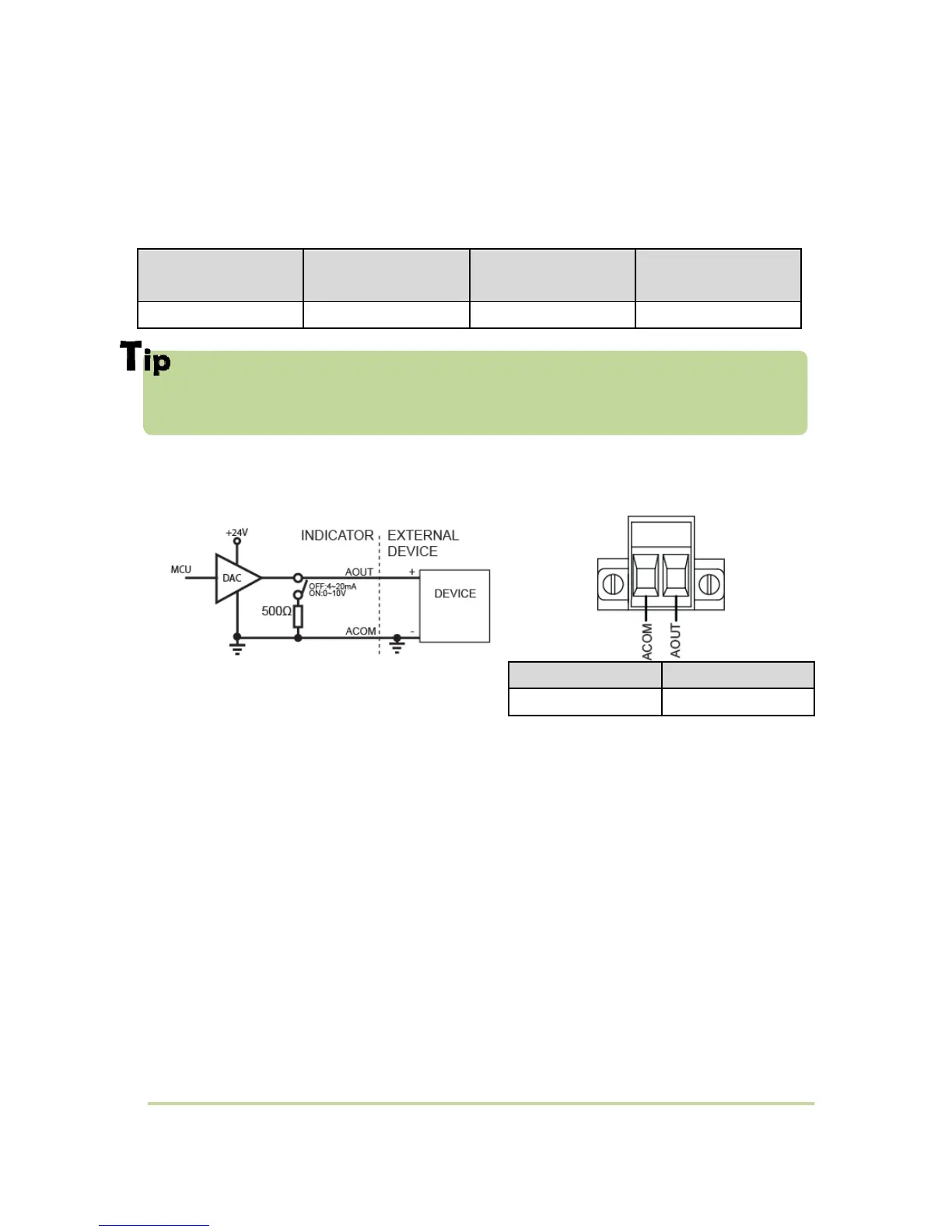
6-5-2. Circuit composition and connector
4-20mA will be out proportioned on current weight.
6-5-3. Output Adjustm
(1) Default analog output value is 4mA(weight zero) ~ 20mA(Full capacity).
(2) The analogue output value is adjusted with DIGITAL MULTI-METER.
(3) How to adjust analog output value.
1) Connect Digital multi meter to the Indicator (A out terminal).
2) Enter “F-function HF10 Minimum Analog Output Setting” mode.
3) Adjust the displaying value of indicator with keys(by 9,999) to make Digital multi meter’s
value as minimum(ex:4mA) and save.(When the SI 460C indicate about 5,200 , the Digital
multi meter indicates about 4mA)
4) Enter “F-function HF11 Maximum Analog Output Setting” mode
5) after connect digital multi meter to the indicator, then adjust the displaying value of
indicator with keys (by 32,768) to make Digital multi meter’s value as maximum(ex:20mA).



 To Next Page