Need help?
Do you have a question about the SEWOO LK-P12B and is the answer not in the manual?
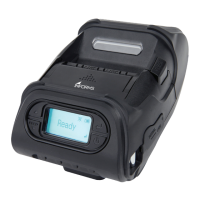
Details the printer's display screen and function of its buttons for navigation and operation.
Provides instructions and visual guides for correctly installing the battery into the printer.
Step-by-step instructions on how to safely remove the battery from the printer.
Explains how to charge the battery using the AC adapter, including LED status and charging times.
Guide on how to use the optional vehicle charger for powering and charging the printer.
Instructions on how to attach and secure the belt clip accessory to the printer.
Detailed steps for loading and installing the roll paper correctly into the printer.
Explains how to operate the printer in Peel Mode and Non-Peel Mode for label dispensing.
Instructions for attaching the shoulder strap to the printer for convenient carrying.
Guide on how to perform a diagnostic test to check printer status and firmware information.
Instructions on establishing a wireless connection between the printer and other devices via Bluetooth.
Steps for connecting the printer to external devices using USB or serial interface cables.
Detailed procedure for cleaning the printer's printhead using isopropyl alcohol for optimal print quality.
Instructions on cleaning the platen roller with a soft cloth and isopropyl alcohol for proper paper feeding.
Comprehensive technical specifications of the printer, including dimensions, performance, and connectivity.
 General
| Print Technology | Direct Thermal |
|---|---|
| Print Resolution | 203 dpi |
| Resolution | 203 dpi |
| Connectivity | Bluetooth, USB |
| Paper Type | Thermal Paper |
| Print Speed | 100 mm/sec |
| Interface | Bluetooth, USB |
| Paper Width | 57.5 ±0.5 mm |
| Battery | 7.4V Li-ion |

 To Next Page