Need help?
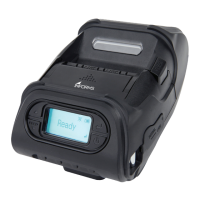
Do you have a question about the SEWOO LK-P41 and is the answer not in the manual?
Instructions and precautions for charging the battery safely and effectively.
Explanation of the printer's power button, feed button, and status indicator lamps.
Step-by-step instructions for correctly installing the battery into the printer.
Procedure for charging the printer battery using the AC adapter and indicator light status.
Steps for opening the paper cover, inserting paper, and tearing off excess.
Procedure to perform a self-test on the printer, including button presses and expected output.
 General
| Print Method | Direct Thermal |
|---|---|
| Print Width | 104 mm |
| Print Speed | 80 mm/sec |
| Resolution | 203 dpi |
| Paper Width | 112 mm |
| Print Width (Alternative) | 4.09 inches |
| Printer Type | Mobile |
| Connectivity | Bluetooth, USB |
| Interface | USB, Bluetooth |
| Emulation | ZPL |
| Battery | 7.4V |
| Print Speed (Alternative) | 80 mm/sec |


 To Next Page