Need help?
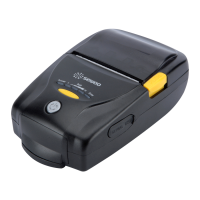
Do you have a question about the SEWOO LK-P32 and is the answer not in the manual?
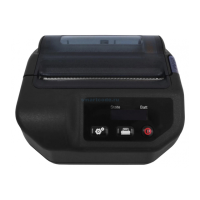
Explains the function of the power, paper feed, and setting buttons, along with printer status icons and battery level indicators.
Details the various icons displayed on the printer's LCD to indicate operational status like online, cover open, or no paper.
Provides guidance on interpreting the battery status indicators on the LCD to understand the remaining power.
Guides users through adjusting settings like media type and print density via the printer's LCD menu.
Step-by-step instructions for correctly aligning and inserting the battery into the printer.
Instructions on how to safely remove the battery from the printer, holding it up as shown.
Details on how to charge the printer's battery using the USB cable and power adapter.
Instructions for opening the paper cover, inserting paper correctly, and closing the cover.
Procedure for running the printer's self-test to check its operational status and print quality.
Explains how the printer connects wirelessly to PDA and PC devices using Bluetooth communication.
Guides on connecting the printer to devices like PDA or PC using a USB or serial interface cable.
Detailed technical specifications including printing method, speed, resolution, character set, and connectivity.
 General
| Type | Mobile Printer |
|---|---|
| Print Method | Direct Thermal |
| Print Resolution | 203 dpi |
| Print Width | 72 mm |
| Print Speed | 80 mm/sec |
| Paper Width | 80 mm |
| Emulation | ESC/POS |
| Connectivity | USB |
| Power Supply | AC 100-240V, 50/60Hz |

 To Next Page