Need help?
Do you have a question about the SEWOO LK-P30 II and is the answer not in the manual?
Details safe practices for handling power plugs, avoiding water, and preventing electrical shocks.
Advises on product placement, protection from water, and avoiding physical impacts.
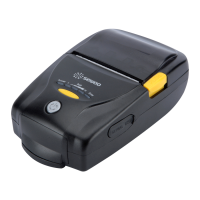
Identifies and labels components visible on the front of the printer.
Identifies and labels components visible on the bottom of the printer.
Explains the function and operation of the printer's control panel buttons and status lamps.
Step-by-step instructions for correctly installing the printer's battery.
Details the process of charging the printer battery and explains the charging status LED indicators.
Instructions for using the optional charging cradle to charge the printer's battery.
Guide on using the optional car charger for powering or charging the printer.
Provides instructions on how to safely remove the battery from the printer.
Instructions on how to attach and use the belt clip for carrying the printer.
Step-by-step guide for correctly loading and installing a paper roll into the printer.
Instructions on how to place and secure the printer in its optional leather case.
Explains how to perform a self-test to verify printer functionality and print a diagnostic report.
Instructions for using the optional Magnetic Stripe Reader (MSR) to swipe cards.
Instructions for inserting and using the IC Card reader on the printer.
Guide on connecting the printer to other devices wirelessly via Bluetooth.
Guide on connecting the printer to networks wirelessly via Wi-Fi.
Instructions for connecting the printer to devices using USB or Serial interface cables.
 General
| Print Technology | Direct Thermal |
|---|---|
| Print Resolution | 203 dpi |
| Emulation | ESC/POS |
| Power Supply | AC 100-240V, 50/60Hz |
| Interface | USB, Serial |
| Weight | 1.5 kg |
| Operating Temperature | 0 to 50 °C |
| Operating Humidity | 20% to 80% RH |

 To Next Page