Need help?
Do you have a question about the SEWOO LK-P43 and is the answer not in the manual?
Warning regarding battery replacement and disposal according to local instructions.
Information on proper disposal of electrical and electronic equipment in the EU.
General warnings about fire, electric shock, and property damage from improper use.
Instructions on handling power plugs, outlets, and damaged wires.
Cautions against disassembling, modifying, or exposing the product to water and unstable surfaces.
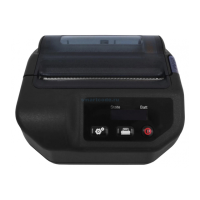
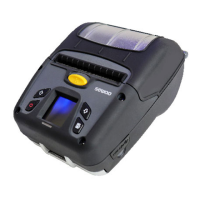
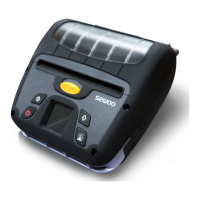
Explains the printer's display and the functions of its buttons.
Details on battery status LEDs and instructions for inserting the battery.
Procedure for charging the printer's battery, including DC jack connection.
Steps for opening the cover, inserting paper, and adjusting guides.
Steps for cleaning the print-head using isopropyl alcohol and safety precautions.
Detailed specifications including printing method, speed, resolution, and emulation.
Specifications for display, adapter, battery, size, weight, environment, and temperature.
This document is a user's manual for the SEWOO LK-P43 portable printer, a device designed for direct thermal printing. The manual provides comprehensive instructions on its installation, operation, maintenance, and various connectivity options, emphasizing safety and optimal performance.
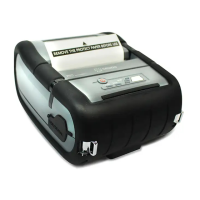
The SEWOO LK-P43 is a portable direct thermal printer primarily used for printing labels and receipts. It supports various emulations, including CPCL, ESC/POS, and ZPL commands, making it versatile for different applications. The printer is equipped with a peeler function, allowing for easy separation of printed labels from their backing. It also features a display for user interaction and status indication, along with multiple connectivity options for seamless integration with other devices.
The LK-P43 offers a range of features designed for user convenience and operational flexibility:
Display and Navigation: The printer includes a TFT-LCD (RGB) 240x400 display that provides visual feedback and allows users to navigate through menu options. Buttons for "Paper Feed / Down," "Enter," "Up," and "Power" facilitate interaction with the device. The "Paper Feed / Down" button advances paper, clears error messages, and moves down through menu options. The "Enter" button selects highlighted menu options, while the "Up" button moves up through menus. The "Power" button turns the printer on and off, and can also wake it from sleep mode.
Battery Management: The LK-P43 is powered by a Li-ion battery, which can be charged either within the printer or using an optional external battery cradle. The manual stresses the importance of fully charging the battery upon initial receipt. A charge indicator LED (red for charging, green for completed) provides clear status updates. The battery status LEDs on the display also indicate the remaining power, though actual run-time can vary based on printing content and distance to the computer. Users are advised that high-density printing with a very low battery level might cause the printer to switch off, potentially leading to data loss.
Paper Roll Installation: Installing a paper roll involves opening the paper cover, adjusting the paper guide using a knob to match the paper width, inserting the paper roll so it unrolls from the bottom, pulling a short length of paper out, and then closing the cover with both hands. The manual specifically warns against closing the cover with one hand to ensure it's properly secured.
External Paper Guides: The printer supports optional external paper guides for specific paper types or widths. These guides can be installed or uninstalled using a sharp tool to detach or align them. When installing, it's recommended to set the printer on a flat surface and ensure the paper position is at least twice the length of the printing paper away from the guides for optimal performance.
Peel Mode: The LK-P43 features a peel mode for easy label separation. To activate this, users slide the peeler body towards the back of the printer until two complete triangles are visible, then press the "Feed" button. The manual also describes a "Non-Peel Mode" where the peeler wing is pulled down while pressing the cover open button slightly, followed by pressing the "Feed" button. A caution is included regarding potential errors in peeler function if labels with slits or perforations are used.
Shoulder Strap Installation: For enhanced portability, a shoulder strap can be installed by inserting it into the hook of the printer and then fastening the end of the strap into a clip after pulling it tightly.
Diagnostic Test: A diagnostic test can be performed to obtain information about the firmware version, emulation, codepage, sensor settings, and interface settings. This test is crucial for troubleshooting and verifying the printer's functionality independently of other devices or software. To run the self-test, the printer must be turned off, then the "Feed" and "Power" buttons are pressed simultaneously. The printer will then print an ASCII pattern. The manual also describes how to enter "Hex Dump mode" by pressing the "Feed" button after the initial diagnostic steps.
Connectivity: The LK-P43 offers multiple connection options:
Belt Clip Usage: An optional belt clip can be attached to the printer using a screw and screwdriver, providing a convenient way to carry the device.
Proper maintenance is essential for ensuring the longevity and optimal printing quality of the LK-P43:
Print-Head Cleaning: If printing quality degrades due to dust, the print-head should be cleaned. This involves using an applicator swab moistened with isopropyl alcohol to remove dust. After cleaning, the printer should be allowed to dry before reinstalling paper and closing the cover. Critical safety notes include turning off the printer before cleaning, allowing the print-head to cool down for approximately 10 minutes after printing (as it can become very hot), avoiding touching the print-head due to static electricity risk, and taking care not to scratch or damage it.
Platen Roller Cleaning: The platen roller can be cleaned with a clean, soft cloth moistened with isopropyl alcohol or a cleaning pen. Users should turn the platen roller with their finger to clean its entire surface.
Overheating Prevention: To prevent the motor from overheating, especially after continuous printing, it is recommended to stop the printer for at least 30 seconds after printing approximately 1.5 meters of paper.
The manual also includes important safety precautions, such as avoiding disassembly, unplugging from the power outlet when not in use, not handling with wet hands, and keeping the product away from water. It also advises against installing the printer on unstable surfaces and to avoid excessive shock or drops to prevent damage or injury. In case of repair needs, users are instructed to contact their reseller.
 General
| Printing Method | Direct Thermal |
|---|---|
| Print Resolution | 203 dpi |
| Paper Width | 112 mm |
| Media Type | Thermal Paper |
| Interface | USB, Bluetooth |
| Emulation | ESC/POS |
| Print Speed | 100 mm/sec |
| Media Width | 112 mm |

 To Next Page