EasyManua.ls Logo

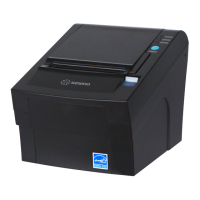
SEWOO LK-T200 - User Manual

SEWOO LK-T200
13 pages
Print Icon
To Next Page IconTo Next Page
Loading...
All specifications are subject to change without notice
Receipt Printer User’s Manual
MODEL : LK-T200
Rev. 1.0
SEWOO TECH CO.,LTD.
Doosung BD, 689-20, Geumjeong-dong, Gunpo-si, Gyeonggi-do, 435-862, Korea
TEL : +82-31-459-8200 FAX : +82-31-459-8880
www.miniprinter.com
Question and Answer IconNeed help?

Do you have a question about the SEWOO LK-T200 and is the answer not in the manual?

Summary

Parts Identifications

Setting Up the Printer

Unpacking

Verify printer box contents and report any damaged or missing items to the dealer.

Connecting the Cables

Connect necessary cables, including interface and power, to the printer's connector panel.

Loading the Roll Paper

Instructions for loading roll paper, including notes on paper type and correct orientation.

Dip Switch Setting

Guide to configuring printer settings like communication, handshaking, and print density via DIP switches.

Control Panel and Other Functions

Self Test

Running the Self Test

Procedure to initiate the self-test to verify printer operation, settings, and quality.
Specifications

Command List

SEWOO LK-T200 Specifications

General IconGeneral
BrandSEWOO
ModelLK-T200
CategoryPrinter
LanguageEnglish

Related product manuals