33
SFE
E
N
G
L
I
S
H
ERROR MESSAGES
The following error messages may be displayed during operation:
RESET HARDWARE
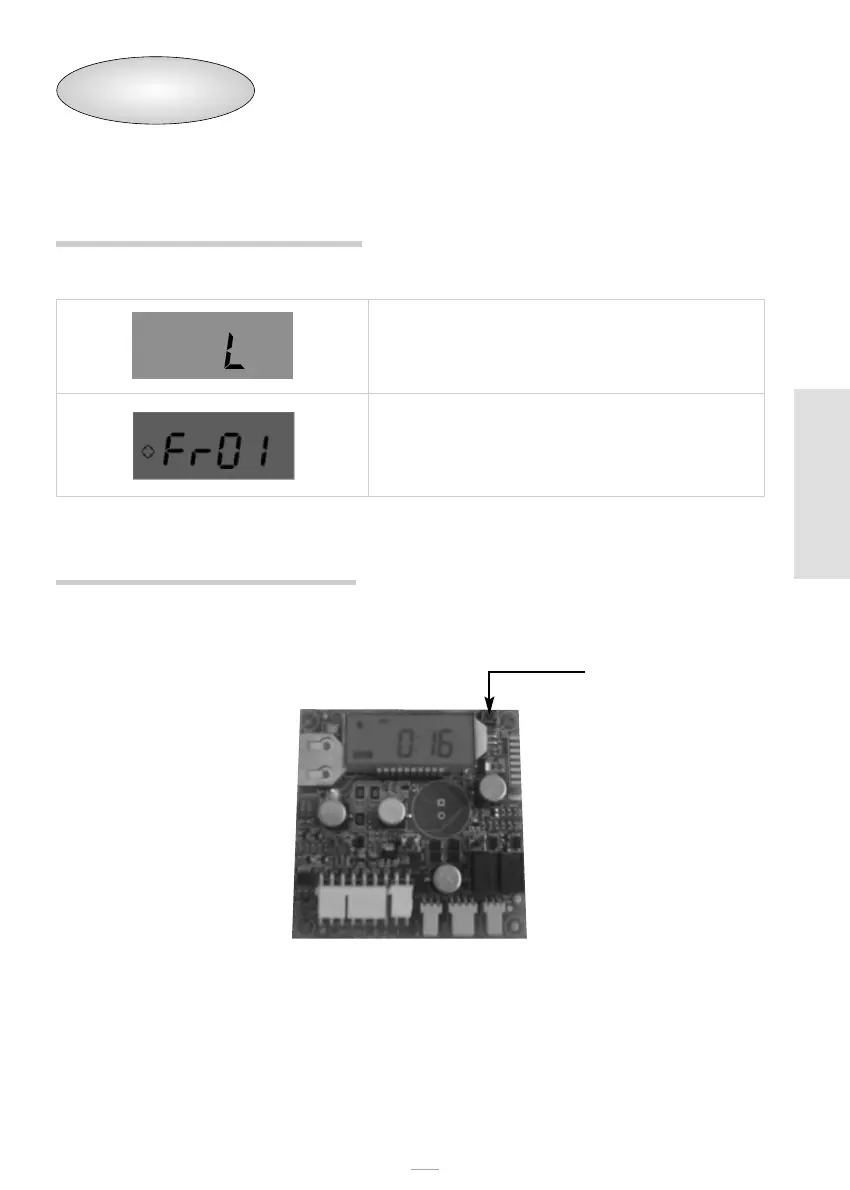
The SFE controller is fitted with a hardware reset button located on the board itself close
to the display and not directly reachable by the user.
After a hardware reset, the time on the display flashes until any button is pressed.
Button to reset the SFE board
Salt alarm, the brine tank is empty. Press any key to
acknowledge this alarm and reset the salt alarm counter to
the programmed value. No regenerations are carried out
during the salt alarm.
Microswitch alarm. The module cannot find the service
position. No regenerations are carried out during the
microswitch alarm.


 To Next Page