10
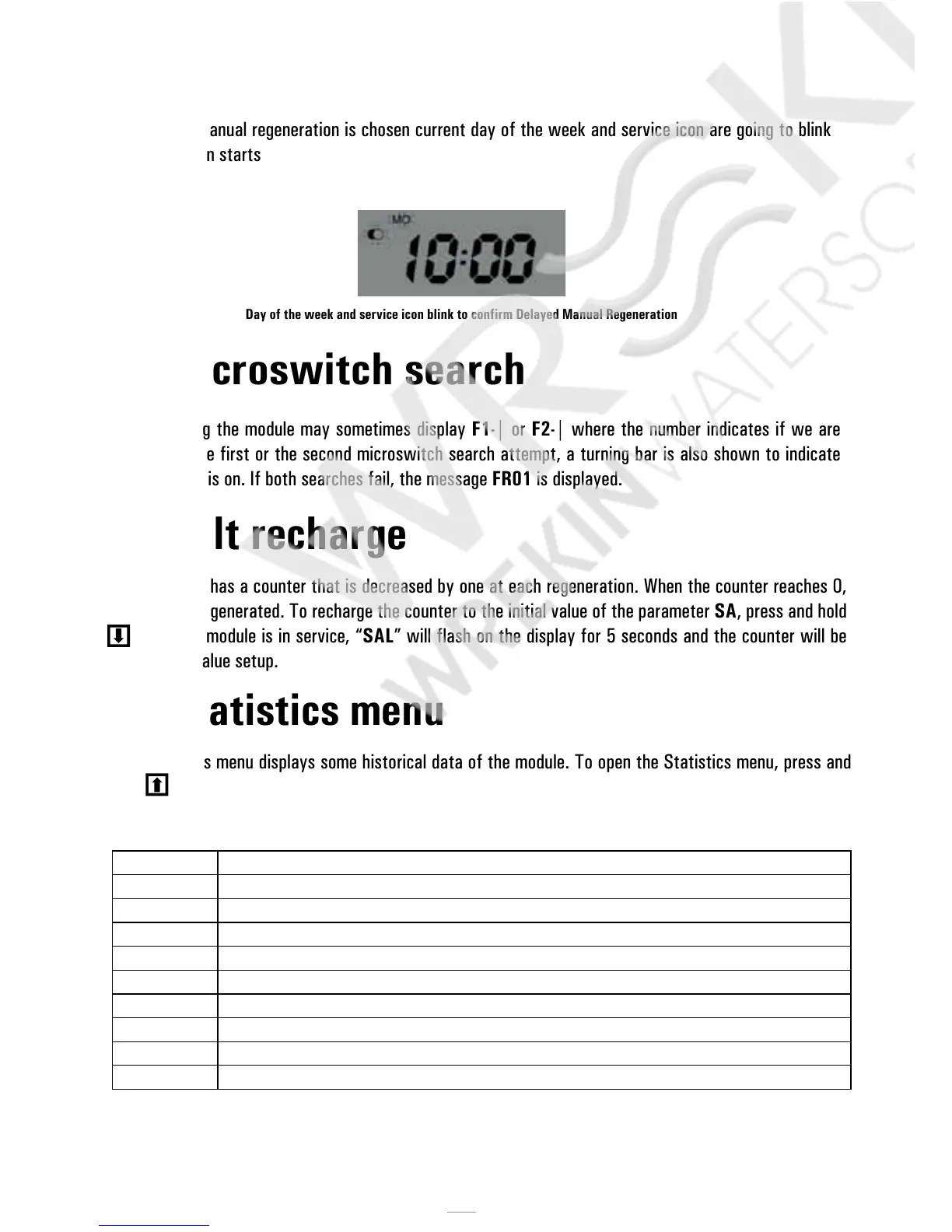
When Delayed manual regeneration is chosen current day of the week and service icon are going to blink
until regeneration starts
Day of the week and service icon blink to confirm Delayed Manual Regeneration
4.5 Microswitch search
When powering the module may sometimes display F1-| or F2-| where the number indicates if we are
carrying out the first or the second microswitch search attempt, a turning bar is also shown to indicate
that the motor is on. If both searches fail, the message FR01 is displayed.
4.6 Salt recharge
The controller has a counter that is decreased by one at each regeneration. When the counter reaches 0,
a salt alarm is generated. To recharge the counter to the initial value of the parameter SA, press and hold
when the module is in service, “SAL” will flash on the display for 5 seconds and the counter will be
reset to the value setup.
4.7 Statistics menu
The Statistics menu displays some historical data of the module. To open the Statistics menu, press and
hold for 5 seconds.
The following data are displayed:
Data Description
Xxxx Number of regenerations carried out
SAxx Number of residual regenerations before the salt alarm is generated.
FFxx Number of days elapsed since the last regeneration.
Lxxxxxx Overall volume treated (in litres).
Xx:xx Day and time of the last regeneration carried out, the regeneration icon is on.
Xx:xx Day and time of the second last regeneration carried out, the service icon is on.
Xx:xx Day and time of the third last regeneration carried out service and regeneration icons are on simultaneously.
End End of the statistics.
189x Software release and revision.



 To Next Page