11
The treated volume is displayed on a running string so as to allow reading a number greater than 9999.
Press
to switch parameters .
The date and time information for the last regenerations carried out are only available if regenerations
have been carried out.
While the statistics are displayed, the regeneration icon is on, if not otherwise indicated.
4.8 Reset eeprom
To reset the eeprom to the default values, proceed as follows. In the service condition (regeneration cycle
not running and clock displayed):
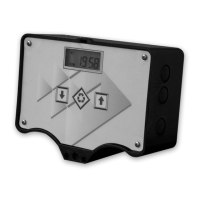
- To open the Statistics menu, press and hold for 5 seconds.
- Press and release the
- Press and release the
- Press and release the
- Press and hold the for about 5 seconds
The display shows “rSt” for a few seconds; this means that the eeprom has been reset to the default
values.
NOTE: this procedure does not reset statistical data.



 To Next Page