FL Series Cloud Computer
-
25
-
Please long press standby or restart button, after reboot the display resolution
will be automatically reset to default 720P, interface is normal display.
Individual monitor cannot reach the best performance regardless of which
resolution
Open panel menu on display , select automatically adjust size.
When the device choose 32-bit color, remote desktop icon
display still fuzzy, you need to do the following settings on the
server :
When virtual machine operate system is Win7, enter into control panel
-Appearance and Personalization-adjust resolution-senior
setting-monitor-color-true color(32 bit) save and then ok.
When virtual machine operating system is WIN XP,enter into virtual desktop, in
the taskbar click "start" > "run", display operation window,input
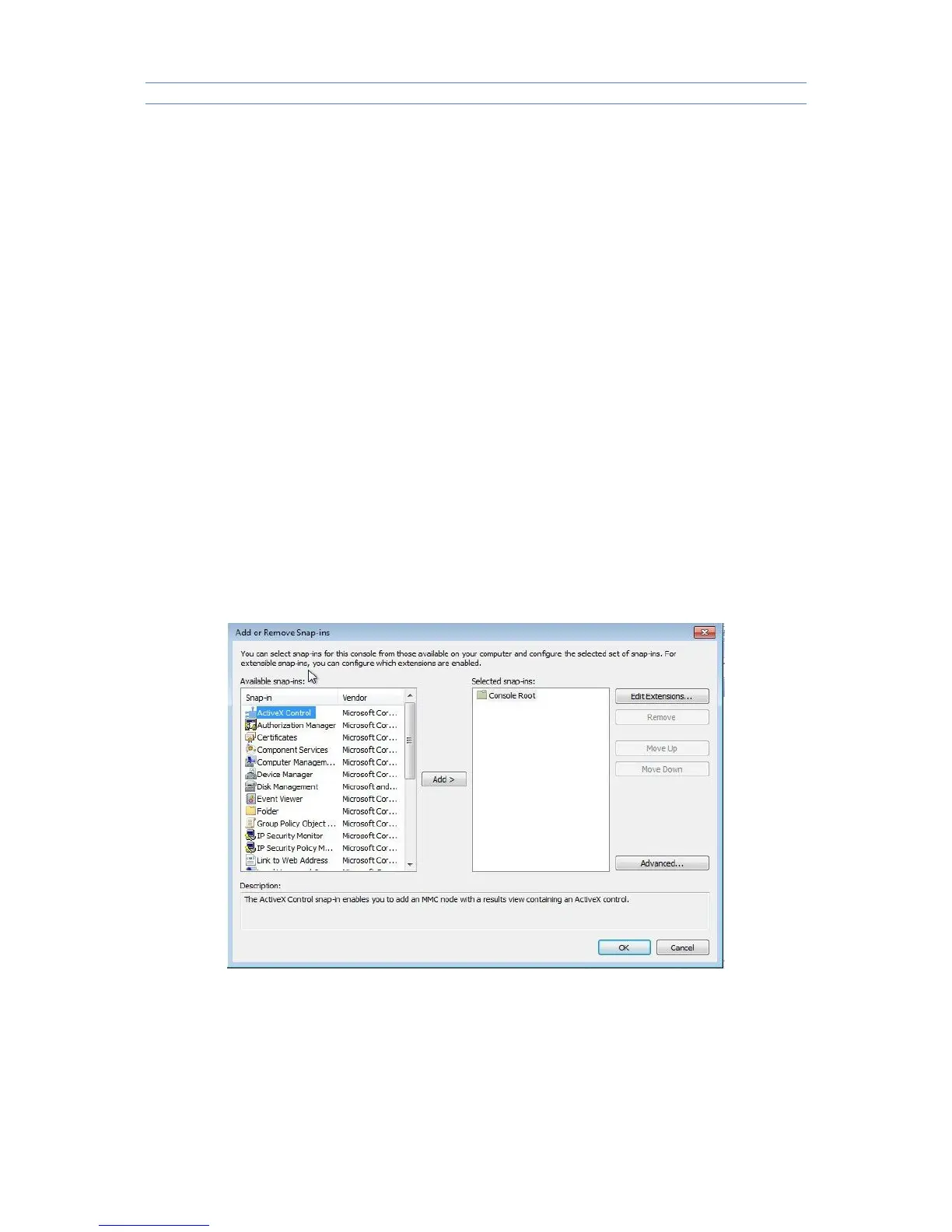
command"MMC" in operation window and click "ok".
1.Click ‘‘add’’ and select ‘‘Standalone Snap-in’’ -‘‘Group Policy Object Editor’’.



 To Next Page