
 Need help?
Do you have a question about the Shark 2400WD Series and is the answer not in the manual?
Basic precautions for electrical appliance use, inspection, replacement parts, and liquid exposure.
Guidance on usage by persons with reduced capabilities, handling, and operational restrictions.
Warnings against using the cleaner in specific environments or with certain materials.
Safety measures related to cleaning solutions, wet floors, cliff sensors, and operating around children.
Instructions for charging the battery and safe handling of the robot during charging.
Warnings about battery terminals, liquid ejection, temperature limits, and non-rechargeable batteries.
Guidelines for using no-go zones and safety precautions for the product's laser.
Proper placement and clearance requirements for the charging dock for optimal Wi-Fi and robot function.
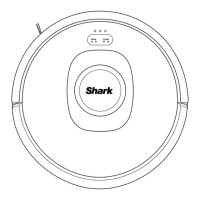
Instructions on how to attach the included side brush to the robot.
Instructions for turning on the robot and initiating the charging process.
How the robot searches for and docks with the charging station, including manual placement.
Details the rights granted for using the software and limitations on usage.
Information on data handling, privacy policy, and embedded third-party software.
Requirements for compliance with laws, software maintenance, and support services.
Disclaims warranties and limits SharkNinja's liability for product use and software.
Outlines what the one-year limited warranty covers, including exclusions.
Instructions on how to obtain service, initiate a warranty claim, and associated fees.
Information on how and where to register your Shark product for warranty and support.
Guidance on finding model/serial numbers and expected runtime/charging times.
Details FCC compliance statements and warnings regarding radio frequency energy and interference.
Instructions for safely removing and recycling the product's battery according to regulations.
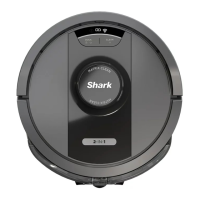
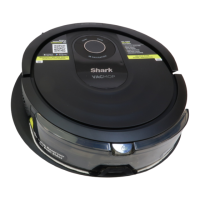
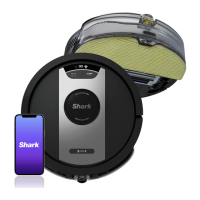
The Shark IQ 2-in-1 ROBOT Floor Cleaner is an autonomous cleaning device designed for household use, capable of both vacuuming and wet mopping. It is equipped with a pre-installed rechargeable battery and operates with smart navigation features, allowing it to map and clean your home efficiently. The robot is designed to work with the Google Assistant and Amazon Alexa for convenient voice control.
The robot floor cleaner performs two primary functions: dry vacuuming and wet mopping. It is designed to navigate autonomously through your home, picking up dust, debris, and pet hair, and then transitioning to wet cleaning for hard floors. The device includes a dust bin for dry debris and a fluid reservoir for wet cleaning solution. It automatically returns to its charging dock when the cleaning cycle is complete or when the battery is low.
Setup and Charging: Before first use, the robot's battery must be fully charged, which can take up to 6 hours. The charging dock should be placed in a permanent location with strong Wi-Fi, against a wall, and with the landing mat attached. It's crucial to ensure no objects are closer than 3 feet from either side of the dock or 5 feet from the front. The robot is turned on by pressing and holding the DOCK button for 5-7 seconds. To charge, the robot is placed on the dock, and a beep will confirm charging has begun, with the charging indicator turning from green to blue. If the robot cannot return to the dock automatically, it can be manually placed, ensuring the charging contacts align.
Navigation and Cleaning: The robot utilizes advanced navigation to map your home. It's important to remove any obstructions that could impede its movement or damage the device. The robot should not be used without the dust bin, filter, brushroll, and side brush in place. For optimal performance, ensure all cords from other appliances are out of the cleaning area. The device is not designed to pick up liquids, large objects, hard or sharp objects (glass, nails, screws, coins), large quantities of dust (drywall dust, fireplace ash, embers), smoking or burning objects (hot coals, cigarette butts, matches), flammable or combustible materials (lighter fluid, gasoline, kerosene), or toxic materials (high concentrations of chlorine bleach liquid, ammonia, or drain cleaning solution).
No-Go Zones: The robot supports no-go zones, which are essential for preventing it from entering specific areas. These zones should always be used around reflective flooring and surfaces, near carpeted stairs, and within 10 feet of the dock. This helps prevent the robot from getting stuck, falling, or damaging itself or your property.
Safety Precautions: Several safety measures are outlined to ensure safe operation. The charging cable plug should fit fully into the outlet, and forcing it or modifying it is prohibited. The robot, charging dock, and cable should not be handled with wet hands. It should not be used if airflow is restricted; obstructions must be removed before restarting. The device is not suitable for use by children without supervision and should not be operated in rooms where infants or children are sleeping, or where lit candles or fragile objects are on the floor.
General Maintenance: Regular maintenance is crucial for the robot's longevity and performance. Before any adjustment, cleaning, maintenance, or troubleshooting, the robot floor cleaner must be turned OFF. All filters should be allowed to air-dry completely before reinstalling to prevent liquid from entering electrical parts. The filters, dust bin, fluid reservoir, and pads are the only parts that can be exposed to water or other liquids.
Battery Care: The robot uses a pre-installed rechargeable lithium-ion battery. It's important to follow all charging instructions carefully. The battery should be kept away from metal objects like paper clips, coins, keys, nails, or screws, as shorting the terminals can increase the risk of fire or burns. The robot and battery should be stored, charged, and used within a temperature range of 50°F (10°C) to 104°F (40°C) to prevent damage and fire risk. Exposing the robot or battery to temperatures above 265°F (130°C) can cause an explosion. Non-rechargeable batteries cannot be recharged. When the battery no longer holds a charge, it should be removed and recycled according to local ordinances, not incinerated or composted.
Fluid Reservoir and Cleaning Solution: When refilling the fluid reservoir for wet cleaning, it's important to check for leaks, as pooled liquids can be a slipping hazard and cause electrical shock. If the reservoir is damaged, it must be replaced. Only the VACMOP™ cleaning solution should be used, and it's recommended to test a small, inconspicuous area of the floor first to ensure it doesn't cause damage.
Damage and Repair: Before each use, all parts should be inspected for damage. If any part is damaged, discontinue use and use only identical replacement parts from sharkclean.com. The robot contains no serviceable parts, and users should not modify or attempt to repair the robot or battery themselves, except as indicated in the Owner's Guide. If the robot is not working as it should, or has been dropped, damaged, or dropped into water, it should not be used. Any spilled or leaked liquid from the dock landing mat, base, or floor should be removed immediately to prevent electrical shock.
 General
| Power Source | Corded Electric |
|---|---|
| Voltage | 120V |
| Weight | 14.5 lbs |
| Filtration | HEPA |
| Hose Length | 7 feet |
| Model Number | WD2400WD |





 To Next Page
