Doc# E169703 V.1.02 QS - 8
Shark® 250 Meter Quickstart
Electro Industries/GaugeTech
The Leader In Power Monitoring and Smart Grid Solutions
Electro Industries/GaugeTech
The Leader In Power Monitoring and Smart Grid Solutions
Input a new meter designation into the field. Note that it is important to name each meter
individually, since the meter name is used to name the log databases when logs are downloaded.
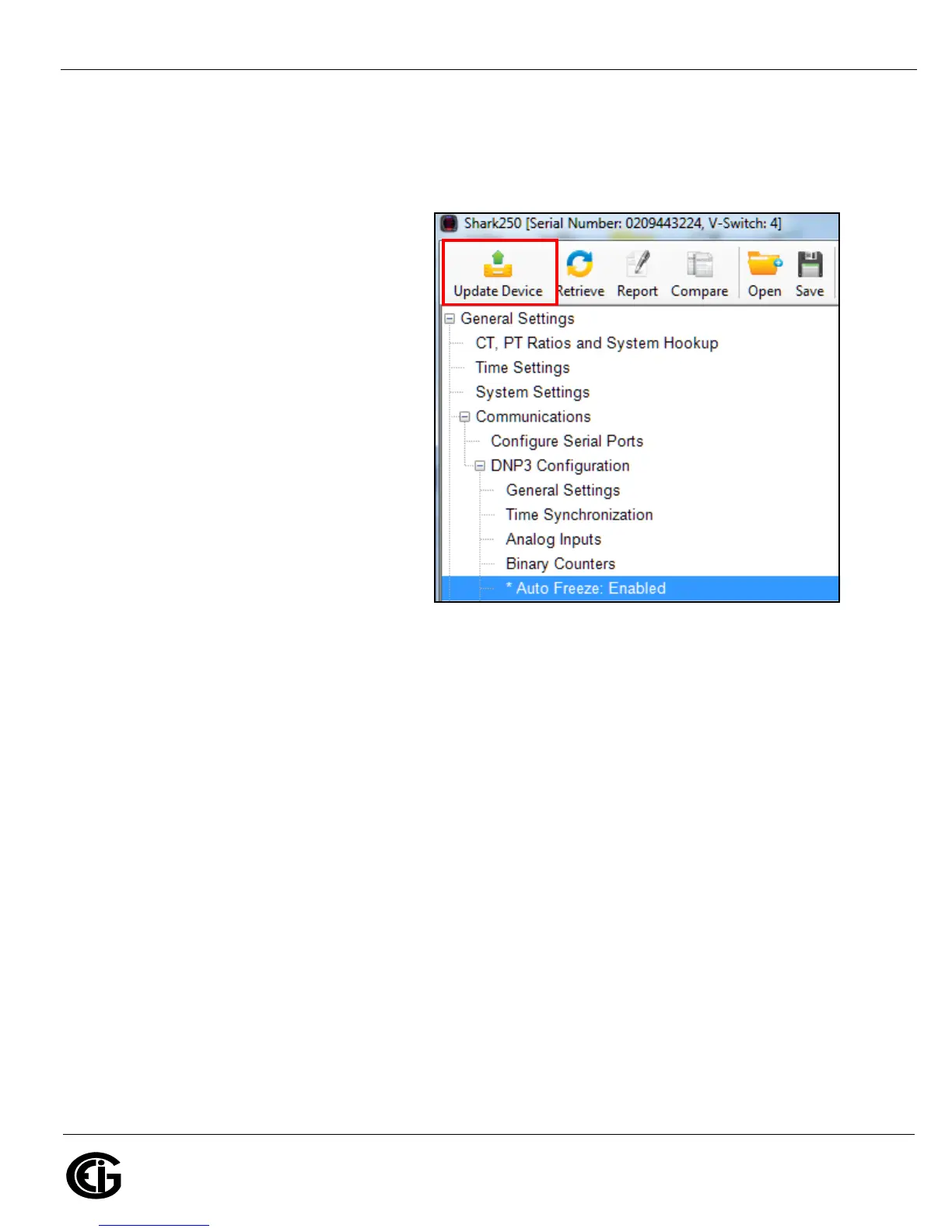
MPORTANT! When you have made changes
to the meter’s Device Profile, click Update
Device at the top left of the Device Profile
screen’s Icon Bar, to send the new settings
to the meter. The meter will reboot and then
you can reconnect to it.
Shark® is a registered trademark of Electro Industries/GaugeTech. The distinctive shape, style, and overall appearance of the Shark® meter is a
trademark of Electro Industries/GaugeTech. Communicator EXT is a trademark of Electro Industries/GaugeTech.
TM








 To Previous Page