1 21-800-798-7398 sharkclean.com
ENGLISH
CONTENTS
THANK YOU
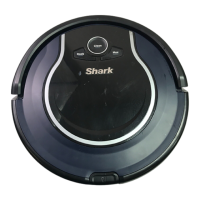
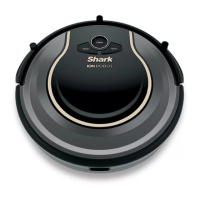
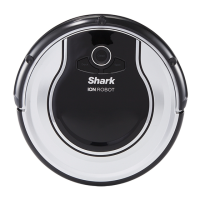
for purchasing the Shark ION ROBOT
™
PLEASE READ CAREFULLY AND KEEP
FOR FUTURE REFERENCE.
This instruction manual is designed to help
you get a complete understanding of your new
Shark ION ROBOT.
If you have any questions, please call the
Customer Service line at 1-800-798-7398.
TECHNICAL SPECIFICATIONS
Voltage: 14.8 V
Battery type: DC 14.8 V Li-ion 2600 mAh
Expected cleaning time: 60 minutes
Expected charging time: 3 hours
TIP: You can find the
model and serial numbers
on the QR code label
located near the rating
label on the underside of
the unit.
RECORD THIS INFORMATION
Model Number: ��������������������������������������
Serial Number: ��������������������������������������
Date of Purchase (Keep receipt): �����������������������
Store of Purchase: �����������������������������������
REGISTER YOUR PURCHASE
registeryourshark.com
1-800-798-7398
Scan QR code using mobile device
Important Safety Instructions . . . . . . . . . . . . . . . . . . . . . . . . . . . 3
Getting To Know Your Shark ION ROBOT™ . . . . . . . . . . . . . . . . 7
Charging Your Shark ION ROBOT . . . . . . . . . . . . . . . . . . . . . . . . 9
Installing the Charging Dock � � � � � � � � � � � � � � � � � � � � � � � � � � � � � � 9
Important Charging Information � � � � � � � � � � � � � � � � � � � � � � � � � � � 9
Battery Charge Indicator Lights � � � � � � � � � � � � � � � � � � � � � � � � � � �10
Setting Up Your Shark ION ROBOT ......................11
Installing the Side Brushes � � � � � � � � � � � � � � � � � � � � � � � � � � � � � � � � 11
Using Your Shark ION ROBOT . . . . . . . . . . . . . . . . . . . . . . . . . 12
Using the Shark ION ROBOT App � � � � � � � � � � � � � � � � � � � � � � � � � �12
Voice Control Commands for Google Assistant or
Amazon Alexa � � � � � � � � � � � � � � � � � � � � � � � � � � � � � � � � � � � � � � � � � � �12
BotBoundary™ Strips � � � � � � � � � � � � � � � � � � � � � � � � � � � � � � � � � � � � �13
Cleaning Modes � � � � � � � � � � � � � � � � � � � � � � � � � � � � � � � � � � � � � � � � �14
Sending Shark ION ROBOT to Charging Dock � � � � � � � � � � � � � �14
Maintaining Your Shark ION ROBOT . . . . . . . . . . . . . . . . . . . . 15
Emptying the Dust Bin � � � � � � � � � � � � � � � � � � � � � � � � � � � � � � � � � � �15
Cleaning the Filters � � � � � � � � � � � � � � � � � � � � � � � � � � � � � � � � � � � � � � �16
Cleaning the Brushroll � � � � � � � � � � � � � � � � � � � � � � � � � � � � � � � � � � � � 17
Cleaning the Cli Sensors and Charging Pads � � � � � � � � � � � � � � �18
Cleaning the Side Brushes � � � � � � � � � � � � � � � � � � � � � � � � � � � � � � � �18
Replacing the Side Brushes � � � � � � � � � � � � � � � � � � � � � � � � � � � � � � �18
Cleaning the Removable Front Wheel � � � � � � � � � � � � � � � � � � � � � �19
Replacing the Battery . . . . . . . . . . . . . . . . . . . . . . . . . . . . . . . . . 20
Tips and Tricks for Great Performance . . . . . . . . . . . . . . . . . . 21
Prepping Your Home Using BotBoundary Strips . . . . . . . . . . 22
Troubleshooting Guide . . . . . . . . . . . . . . . . . . . . . . . . . . . . . . . . 23
Error Codes � � � � � � � � � � � � � � � � � � � � � � � � � � � � � � � � � � � � � � � � � � � � 23
End User License Agreement ..........................24
Warranty . . . . . . . . . . . . . . . . . . . . . . . . . . . . . . . . . . . . . . . . . . . . 28

 To Next Page
 Loading...