15 161-800-798-7398 sharkclean.com
ENGLISH
WARNING: Wash the
dust bin and filter cover
with water only. Be sure
to air-dry them completely
before reassembling.
DO NOT wash the filter
with water, as it may
damage the filter and
reduce suction power.
CAUTION: Turn off power
before performing any
maintenance.
TIP: For best results,
empty the dust bin after
every cleaning.
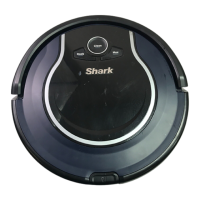
MAINTAINING YOUR SHARK ION ROBOT™
EMPTYING THE DUST BIN
1 Press the dust bin removal latch and slide out the dust bin.
2 Open the dust bin.
3 Empty debris and dust into trash.
RECOMMENDED
CLEANING SCHEDULE:
Dust Bin
Empty after each use
Main Brushroll
Check weekly
Side Brushes
Check weekly
Dust Bin Filter
Clean weekly
Front Caster Wheel
Remove and clean weekly
RECOMMENDED
REPLACEMENT
SCHEDULE:
Main Brushroll
Every 6–12 months
Side Brushes
When visibly worn
Dust Bin Filter
Every 2 months
Front Caster Wheel
Every 12 months
CLEANING THE FILTERS
1 With the dust bin out of the unit, clear hair from the Anti-Tangle Comb on the dust bin.
2 Press the filter door release button to open the door and remove the filters.
3 Clean the dust bin and filters with a cleaning brush.
4 Replace the filters and the filter cover. Close the dust bin and slide it back into Shark ION ROBOT™.
STEP 4
STEP 1
STEP 2 STEP 3
STEP 3STEP 1 STEP 2

 To Next Page
 Loading...