EasyManua.ls Logo

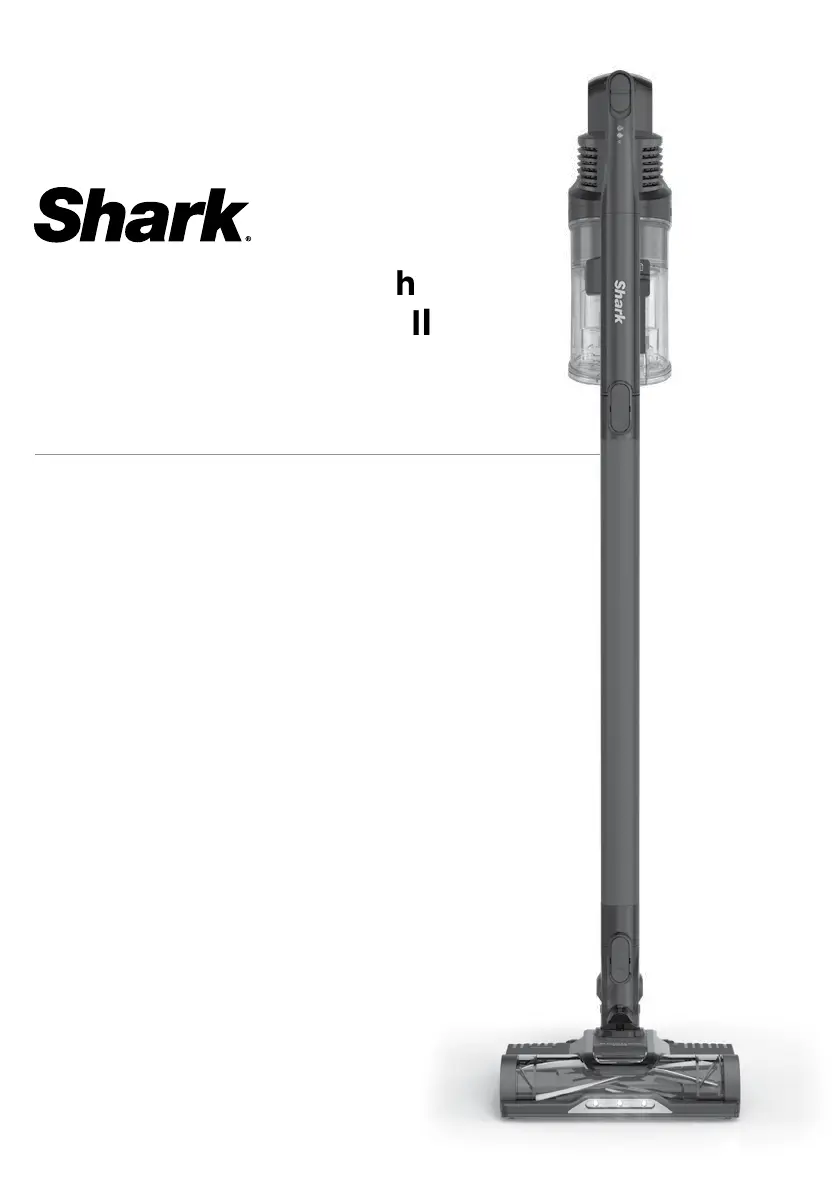
Shark IZ102ANZ - User Manual

Shark IZ102ANZ
11 pages
Print Icon
To Next Page IconTo Next Page
Loading...
Cordless Vacuum with
Self-Cleaning Brushrol
l
IZ102ANZ
OWNER’S GUIDE

Questions and Answers

  • B
    Billy MillerAug 7, 2025
    What to do if my Shark IZ102ANZ is not picking up debris?
    • T
      thomasbauerAug 7, 2025
      If your Shark Vacuum Cleaner isn't picking up debris, and you notice no suction or light suction with a red nozzle light, here are some things to check: * Inspect the filters; they may need cleaning. Rinse them and let them completely air-dry before putting them back. * The dust cup might be full, so empty it. * Check the floor nozzle for any blockages and clear them. * Remove any string, carpet fibers, or hair wrapped around the brushroll. * Check for blockages between the handheld vacuum and wand, clearing any you find. Also, inspect the clog access in the wand for debris and clear it.
  • J
    Jennifer TylerAug 14, 2025
    Why does my Shark IZ102ANZ turn off on its own?
    • J
      James GonzalezAug 14, 2025
      If your Shark Vacuum Cleaner is turning off by itself, there are several potential reasons. First, turn on the vacuum and check the battery indicator lights on the handheld portion. If the battery needs recharging, ensure the power/selector switch is in the Off position before connecting the charger. Other possible solutions include: 1. Emptying the dust cup and cleaning the filters. 2. Checking the wand, accessories, and inlet openings for blockages. 3. Allowing the unit and battery to cool for about 45 minutes to reach room temperature. 4. Restarting the vacuum using the power/selector switch.
  • V
    vwagnerAug 22, 2025
    What to do if Shark Vacuum Cleaner brushroll does not spin?
    • M
      Michael JonesAug 22, 2025
      If the brushroll on your Shark Vacuum Cleaner isn't spinning, immediately turn off the vacuum. Remove any blockages before turning it back on. Make sure the handheld vacuum is tilted back far enough for the brushroll to engage. Also, if the floor nozzle has headlights, check if they are lit. If not, there may be a connection issue between the handheld vacuum, wand, and nozzle. Try disconnecting and reattaching the pieces.
  • S
    Shannon MortonAug 28, 2025
    How to stop my Shark IZ102ANZ from lifting area rugs?
    • E
      Elizabeth ScottAug 28, 2025
      If your Shark Vacuum Cleaner is lifting area rugs, ensure that you are not using boost mode. Also, exercise caution when vacuuming area rugs or those with delicately sewn edges. You can also turn off the unit to disengage the brushroll and then restart it using the power/selector switch.

Summary

Important Safety Instructions

Electrical Connections and General Use

Safety guidelines for vacuum components, general use, and handling.

Battery Pack Safety

Precautions and guidelines for safe handling and charging of the battery pack.

Assembly

Component Assembly Steps

Instructions for connecting the wand and handheld vacuum.

Li-Ion Battery Information

Battery Charging and Indicators

Explains battery charging process and LED indicators for status.

Battery Recycling and Disposal

Provides instructions for responsible battery disposal and recycling.

Charging the Battery

Using the Li-Ion Charger

Step-by-step guide on how to charge the battery via the charger.

Vacuum Settings and Modes

Operating Modes

Explains different cleaning modes like Hard Floor and Carpet.

Boost Mode

Describes how to activate and use the power boost function.

Cleaning Modes

Upright Mode Operation

How to operate the vacuum in the standard upright cleaning position.

Above-Floor Cleaning

Using the handheld or wand for cleaning above floor areas.

Maintaining Your Vacuum

Dust Cup Maintenance

Instructions for emptying, removing, and cleaning the dust collection cup.

Filter Cleaning and Replacement

Guidance on cleaning pre-motor and post-motor filters for optimal performance.

Maintenance

Floor Nozzle and Brushroll Care

Instructions for cleaning the floor nozzle and managing brushroll hair wrap.

Checking for Blockages

How to identify and clear blockages in the vacuum's components.

Troubleshooting Guide

Performance Issues

Addresses problems like low suction, rug lifting, and brushroll not spinning.

Vacuum Auto Shut-off

Explains reasons and steps for the vacuum turning off unexpectedly.

Battery Indicator Lights

Interprets flashing battery lights and advises on corrective actions.

Limited Warranty Information

Warranty Conditions and Exclusions

Outlines terms, conditions, exclusions, and customer responsibilities for warranty claims.

Warranty Coverage

Defines who is covered by the warranty and what specific parts are not included.

Technical Specifications

Product Voltage

Specifies the operating voltage of the vacuum cleaner.

Shark IZ102ANZ Specifications

General IconGeneral
ModelIZ102ANZ
CategoryVacuum Cleaner
TypeCordless Stick Vacuum
Battery Life40 minutes
Motorized BrushYes
Battery TypeLithium-ion
Power SourceBattery
Charging Time3.5 hours
FiltrationHEPA
Warranty5 years

Related product manuals