EasyManua.ls Logo

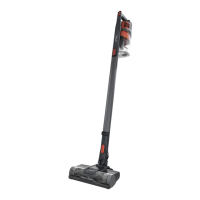
Shark ROCKET IZ140C - User Manual

Shark ROCKET IZ140C
2 pages
To Next Page IconTo Next Page
Loading...
QUICK
START
GUIDE
Please make sure to read the enclosed Shark® Owner’s Guide prior to using your vacuum.
IZ140C_QSG_E_MP_Mv2
EMPTYING THE DUST CUP
IZ140C
Use this Quick Start Guide
to start using your new
vacuum’s great features.
For questions, visit us online
at sharkclean.com/support
Register your vacuum at
registeryourshark.com
CORDLESS STICK VAC
ROCKET®
1. To empty the dust cup,
first disconnect the
handheld vacuum from
the wand by pressing
the Wand Release
button and pulling
up on the handheld
vacuum.
Wand Release
Button
CleanTouch
Dirt Ejector
VERSATILE CLEANING
Slide the power button
to the desired power
setting. Place your foot
on the floor nozzle
and tilt the handheld
vacuum back.
To detach the wand for
above-floor cleaning, stand
the vacuum upright, then
press the Nozzle Release
button on the bottom of the
wand and pull the wand up
to disconnect it.
To detach the handheld
vacuum, press the Wand
Release button and lift the
handheld vacuum o the
wand.
Attach a cleaning accessory,
then choose the power
setting.
NOTE: Brushroll will only engage
when the handle is tilted back.
OR
THEN
2. Position the dust
cup over a trash
bin and slide the
CleanTouch™ Dirt
Ejector forward.
©2019 SharkNinja Operating LLC. SHARK and ROCKET are registered trademarks of SharkNinja
Operating LLC. CLEANTOUCH and DIRT ENGAGE are trademarks of SharkNinja Operating LLC.
Question and Answer IconNeed help?

Do you have a question about the Shark ROCKET IZ140C and is the answer not in the manual?

Shark ROCKET IZ140C Specifications

General IconGeneral
Cord TypeCordless
Battery Life/RuntimeUp to 40 minutes
Motorized BrushYes
ModelIZ140C
Power SourceBattery
FiltrationHEPA Filter
Surface Type/RecommendationCarpet, Hard Floors
FeaturesDuoClean Technology, LED Headlights
Included AttachmentsPet Multi-Tool

Summary

Versatile Cleaning

Detaching the Wand for Above-Floor Cleaning

Detach wand for above-floor cleaning by pressing Nozzle Release button and pulling up.

Detaching the Handheld Vacuum

Detach handheld vacuum from wand by pressing Wand Release button and lifting.

Emptying the Dust Cup

Ejecting Dirt from Dust Cup

Position dust cup over trash bin and slide CleanTouch Dirt Ejector forward to empty.

Assembly

Connecting Handheld to Wand

Connect handheld vacuum to wand by aligning and pressing until it clicks.

Connecting Wand to Floor Nozzle

Connect wand to floor nozzle by aligning and pressing until it clicks.

Charging the Vacuum

Remove handheld vacuum from wand and plug charger into charging port.

Power Settings

Standard Modes (Bare Floor;Carpet)

Select Bare Floor or Carpet setting based on floor type for brushroll speed.

Boost Mode Activation

Pull trigger on handheld vacuum for increased power; release to return to standard.

Li-Ion Battery

Battery Indicator Lights

Understand battery charge level through indicator lights on the unit.

Charging the Battery

Charge the Li-Ion battery fully before first use; takes approximately 3 hours.

Related product manuals