EN-7EN-7
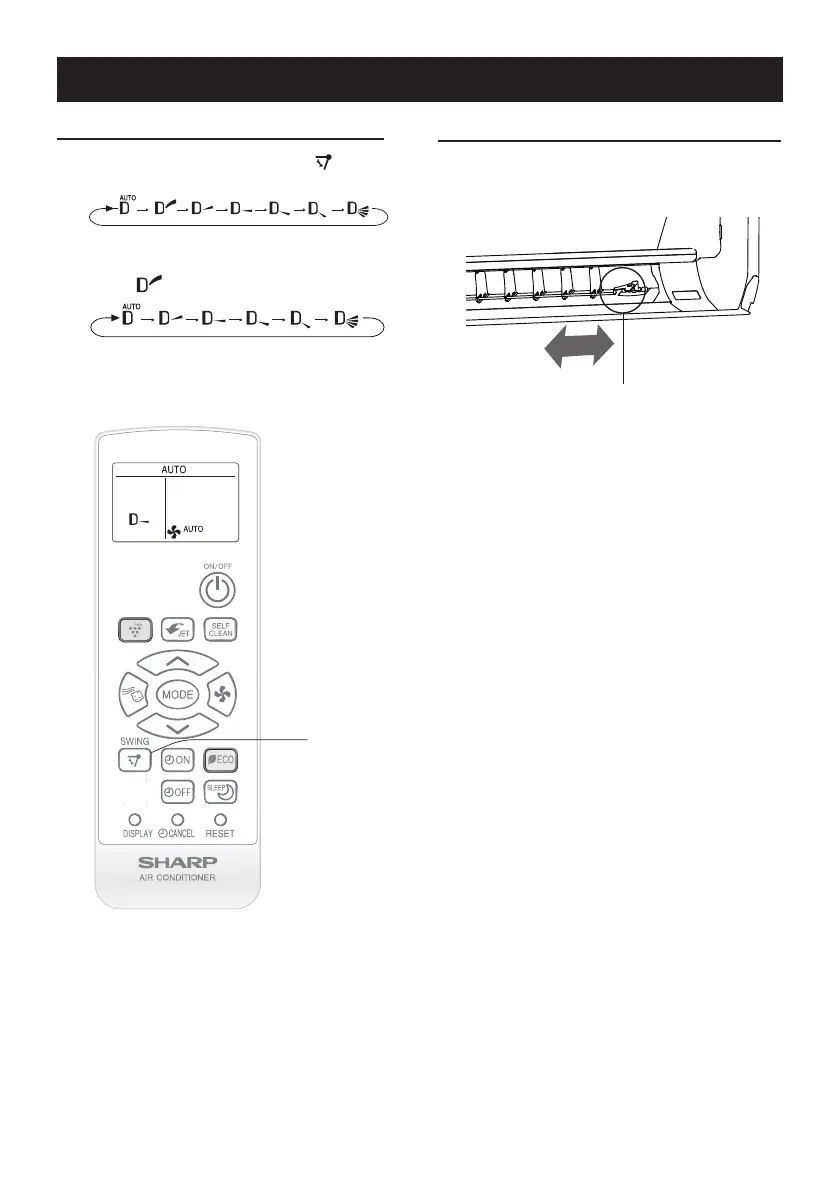
HORIZONTAL AIR FLOW DIRECTION
VERTICAL AIR FLOW DIRECTION
1
Press the SWING button ( ) to set
the desired airow direction.
InAUTOmode,airowdirectioncannotbe
set to “ ”.
ADJUSTING THE AIR FLOW DIRECTION
Hold the horizontal airow louver lever
and adjust the airow direction.
Louverlever
1




 To Next Page