53
6
Making two-sided copies
1
Place the original(s) on the document glass or in the SPF. (see
"ORIGINAL PLACEMENT" (p.47).
2
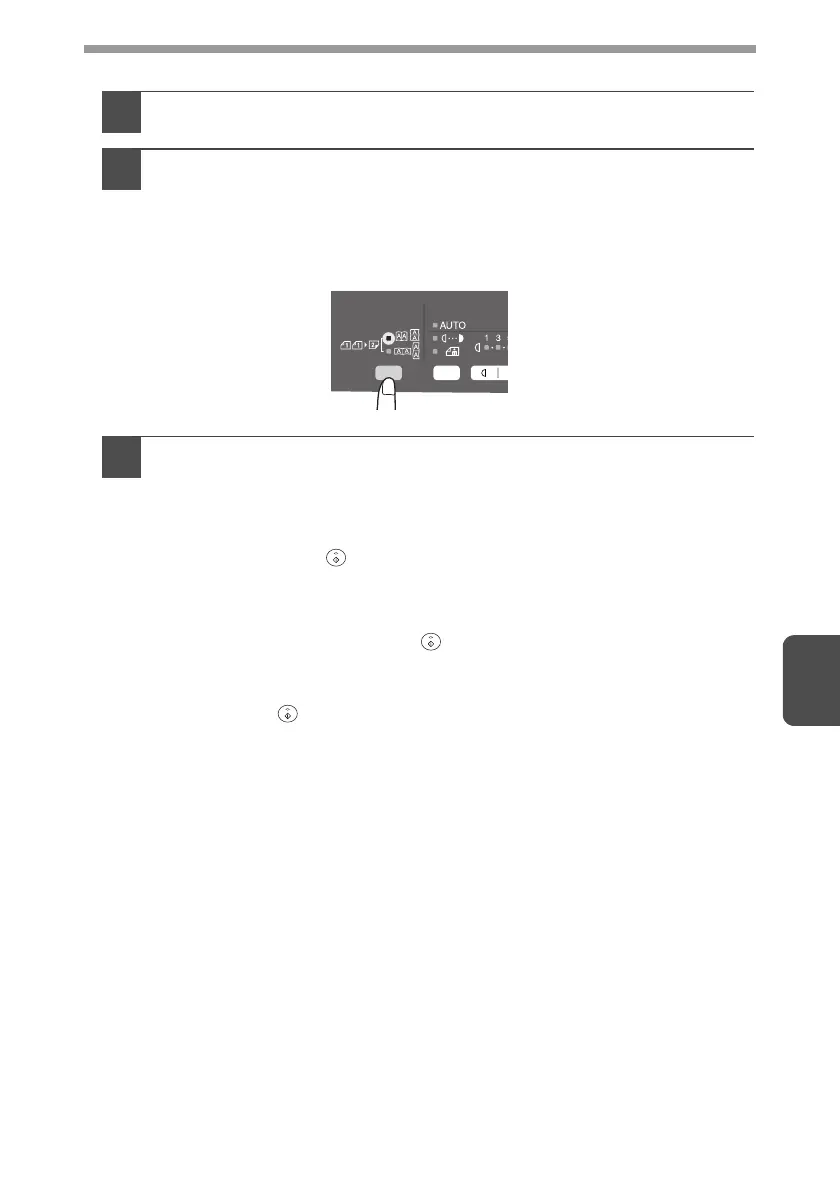
Select two-sided copy mode.
When copying in a one-sided to two-sided mode:
Use the original to copy key to select the desired one-sided to two-sided
copying mode (Turn on Long Edge or Turn on Short Edge). See the
illustrations on page 52.
3
Select the copy settings. See "SET THE COPY QUANTITY"
(p.49), "EXPOSURE ADJUSTMENT/PHOTO COPYING" (p.49),
and "REDUCTION/ENLARGEMENT/ZOOM" (p.51).
Using the document glass
1
Press the start ( ) key.
The original is scanned into the unit's memory and the number of the
copy quantity blinks in the display.
2
Place the original that you wish to copy onto the rear side of the
paper, and press the start ( ) key again.
Copying begins.
Using the SPF
Press the start ( ) key. Copying begins in the selected two-sided copy mode.
AL-2030_2040CS.book 53 ページ 2007年4月6日 金曜日 午前11時32分



 To Next Page