22
ADJUSTMENT (Continued)
Adjusting the FEATURE Settings
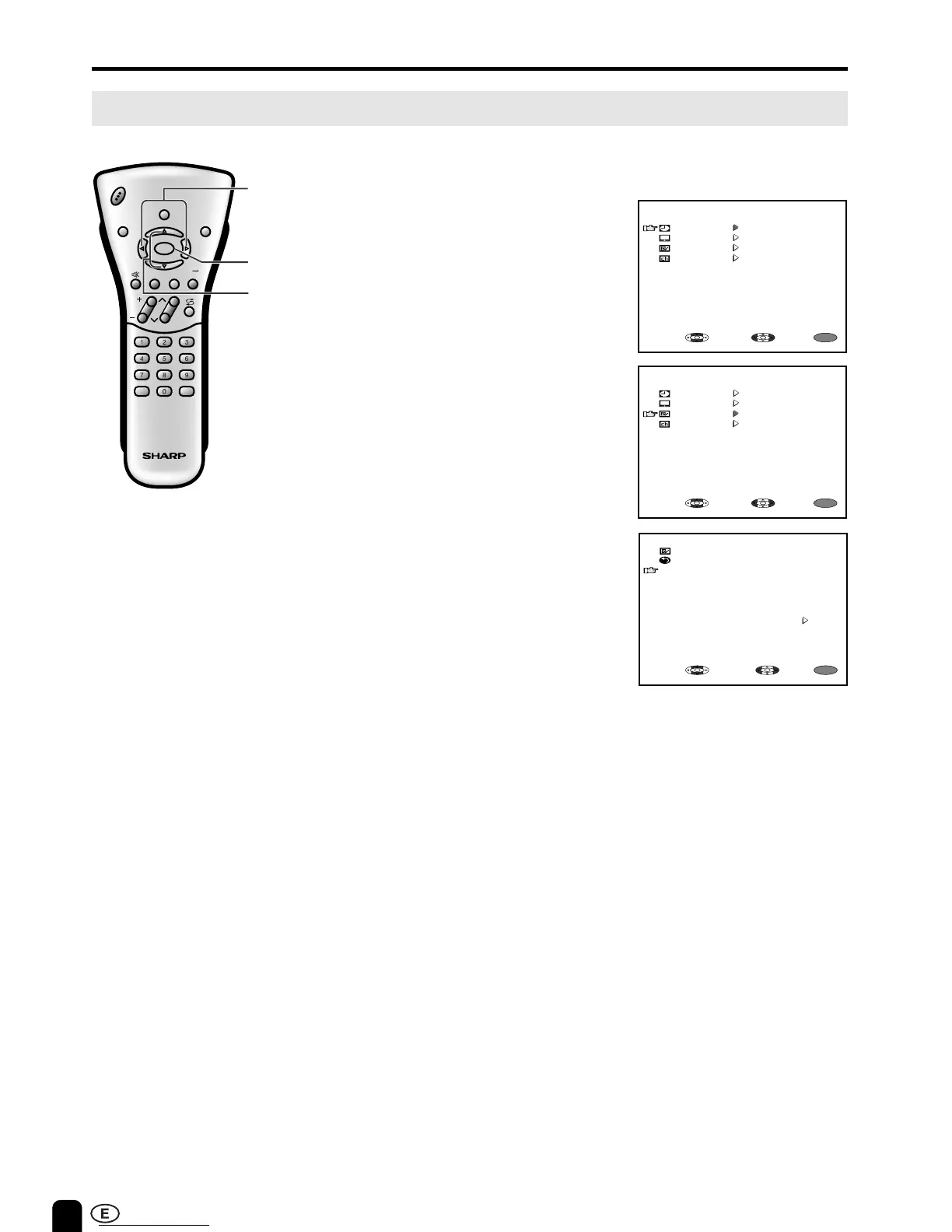
■ The FEATURE items can be set by
the user.
1 Press MENU to display the MENU
screen.
2 Press ]/[ to move the cursor to
FEATURE.
3 Press </> to display FEATURE
screen.
4 Check the factory setting of each
item on the FEATURE screen.
The user can change the settings
by using ]/[ and </>.
See the diagram on page 23 for
details of each item settings.
5 Press MENU to return to the main
screen.
MENU
MENU
SLEEP TIMER
PICTURE
FEATURE
CH-SETTING
SELECT: ENTER:
EXIT:
MENU
MENU
SLEEP TIMER
PICTURE
FEATURE
CH-SETTING
SELECT: ENTER:
EXIT:
CH
VOL
LANGUAGE DIS.MODE
DISPLAY
BRIGHTSLEEP
MENU
POWER
MPX
-/--
TV
VIDEO
MENU
]/[
</>
FEATURE
RETURN
BRIGHTNESS [BRIGHT ]
AUTO POWER OFF [OFF ]
DISPLAY MODE [NORMAL ]
AV2 IN/OUT [IN ]
BLUE BACK [ON ]
LANGUAGE [ENGLISH]
MENU
SELECT:
ADJUST:
EXIT:













 To Next Page