EasyManua.ls Logo

Sharp Aquos LC-32LE144E - Installation of batteries; Using the remote control; Menu Operation

Sharp Aquos LC-32LE144E
33 pages
Print Icon
To Next Page IconTo Next Page
To Previous Page IconTo Previous Page
Loading...
Introduction
4
-
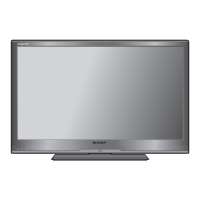
TV (Front view)
(Standby/On) indicator
Remote control sensor
TV (Rear view)
EXT 3
COMPONENT
AV INPUT
EXT 2
HDMI 1
DIGITAL
AUDIO
OUTPUT
EXT 1
SCART
ANT
PC
L-AUDIO-R
P
B(CB)YPR(CR)
C.I.
USB
HDMI 2
OUTPUT
A
A
B
/
AUDIO (L/R)
CAUTION
Use a Product with the
following thickness for
optimal connection to
HDMI cable / USB device.
HDMI : A 12mm
USB : A 10mm
B 7mm
P
MENU
C.I.
USB
HDMI 2
OUTPUT
A
A
B
/
AUDIO (L/R)
CAUTION
Use a Product with the
following thickness for
optimal connection to
HDMI cable / USB device.
HDMI : A 12mm
USB : A 10mm
B 7mm
EXT 3
COMPONENT
AV INPUT
EXT 2
HDMI 1
DIGITAL
AUDIO
OUTPUT
EXT 1
SCART
ANT
PC
L-AUDIO-R
P
B(CB)YPR(CR)
P
MENU
Common
Interface
slot
COMPONENT / CVBS and
L/R AUDIO INPUT
Headphone
Output
USB
Tuner Input
SCART
(CVBS Tuner out)
PC IN
(VGA)
HDMI 1
HDMI 2
Programme
(Channel)
Volume
Menu
Input
Source
Power
DIGITAL
AUDIO OUTPUT
SHARP_LE144E_1_GB_English.indd 4SHARP_LE144E_1_GB_English.indd 4 5/31/2012 2:55:33 PM5/31/2012 2:55:33 PM

Table of Contents

Related product manuals