123
Camera/Photos
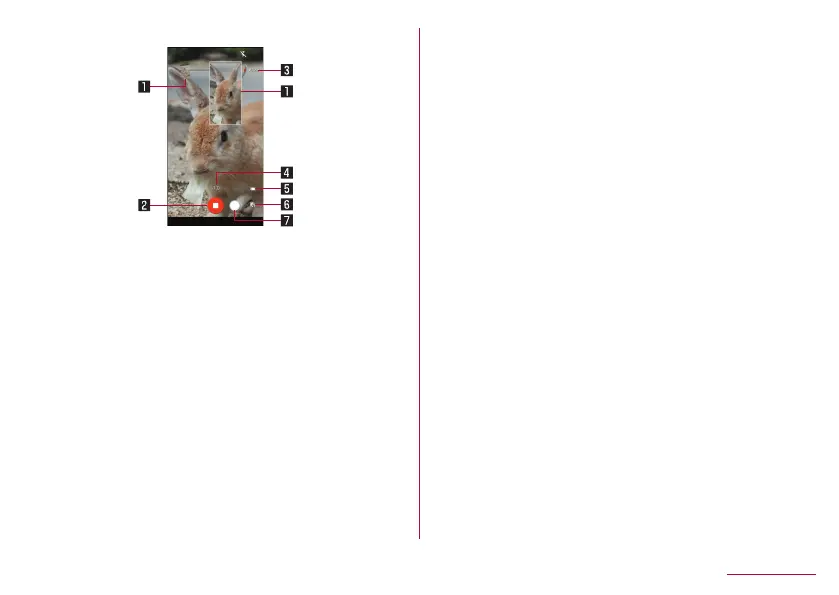
Video shooting screen
1 Shot still picture
z
Displayed when shooting still pictures when recording videos.
2 Stop shooting videos
3 Recording time
4 Zoom magnification
5 Battery level
6 Confirm creation of short movie
z
This flashes when creation of a short movie is confirmed.
7 Shooting still pictures
Switching shooting modes
1
In the home screen, [Camera]
2
Slide the bottom of the screen to the left/right to
switch shooting modes
Video: Shoot standard videos. You can switch the shooting
menu to shoot with according to the shooting condition and
object.
Picture: Shoot still pictures. You can switch the shooting
menu to shoot with according to the shooting condition and
object.
Time Lapse: Time lapses at fast speed and shoot shortened
videos.















 To Next Page