47
GENERAL INFORMATION
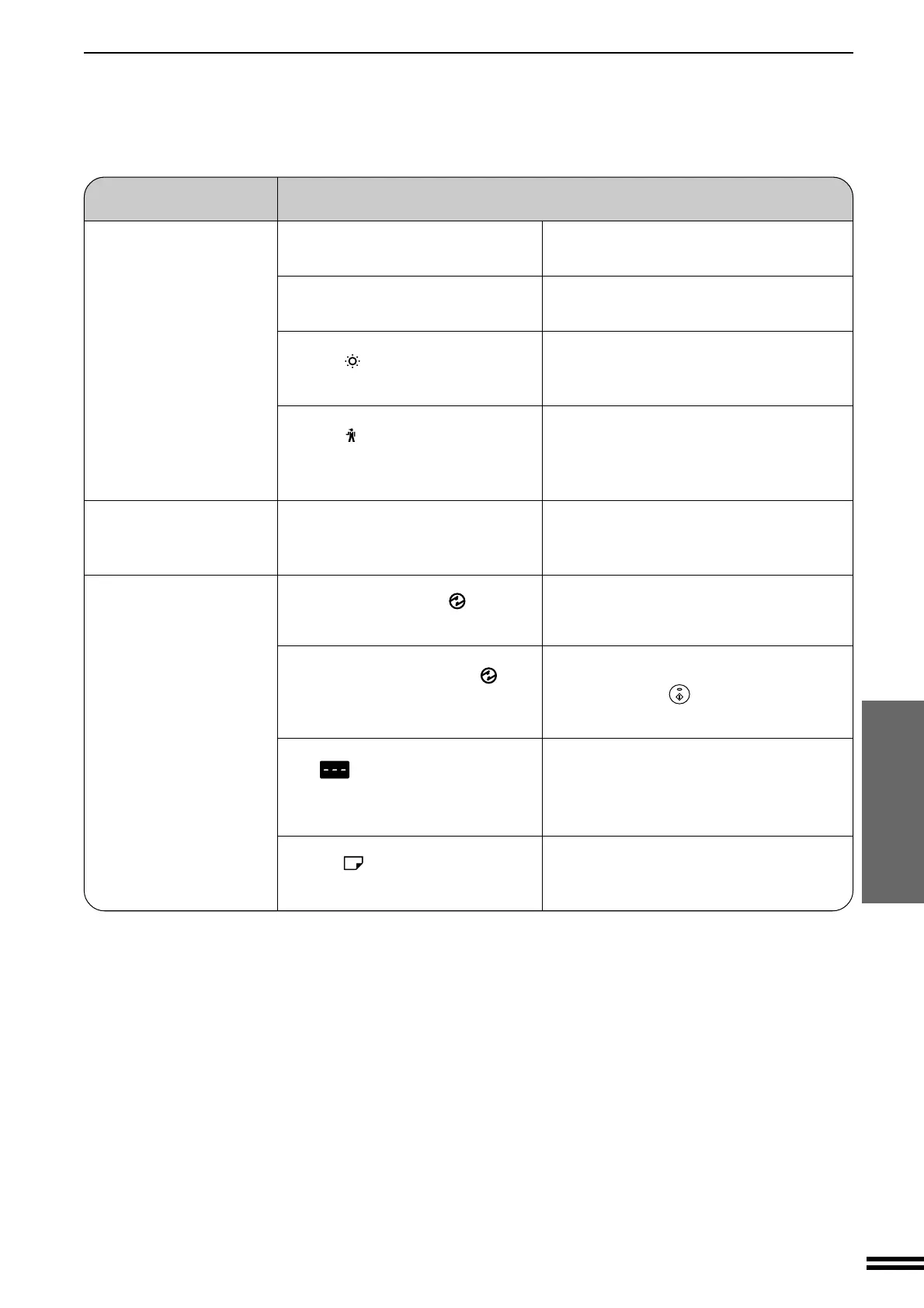
Problem Solution
●
Original table or platen cover dirty?
●
Original smudged or blotchy?
●
Is the
indicator on?
●
Is the
indicator on?
●
Is copying being performed?
●
Is the POWER SAVE (
) indicator
blinking?
●
Is only the POWER SAVE (
)
indicator on?
●
Is
steadily lit in the copy
quantity display?
●
Is the
indicator on?
Clean regularly. See page 44.
Use a clean original.
Developer is required. Contact your SHARP
service centre as soon as possible. See page 34.
Maintenance is required. Contact your SHARP
service centre as soon as possible.
See page 34.
Set the paper size after copying is complete.
Wait until warm-up is complete.
Warm-up time is approximately 35 seconds.
The copier is in the auto power shut-off mode.
Press the START (
) key. See page 42,
POWER SAVE MODES.
The copier is in the auditing mode.
Enter your account number using the numeric
keys. See page 13.
Copy paper is needed. See page 10,
LOADING COPY PAPER.
Copies are smudged or
dirty.
Power is on but copying
is not possible.
Copier trouble?
COPIER TROUBLE?
Paper size for a paper
tray cannot be set.
Downloaded from: http://www.usersmanualguide.com/



 To Next Page