
 Need help?
Do you have a question about the Sharp AR-M150 and is the answer not in the manual?
Lists warnings and cautions for operating the machine.
Guidelines for choosing a suitable location for the machine.
Guidance on how to use the operation manual effectively.
Details on copying speed and first-copy time.
Information on copying resolution and image modes.
Describes the feature to scan once and print multiple copies.
How to use the machine as a printer.
How to use the machine as a scanner.
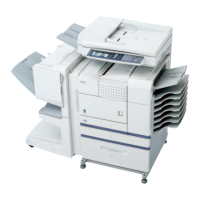
Identifies the various parts of the machine with labels.
Instructions on how to turn the machine on and off.
Explains the function of each key and display on the operation panel.
Details on recommended paper types, sizes, and weights.
Step-by-step guide to loading paper into the tray.
Instructions for using the bypass tray for various paper types.
How to adjust the paper size setting for trays.
Basic steps for making copies using the document glass.
Instructions for using the document feeder (SPF/RSPF).
How to set the desired number of copies.
How to select the paper tray for copying.
How to make two-sided copies from one or two-sided originals.
Steps for sorting multiple copies into sets.
How to copy two originals onto one sheet.
How to shift the image to create margins.
Lists software on CD-ROM for printer/scanner functions.
Lists necessary hardware and software for installation.
Step-by-step guide for standard USB installation.
Steps for custom installation of software.
Steps for custom installation on Windows XP (USB/Parallel).
Steps for custom installation on Windows 98/Me/2000 via USB.
Steps for custom installation on Windows 95/98/Me/NT 4.0/2000 via Parallel.
Configuration steps for Button Manager.
Requirements for using Hi-Speed USB 2.0 connection.
How to use the machine's printer function.
Step-by-step guide for performing print jobs.
How to use the machine's scanner function.
Overview of user-configurable settings.
Steps to change settings in user programs.
Explains indicators and error codes displayed on the panel.
Lists common problems and their solutions.
Troubleshooting steps for software installation issues.
Instructions for removing paper misfeeds.
Overview of available system configurations and options.
Details of the optional facsimile expansion kit.
Details of the optional network expansion kit.
Details of the optional document feeders.
Technical specifications for AR-M150 and AR-M155 models.
Details on the machine's printer capabilities.
Details on the machine's scanner capabilities.
Terms and conditions for using the software.
Limitations on software usage and modification.
Warranty terms for the software media (disks).
Disclaimer regarding software warranties and usage.
 General
| Brand | Sharp |
|---|---|
| Model | AR-M150 |
| Category | All in One Printer |
| Language | English |









 To Next Page

