AR-203E/5420/M200/M201 SIMULATION, TROUBLE CODES 10 - 36
66 11 300bps signal send (Max.
value) (Executable only
when the FAX is installed.)
[Function]
Use to set the 300bps signal send (Max. value).
1: NO SIGNAL
2: 11111
3: 11110
4: 00000
5: 010101
6: 00001
[Operation]
12 300bps signal send (Soft
SW set value) (Executable
only when the FAX is
installed.)
[Function]
Use to set the 300bps signal send (Soft SW set value).
1: NO SIGNAL
2: 11111
3: 11110
4: 00000
5: 010101
6: 00001
[Operation]
Main
code
Sub
code
Contents Details of function/operation
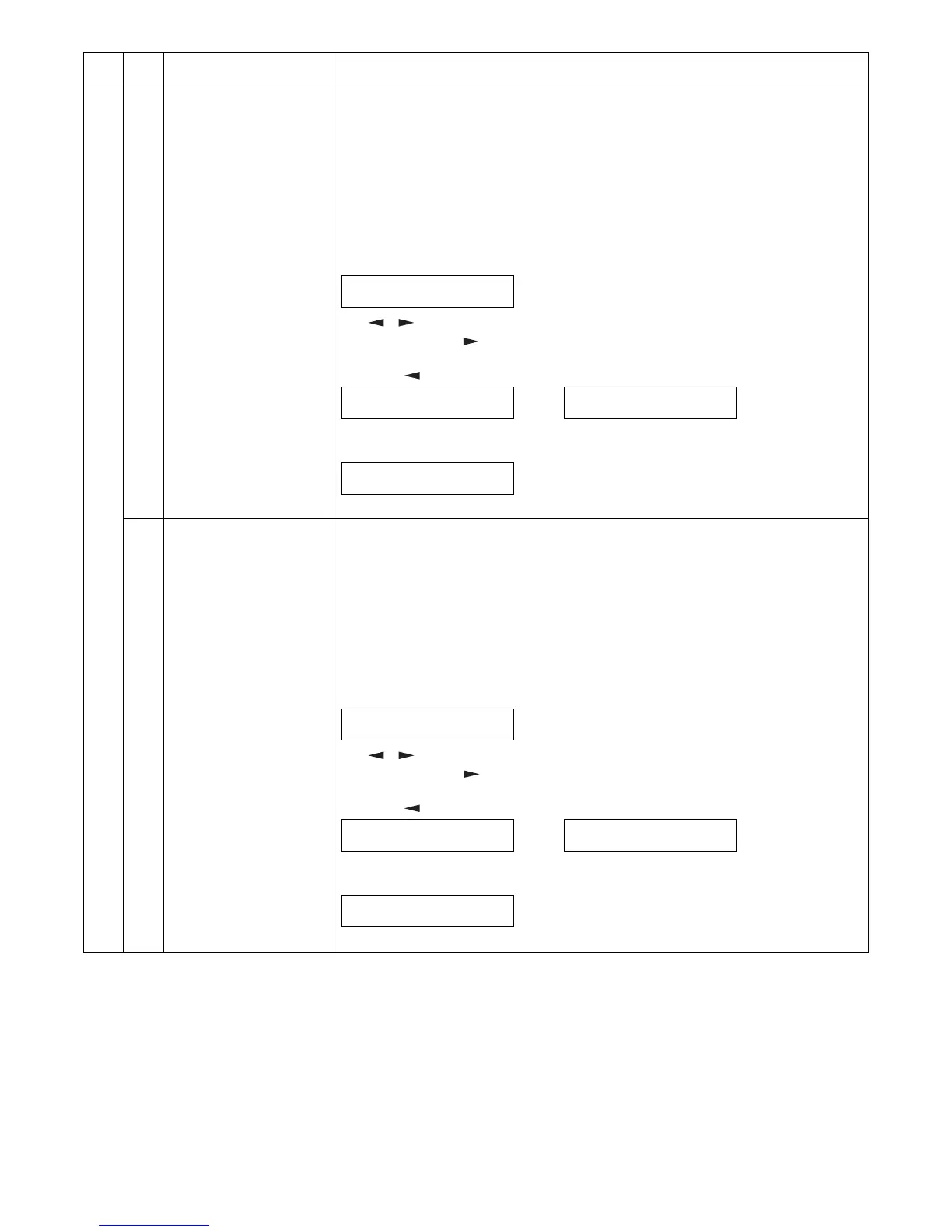
1) Initial display
2) [ ] [ ] key or after 2sec
Every time when [ ] key is pressed, the second line is changed in the sequence of No. 1
→ 2 → 3 → 4 → 5 → 6 → 1.
When [ ] key is pressed, the sequence is reversed.
∗ [Clear] key: FAX control is terminated.
3) [OK]/[ENTER] key
∗ [Clear] key: Returns to "1) Initial display".
SELECT SIGNAL
PRESS ←, →
SELECT SIGNAL (1-6)
1:NO SIGNAL
..... SELECT SIGNAL (1-6)
6:00001
OUTPUTING SIGNAL MAX
PRESS CLEAR TO STOP
1) Initial display
2) [ ] [ ] key or after 2sec
Every time when [ ] key is pressed, the second line is changed in the sequence of No. 1
→ 2 → 3 → 4 → 5 → 6 → 1.
When [ ] key is pressed, the sequence is reversed.
∗ [Clear] key: FAX control is terminated.
3) [OK]/[ENTER] key
∗ [Clear] key: Returns to "1) Initial display".
SELECT SIGNAL
PRESS ←, →
SELECT SIGNAL (1-6)
1:NO SIGNAL
..... SELECT SIGNAL (1-6)
6:00001
OUTPUTING SIGNAL SSW
PRESS CLEAR TO STOP



 To Next Page