AR-203E/5420/M200/M201 FIRMWARE DOWNLOAD PROCEDURES 14 - 6
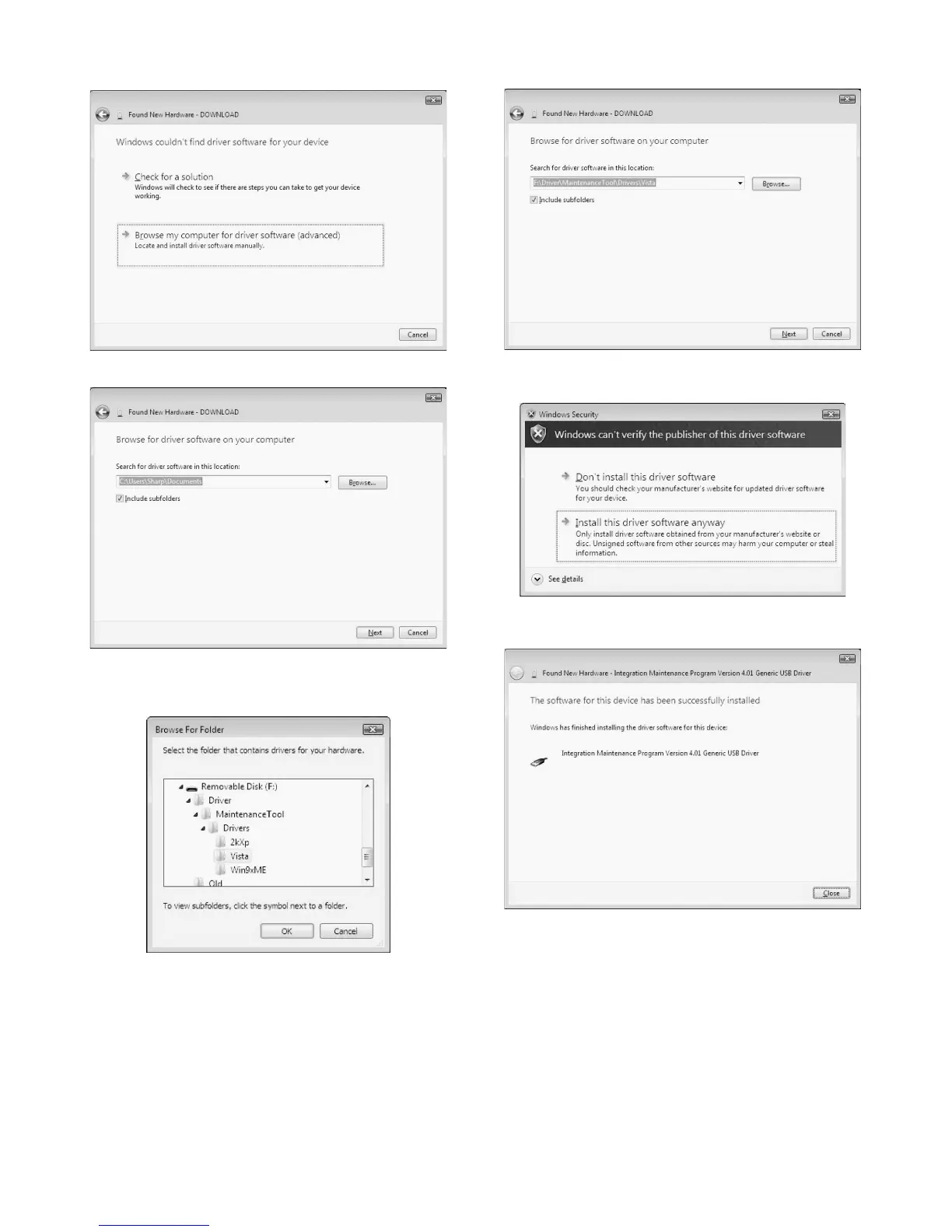
5) When the following display is shown, select [Browse my com-
puter for driver software (advanced)].
6) The following display is shown.
7) Press [Browse] button, specify the folder which includes the
maintenance tool driver (Maintenance.inf), and press [OK] but-
ton.
8) The path to the folder which includes the maintenance tool
driver (Maintenance.inf) is displayed. Press [Next] button.
9) When the following display is shown, select [Install this driver
software anyway].
10) When the following display is shown, close [Close] button to
complete installation.



 To Next Page