AR-203E/5420/M200/M201 FIRMWARE DOWNLOAD PROCEDURES 14 - 10
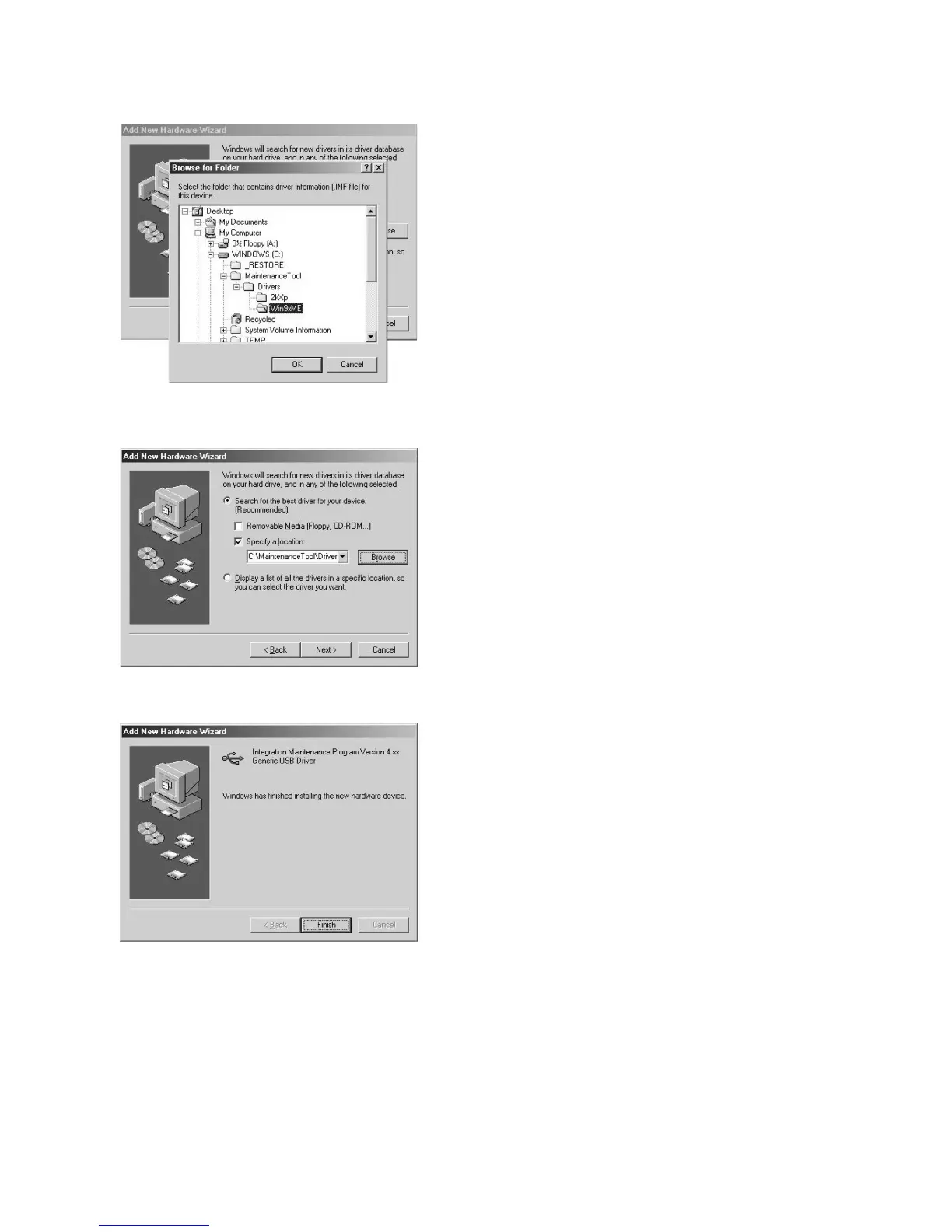
5) Select the folder which includes maintenance tool driver
(Mainte.inf), and press <OK> button.
(Suppose that the driver is included in
C:\MaintenanceTool\Drivers\Win9xMe folder.)
6) Check that the path to the folder which includes the mainte-
nance tool driver (Mainte.inf) is displayed, and press <Next>
button.
7) When the following display is shown, installation is completed.
Press <Finish> button.
8) Restart the PC.
With the above procedures, installation (on Windows ME) of the
integration maintenance program is completed.



 To Next Page