40
Print Cartridges
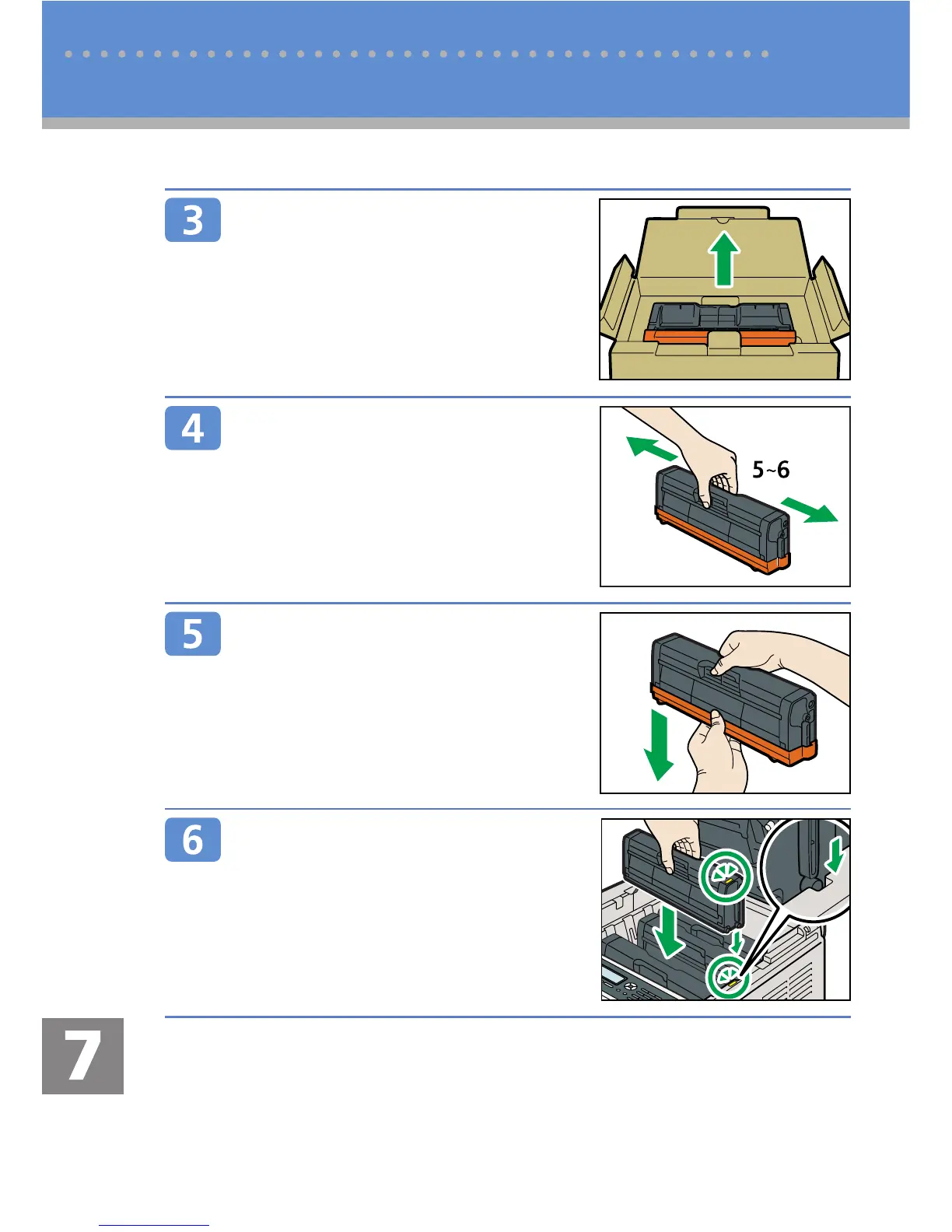
Take the new print cartridge out of
the box, and then take it out of the
plastic bag.
CBK123
Hold the print cartridge and shake it
from side to side fi ve or six times.
Even distribution of toner within the bottle
improves print quality.
CER236
Remove the cover from the print
cartridge.
Check the toner color and corre-
sponding location, and then care-
fully insert the print cartridge verti-
cally.
CES255
Replacing Print Cartridges



 To Next Page