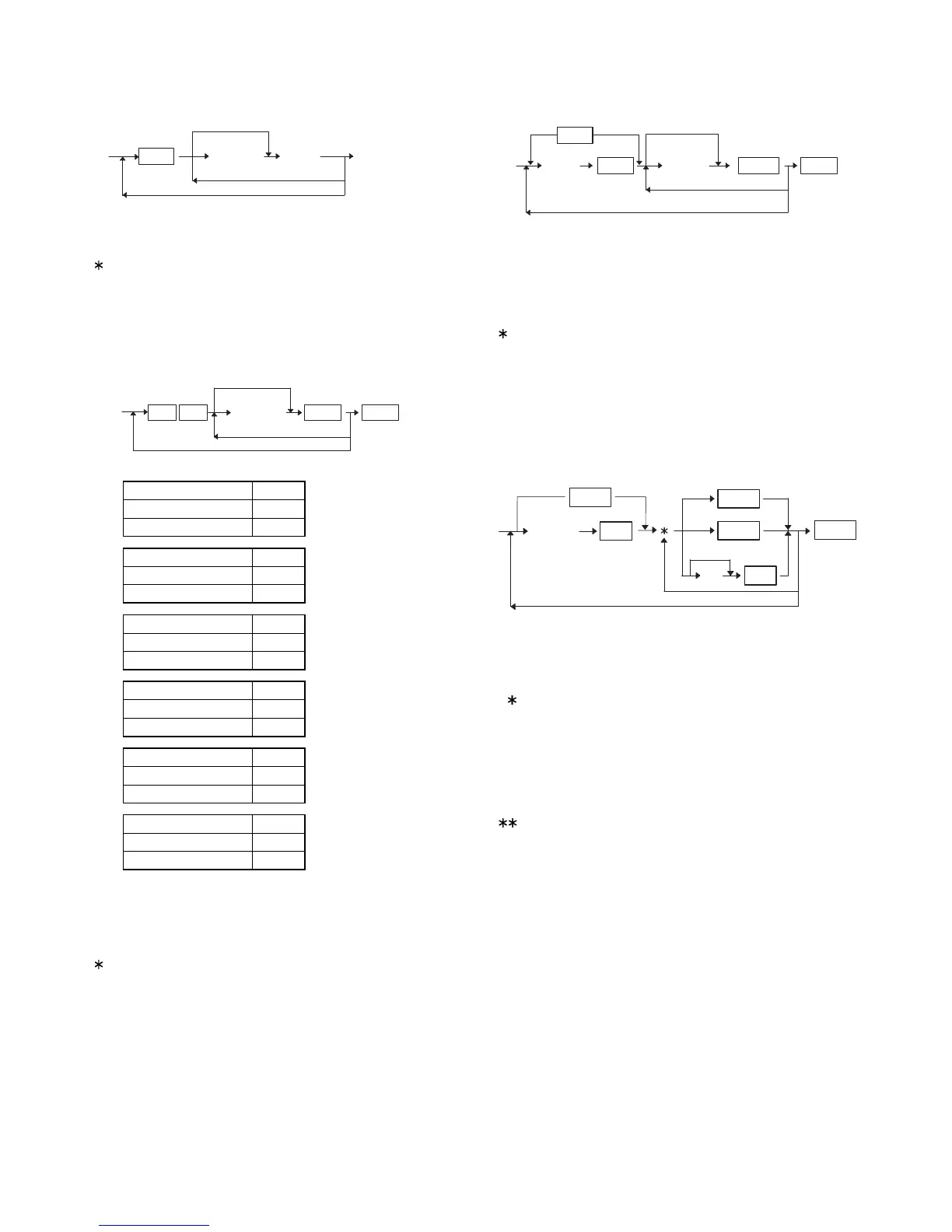
3) PRICE & MODIFY PROGRAMMING for (–) KEYS.
XXXXXX: UNIT PRICE (Max. 6 digits)
MRS = 0
If the same [(–)n] key is depressed, programming mode is
changed from "PRICE PROGRAMMING" to "FUNCTION PRO-
GRAMMING" (from "FUNCTION PROGRAMMING" to "PRICE
PROGRAMMING").
4) FUNCTION PROGRAMMING for (–) KEYS.
A: Sign A
+0
–1
B: Food stamp B
Non-food stampable 0
Food stampable 1
C: Taxable4 C
Non taxable 0
Taxable 1
D: Taxable3 D
Non taxable 0
Taxable 1
E: Taxable2 E
Non taxable 0
Taxable 1
F: Taxable1 F
Non taxable 0
Taxable 1
G: Not used (Fixed at "0")
H: Limitation (Mantissa) = 0~9
I: Limitation (Exponebt) = 0~7
MRS = NORMAL, 17 HALO
If the same [(–)n] key is depressed, programming mode is
changed from "PRICE PROGRAMMING" to "FUNCTION PRO-
GRAMMING" (from "FUNCTION PROGRAMMING" to "PRICE
PROGRAMMING").
5) PLU PRESET PRICE SETTING
XXXXXX: PLU CODE (1 to 999999)
YYYYYY: UNIT PRICE (6 digits)
If the record of entered PLU code is not in PLU file at this program-
ming, it will be created in PLU file.
MRS = 0
If the [PLU] or [PLUn] key is depressed, programming mode is
changed from "PRICE PROGRAMMING" to "ATTRIBUTE PRO-
GRAMMING" and changed to "PLU ASSOCIATION PROGRAM-
MING" by depressing the same key again.
(Caution!!)
The associated department is changed if the operater depress
[DPTn] key instead of [PLUn] key by mis-operation at this timming.
6) PLU ASSOCIATION TO DEPARTMENTS
XXXXXX: PLU CODE (1 to 999999)
If the record of entered PLU code is not in PLU file at this program-
ming, it will be created in PLU file.
MRS = 01
If the [PLU] or [PLUn] key is depressed, programming mode is
changed from "PRICE PROGRAMMING" to "ATTRIBUTE PRO-
GRAMMING" and changed to "PLU ASSOCIATION PROGRAM-
MING" by depressing the same key again.
(Caution!!)
The associated department is changed if the operater depress
[DPTn] key instead of [PLUn] key by mis-operation at this tim-
ming.
Triple depression of [PLU] or [PLUn] key is necessary for the
first time.
Not changed
*
XXXXXX
CA/AT
SBTL
(-)n
Not changed
ABCDEFGHI
(-)n (-)n
CA/AT@/FOR
Not changed
XXXXXX
PLU code
for next code
YYYYYYY
CA/ATSBTLPLU
PLUn
XXXXXX
PLU code
PLU delete
PLU
PLUn
for next code
CA/AT
DPTn
VOID
SBTLYY
Not changed
– 32 –




 To Next Page