FO-4450U/FO-CS1
S) Dial test mode
The mode is used to inspect whether dialing is accurate in two kinds of
dial modes . All data which can be dialed in this mode are automatically
called up in both PB mode and DP mode.
[In case that 2 line optional is not mounted.]
1
Turn on CML, and dial the following in the PB mode.
1, 2, 3, 4, 5, 6, 7, 8, 9, , 0, #
2
Dial the following in the DP mode.
1, 5, 9, 0
3
After dialing, turn off CML.
NOTE:
This mode uses the ordinary auto dial. (Accordingly, the signal sending
time and minimum pause are all the same as ordinary.
The measurement result in this mode is completely all the same as in
the ordinary dial mode.)
T) Copy diag mode
This mode is for automatic mode selection of copy to reduce the time for
treatment at the time of production.
1
Set 2 sheets of document. (No problem if there are 2 sheets or
more.)
2
3 sheet continuous copy: 1st sheet in the FINE AUTO
2nd sheet and after that are copied in the
H-TONE DARK.
NOTE:
Input of the image quality and the darkness keys is invalid in this mode.
U) LCD check mode
This is an item to check that the LCD acts normally.
[In case of a 2 lines LCD]
Display “H” to all the digits. (20 letters x 2 lines)
V) Personal book list
The PASSCODE of the personal book 00 to 10 are output.
W) No function
X) Message check list
The mode is used to comparatively print the display data and list data in
English and French.
Y) No function
Z) Upgrade setting (Not used)
@) Print hold code
Print the pass code of PRINT HOLD.
2 – 6
HHHHHHHHHHHHHHHHHHHH
HHHHHHHHHHHHHHHHHHHH
2-2. Print diagnosis
Rapid key 01: Area print mode 1
The effective printing area frame is printed in the specified sheet size.
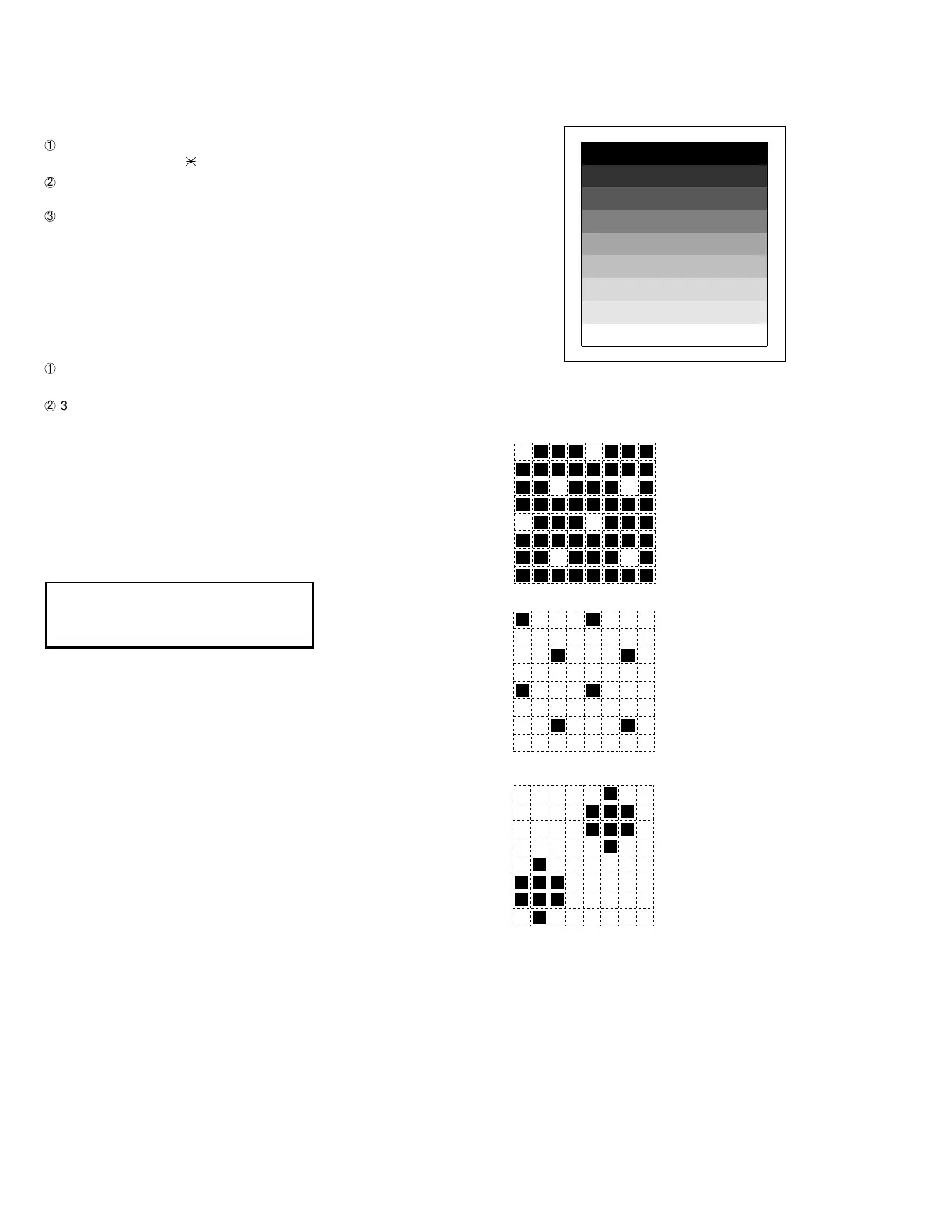
The data pattern used here are as follows and 1 data 30 mm is printed.
The left pattern is repeated.
The left pattern is repeated.
The left pattern is repeated.
5. [Longitudinal strip 2 pattern]
Black 2 dot and white 2 dot are repeated in line.
6. [Lateral strip 2 pattern]
Black 2 line and white 2 line are repeated.
7. [Longitudinal strip 1 pattern]
Black 1 dot and white 1 dot are repeated in line.
8. [Lateral strip 1 pattern]
Black 1 line and white 1 line are repeated.
9. [Full White pattern]
1. [Full black pattern]
2. [Intermediate tone 2 pattern]
3. [Intermediate tone 1 pattern]
4. [Mesh point pattern]
manuals4you.commanuals4you.com



 To Next Page