19
FV-DB2E
05/4/21 FVDB2E_UK.fm
TINSEA048SJZZ
Advanced Features
To cancel the alarm setting:
Press the CLOCK button until "Alarm off ok?" appears on the dis-
play, then press the ENTER button.
To reset or change the alarm setting:
Perform "Alarm operation" from the beginning (see page 18).
Notes:
! The daily alarm operates at the same time every day until the set-
ting is cancelled. Cancel the alarm when it is not in use.
! The 1-time alarm and daily alarm cannot be used at the same
time.
! With memory batteries inserted, the alarm settings remain even
after the AC adaptor is unplugged or when a power failure occurs.
If memory batteries are not inserted or run out, the settings are
deleted and the alarm is cancelled.
! In the radio alarm mode, if a selected station is not available at a
set time, the tone alarm sound is heard instead.
! The kitchen timer starts at a set time even if the alarm is set for
the same time. (The alarm remains disabled.)
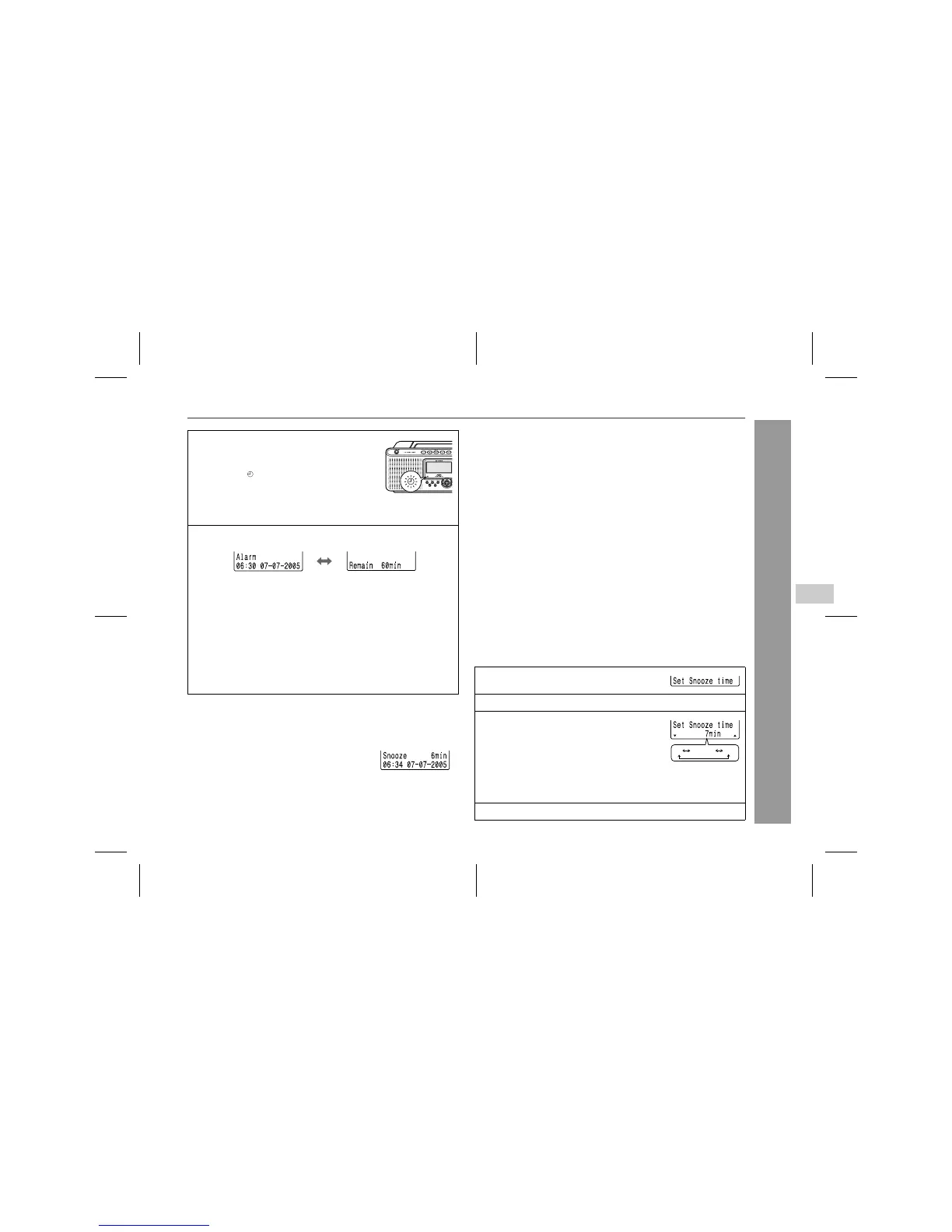
" To change the snooze time
7 Press the ON/STAND-BY button to the
stand-by mode.
! When you set the unit to the stand-by
mode, " " lights up at the lower left of
the display.
! When "Tone alarm" is selected, its
sound is heard at the set time even
when listening to the radio.
8 At the set time, the alarm operation will start.
! The current date/time and the remaining time appear alter-
nately.
! The volume decreases 1 minute before the alarm operation
finishes.
Tone alarm:
The alarm stops after 5 minutes. If you use the snooze repeat-
edly, the alarm will be disabled after 1 hour.
Radio alarm:
The alarm will be disabled after 1 hour.
Stopping the alarm:
Press the ON/STAND-BY button.
About snooze function:
You can pause the alarm sound by pressing a
button other than the ON/STAND-BY button. In
this case, the alarm resumes after 7 minutes.
This is the default setting.
The snooze time can be changed.
The remaining time also appears.
1 Press the MENU button repeatedly to
select "Set Snooze time".
2 Within 30 seconds, press the ENTER button.
3 Within 30 seconds, move the operation
lever toward TUNING UP or TUNING
DOWN to select the desired snooze
time.
! Select set time from 5 - 15 minutes by the minute.
! Move the operation lever once to change the time by 1
minute. Hold it to change continuously.
4 Within 30 seconds, press the ENTER button.
65 14 15
...
5



 To Next Page