EasyManua.ls Logo

Sharp HT-CN300W - User Manual

Sharp HT-CN300W
40 pages
Print Icon
To Next Page IconTo Next Page
Loading...
HOME CINEMA COMMAND
MODEL
HT-CN300W
OPERATION MANUAL
Thank you for purchasing this SHARP product. To obtain the best
performance from this product, please read this manual carefully.
It will guide you in operating your SHARP product.
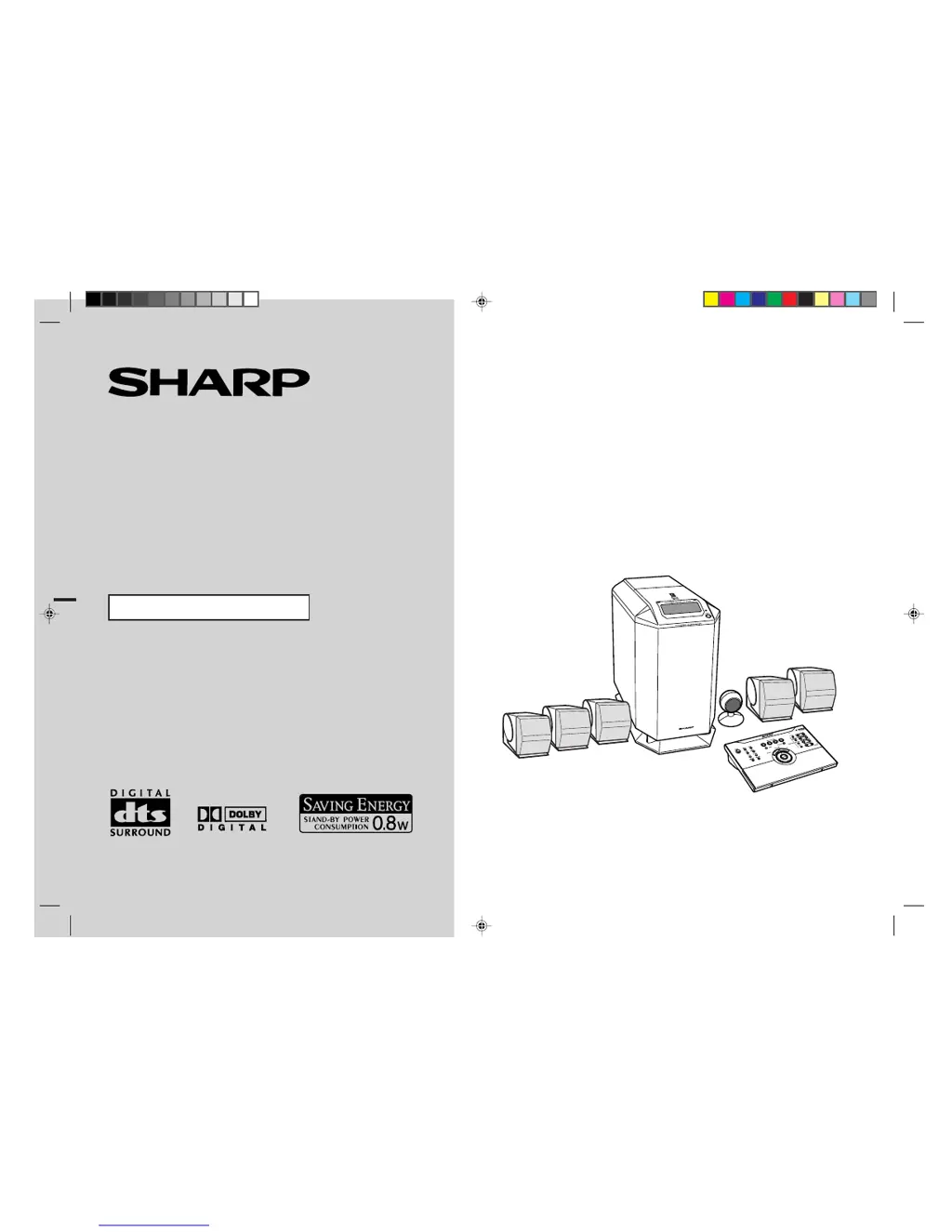
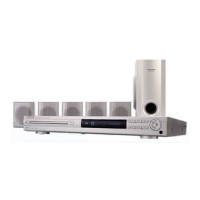
HT-CN300W Home Cinema Command consisting of HT-CN300W (main
unit), CP-CN300WF (front speakers), CP-CN300WC (centre speaker)
and CP-CN300WR (surround speakers).

Questions and Answers

  • C
    Chad CunninghamAug 13, 2025
    Why is there no sound coming from my Sharp HT-CN300W?
    • E
      Eduardo HatfieldAug 13, 2025
      If you're not getting any sound from your Sharp Home Theater System, check these things: * Make sure the volume isn't set to "0". * Ensure the speaker wires are properly connected. * Verify the speaker size isn't set to NO (OFF). * Confirm that any other connected equipment is set up correctly.
  • L
    Levi BlackAug 16, 2025
    How to fix a Sharp HT-CN300W remote control that is not working?
    • C
      Cameron DiazAug 17, 2025
      If your Sharp Home Theater System remote control isn't working right, here are a few things to check: * See whether the remote control is plugged in. * Check if the battery polarity is correct. * Make sure the batteries aren't dead. * Confirm you're using it at the right distance and angle. * Ensure nothing is blocking the remote control sensor. * Verify the remote control sensor is connected to the main unit. * Check if the LEARN/TRANSMIT selector switch is set to LEARN. * Make sure the remote control sensor isn't exposed to strong light (like from an inverter fluorescent light or direct sunlight). * Ensure you're not using another equipment's remote control at the same time.
  • G
    Gabriela BurnsAug 20, 2025
    What to do if my Sharp Home Theater System won't turn on with the remote?
    • M
      Maria CortezAug 21, 2025
      If your Sharp Home Theater System unit isn't turning on with the remote, make sure of the following: * The unit's AC power cord is plugged in. * The remote control is plugged in. * Batteries are correctly inserted in the remote.
  • K
    kimpadillaAug 25, 2025
    Why are the sounds from speakers not well balanced on my Sharp HT-CN300W?
    • A
      Allison GomezAug 25, 2025
      If the sounds from speakers of your Sharp Home Theater System aren't balanced, check the following: * Ensure the speaker leads are connected to the correct channels. * Verify each speaker is placed at the same distance from where you're listening. * Confirm all speakers are adjusted to the same level.
  • M
    Martin HernandezAug 28, 2025
    What to do if buttons on my Sharp HT-CN300W Home Theater System do not respond?
    • T
      Tyler RodriguezAug 28, 2025
      If your Sharp Home Theater System isn't responding when you press a button, try setting the unit to power stand-by mode and then turn it back on. If it still doesn't work, reset the unit.
  • M
    Michele HunterAug 31, 2025
    How to brighten the display on Sharp HT-CN300W?
    • E
      Erica MaxwellSep 1, 2025
      If the display on your Sharp Home Theater System is dark, press the DIMMER button on the remote control.
  • E
    Elizabeth CraigSep 4, 2025
    Why does timer playback not start on Sharp HT-CN300W Home Theater System?
    • J
      Jason BakerSep 4, 2025
      If timer playback doesn't start on your Sharp Home Theater System, check if the unit has been unplugged or if there was a power failure. If so, reset the clock.
  • D
    Dennis MorenoSep 8, 2025
    How to stop unusual noise from Sharp HT-CN300W radio?
    • P
      Peter SmithSep 8, 2025
      If your Sharp Home Theater System radio is making unusual noises, try these steps: * Move the unit away from computers or mobile phones. * Make sure the FM/AM loop aerial is placed correctly, and move it away from the AC power lead if it's nearby.

Summary

General Information

Special Notes

Important safety and usage guidelines for operating the system.

Precautions

Critical safety warnings and environmental considerations for unit operation.

Controls and Indicators

Identification of buttons, displays, and sensors on the main unit and remote.

Connections

Speaker Connections

Illustrates proper wiring of front, center, and surround speakers to the main unit.

Connecting the TV

Instructions for connecting the television to the main unit.

Connecting the DVD Player

Instructions for connecting a DVD player, including audio options.

Connecting the VCR (VIDEO 1)

How to connect a VCR using VIDEO 1 input.

Connecting the Tape Deck, etc. (AUX)

Instructions for connecting auxiliary audio devices like tape decks.

Connecting the Camcorder, Satellite Receiver, etc. (VIDEO 2)

How to connect camcorders or satellite receivers using VIDEO 2 input.

Selecting the Colour TV System

How to set the TV system (PAL/NTSC) for optimal display.

Connecting to the AC Socket

Steps for powering the unit, including voltage selection and adapter connection.

Remote Control

Preparing the Remote Control

Steps for battery installation, testing, and basic setup of the remote control.

Operation Buttons on the Remote Control

Detailed functions of remote control buttons for main unit and other equipment.

Memorising Remote Control Buttons

Procedure to teach the remote control to operate other AV devices using the learn function.

Basic Operation

Setting the Clock

Instructions for setting the unit's internal clock for accurate timekeeping and timer functions.

Sound Control

Adjusting volume, bass (X-BASS), and equalizer settings for desired audio output.

Enjoy Surround Sound (Sound Mode)

Activating and configuring various surround sound effects like Standard, Virtual, and Stereo.

Advanced Features

Speaker Settings

Customizing speaker sizes, delay, and levels for optimal audio performance.

Timer and Sleep Operation

Setting the timer for automatic radio playback and the sleep timer for automatic shutdown.

References

Troubleshooting Chart

Guide to diagnosing and resolving common operational issues and error messages.

Specifications

Technical details, power ratings, impedance, and dimensions of the system components.

Sharp HT-CN300W Specifications

General IconGeneral
TypeHome Theater System
Channels5.1
DVD PlayerYes
USB PortYes
HDMI OutputYes
RadioFM
ConnectivityHDMI, USB

Related product manuals