EasyManua.ls Logo

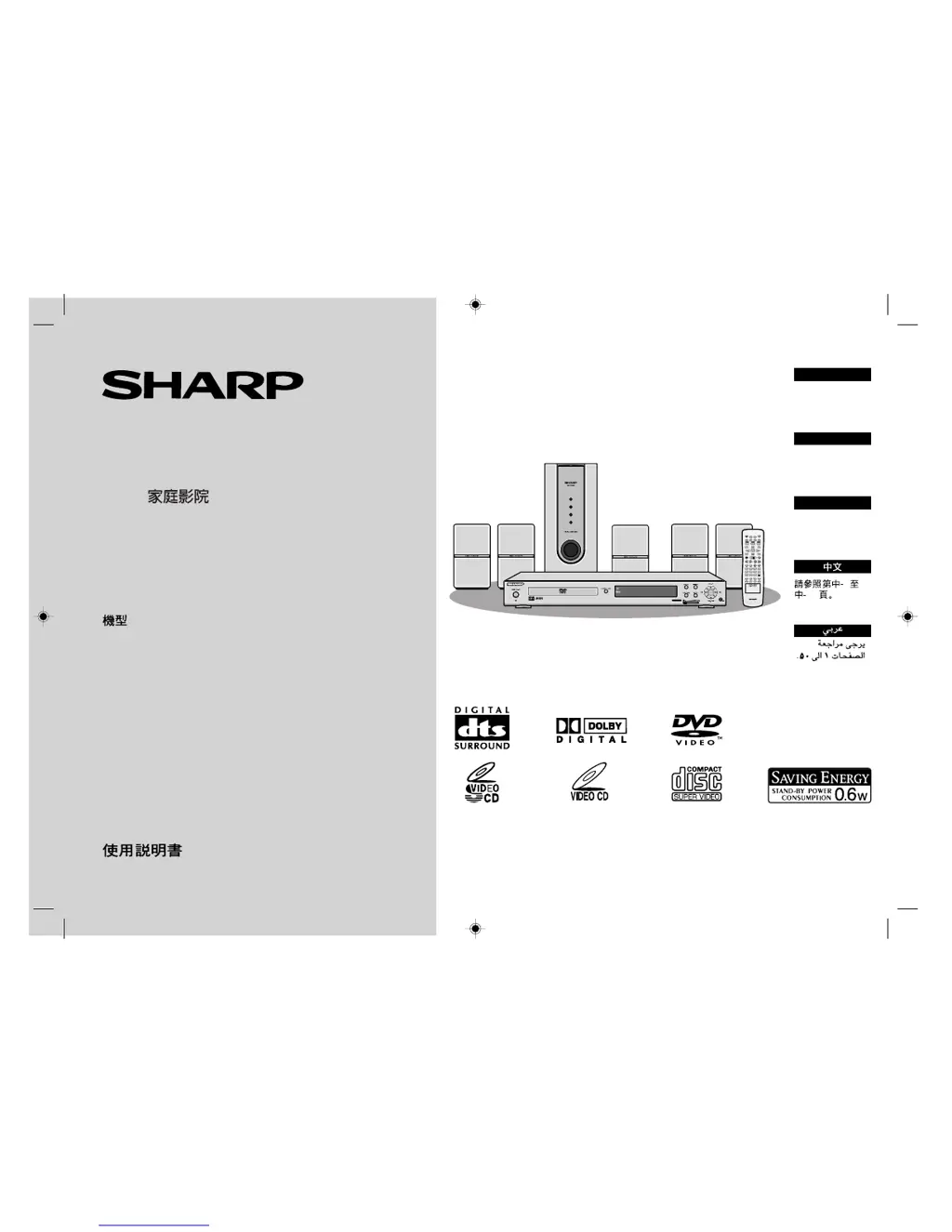
Sharp HT-CN400DVW - User Manual

Sharp HT-CN400DVW
52 pages
Print Icon
To Next Page IconTo Next Page
Loading...
MODEL
MODÈLE
MODELO
HT-CN400DVW
HT-CN500DVW
OPERATION MANUAL
MODE D’EMPLOI
MANUAL DE MANEJO
HOME THEATER WITH DVD
HOME THEATER AVEC DVD
HOME THEATER CON DVD
DVD
ENGLISH
FRANÇAIS
ESPAÑOL
Se reporter aux
pages F-1 à F-50.
Consulte las
páginas S-1 a S-50.
Please refer to
pages E-1 to E-50.
HTCN400_500DVW(X) 92LCN500W0270
MULTI
PRESET
ADJ/VOL
9
8765
4
0
>
10
321
ENTER
SLEEP
ST/MO
TUNING
DISPLAY
LANGUAGE
MUTE
PROG
MENU/PBC
NTSC/PAL
STEP
A-B
REPEAT
ANGLE
DIRECT
LISTENING
SLOW/MEMORY
TITLE
ZOOM AUDIO
RETURN
MODE
SUBTITLE
SET UP
OPEN/
CLOSE
ON/
STAND-BY
ECHO
50
1
SHARP CORPORATION

Table of Contents

Other manuals for Sharp HT-CN400DVW

Questions and Answers

  • B
    bethandersonAug 16, 2025
    Why is there no sound from my Sharp HT-CN400DVW Home Theater System?
    • G
      Gina SimonAug 16, 2025
      There could be a couple of reasons why you're not hearing any sound. First, check if the volume level is set to "0". If it is, adjust the volume. Also, make sure the speaker wires are securely connected. If they're disconnected, reconnect them properly.
  • S
    Shari CummingsAug 19, 2025
    What to do if the remote control of my Sharp HT-CN400DVW does not operate properly?
    • R
      rodriguezcherylAug 19, 2025
      If the remote control isn't working, consider these possibilities: * Check if the battery polarity is correct. * Replace the batteries if they are dead. * Adjust the distance or angle of the remote. * Remove any obstructions in front of the unit. * Ensure that the sensor is not exposed to strong light. * Avoid using the remote control for other equipment at the same time.
  • Z
    zdixonAug 22, 2025
    Why won't my Sharp HT-CN400DVW turn on?
    • T
      Tina VelezAug 22, 2025
      If your unit isn't powering on, make sure it's properly plugged into a power source. Also, the protection circuit might be activated. In that case, unplug the unit and plug it back in after 15 minutes or more.
  • J
    Jessica WilliamsAug 25, 2025
    Why is the Sharp HT-CN400DVW unit not turning on with the remote control?
    • W
      wwoodAug 26, 2025
      If you're unable to turn on the unit with the remote, first ensure that the AC power lead of the unit is plugged in. Also, check that the batteries are correctly inserted in the remote.
  • S
    shawmargaretAug 28, 2025
    Why does my Sharp HT-CN400DVW Home Theater System radio make unusual noises continuously?
    • B
      bakeraustinAug 28, 2025
      If your radio is making unusual noises, it could be due to the unit's placement. Try moving the aerial away from the AC power lead or the unit itself if it's near a TV or computer. Also, ensure the FM aerial or AM loop aerial is positioned correctly.
  • M
    Maria HuntAug 31, 2025
    What to do if noise is heard during playback on Sharp Home Theater System?
    • J
      Joshua MendozaAug 31, 2025
      If you're hearing noise during playback, try moving the unit away from any computers or mobile phones.
  • T
    Thomas HodgesSep 3, 2025
    Why do I see interference or noise on the TV image when using Sharp HT-CN400DVW?
    • T
      Travis WillisSep 3, 2025
      If you're experiencing interference or noise on your TV image, and the unit is placed near a TV with an internal aerial, try using an external aerial.
  • J
    Joshua RobinsonSep 6, 2025
    What to do if the sounds from speakers are not well balanced on my Sharp HT-CN400DVW Home Theater System?
    • J
      Johnathan FrySep 6, 2025
      If the sound from your speakers isn't well balanced: * Ensure the speaker leads are correctly connected to the appropriate channels. * Verify each speaker is placed at the same distance from your listening position. * Adjust the speakers to the same sound level.
  • J
    Joseph RobinsonSep 9, 2025
    What to do if when a button is pressed, the Sharp HT-CN400DVW unit does not respond?
    • M
      Maurice KerrSep 9, 2025
      If the unit isn't responding when you press a button, try setting it to power stand-by mode and then turning it back on.
  • M
    Melody BowmanSep 12, 2025
    Why the preset channel cannot be recalled on my Sharp Home Theater System?
    • S
      Samantha CochranSep 12, 2025
      If you can't recall a preset channel, it might be because the unit was unplugged from the wall socket or there was a power failure. In this case, try setting the channel again.

Summary

Introduction

Special Notes and Warnings

Important safety and usage notes for the SHARP Home Theater system.

General Information

Types of Playable Discs

Details on various disc formats supported by the player, including icons and compatibility.

Accessories Included

Lists all included accessories with the home theater system for setup and operation.

Precautions and Safety Guidelines

Important safety guidelines, handling, ventilation, and operating environment advice.

Description of Discs

Explains disc types, titles, chapters, tracks, and DVD icons.

Controls and Indicators Overview

Identifies main unit and remote control buttons, indicators, and displays.

System Connections

Speaker Connection Guide

Step-by-step instructions for connecting speakers using color-coded wires.

Aerial Connection

Instructions for connecting FM and AM aerials for radio reception.

Connecting to TV and VCR

How to connect the unit to TVs and VCRs for audio/video output.

Preparation for Use

System Installation and Speaker Placement

Guidance on optimal speaker placement for surround sound effects.

Battery Installation and Power On

Steps for battery installation and turning the unit on.

Changing Setup Menu Options

Guide to accessing and configuring system settings via the menu.

General Control and Playback Operations

Volume, Tone, and Mute Controls

How to adjust volume, tone controls, and mute audio output.

DVD Playback Procedures

Step-by-step guide to playing DVDs, including playback controls.

Navigation and Search Functions

How to navigate discs using skip, search, and direct play functions.

Advanced Playback Features

Using features like slow-motion, frame advance, angle selection, and zoom.

Disc Playback Modes and Settings

Repeat and A-B Playback

How to set repeat playback for tracks/titles and A-B segments.

Disc Menu and Language Selection

How to select titles, subtitles, and audio languages from disc menus.

Various Playback Settings

Changing subtitle, audio language, TV type, and display settings.

CD, VCD, and MP3 Playback

Video CD and Super Video CD Playback

How to play Video CDs and Super Video CDs, including PBC.

CD, CD-R;RW Playback

How to play audio CDs, CD-Rs, and CD-RWs, including programmed play.

MP3 and JPEG Disc Operation

How to play MP3 and JPEG files, including menu navigation.

Radio Operation

Listening to the Radio

How to tune into radio stations manually or automatically.

Station Memorization and Recall

How to store and recall favorite radio stations.

Advanced Sound Features

DTS and Dolby Digital Surround Sound

How to select and enjoy DTS or Dolby Digital surround sound modes.

Dolby Pro Logic Surround Sound

How to enable Dolby Pro Logic for immersive surround sound.

Speaker Level and Delay Time Adjustment

How to adjust speaker delay and levels for optimal audio.

Sleep Timer Setting

How to set the unit to turn off automatically after a set time.

Karaoke Operation Guide

Guide to connecting and using a microphone for karaoke.

Troubleshooting and Maintenance

Troubleshooting Chart

Common problems, causes, and solutions for general, DVD, tuner issues.

Remote Control and Unit Issues

Troubleshooting remote control problems and unit malfunctions.

Unit Preparation and Condensation

Steps for transporting the unit and handling condensation.

Error Indicators and Warnings

Explains error messages displayed on the unit and TV screen.

Specifications and Cabinet Cleaning

Technical specifications and cleaning instructions for the unit.

Sharp HT-CN400DVW Specifications

General IconGeneral
TypeHome Theater System
Number of Channels5.1
DVD PlayerYes
System TypeDVD home theater system
USB PortYes
HDMI OutputYes
Radio TunerFM
Audio Channels5.1
Supported Disc FormatsCD
Speaker Configuration5 satellite speakers + 1 subwoofer

Related product manuals