EasyManua.ls Logo

Sharp HT-CN650DVW - User Manual

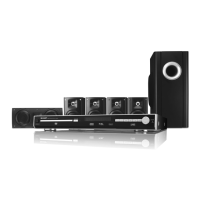
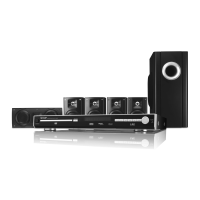
Sharp HT-CN650DVW
60 pages
Print Icon
To Next Page IconTo Next Page
Loading...
61
HTCN650DVW_AUS.fm03/10/29
F
S
V
I
N
P
E
E
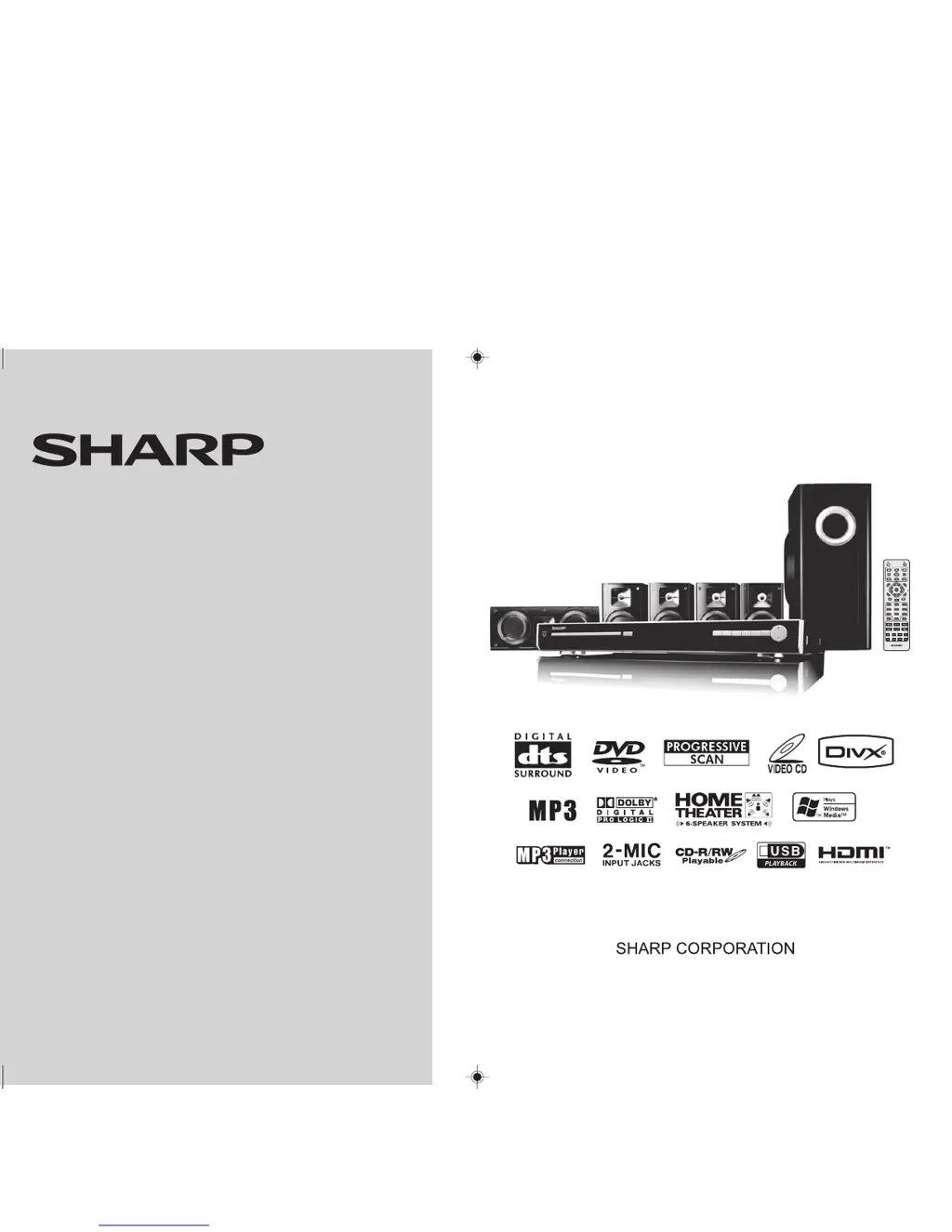
HT-CN650DVW
ON STAND-BY OPEN CLOSE
PRESET MUTE PRESET
OSDPLAYSLOW
TUNING TUNINGSTOP
PAUSE
TITLE
SETUP
ENTER
FUNCTION
MENU
PBC
RETURN
LISTENING
EQUALIZER PROG
MODE
ECHO
MIC
VOLUME
ANGLEZOOMSUBTITLEAUDIO
SLEEP DIRECT REPEAT A-B
123
456
78
0
9
MODEL
HT-CN650DVW
OPERATION MANUAL
HOME THEATER WITH DVD

Table of Contents

Questions and Answers

  • K
    kfosterAug 14, 2025
    How to fix no sound on Sharp HT-CN650DVW Home Theater System?
    • L
      Lisa WarrenAug 14, 2025
      If you're not getting any sound from your Sharp Home Theater System, first, make sure the volume isn't set to “0”. If it is, adjust the volume to a comfortable level. Also, check the speaker wire connections to ensure they are properly connected.
  • D
    Dr. Elizabeth PalmerAug 17, 2025
    Why Sharp HT-CN650DVW power is not turned on?
    • L
      Lori MackAug 17, 2025
      If your Sharp Home Theater System isn't turning on, ensure that the unit is plugged into a working power outlet. Also, the protection circuit might be activated. In this case, unplug the unit, wait for at least 15 minutes, and then plug it back in.
  • K
    kimberlywarnerAug 20, 2025
    What to do if no images are displayed on Sharp Home Theater System?
    • T
      tjonesAug 21, 2025
      If you are not seeing any images from your Sharp Home Theater System, make sure your TV is turned on and that you have selected the correct input on your TV to match the output from the home theater system. Switch the input of the TV.
  • J
    Jason JonesAug 25, 2025
    Why interference or noise occurs on the TV image with Sharp HT-CN650DVW?
    • A
      Adrienne HarringtonAug 25, 2025
      If you're experiencing interference or noise on your TV image when using your Sharp Home Theater System, and the unit is placed near a TV with an internal aerial, try using an external aerial.
  • D
    Deborah WalshAug 27, 2025
    How to balance sounds from speakers on Sharp Home Theater System?
    • J
      Joseph KelleyAug 28, 2025
      If the sounds from the speakers of your Sharp Home Theater System are not well balanced, check that the speaker leads are connected to the correct channels. Also, adjust the speaker placement so that each speaker is at the same distance from the listener, and ensure that all speakers are adjusted to the same level.
  • K
    Kristine TaylorAug 31, 2025
    Why the radio makes unusual noises continuously on Sharp Home Theater System?
    • A
      Angela ReyesAug 31, 2025
      If your Sharp Home Theater System is making unusual noises continuously while the radio is on, try moving the unit away from the TV or computer. Also, make sure the FM aerial is properly placed and away from the AC power lead or the unit itself, if located nearby.
  • M
    montoyajamesSep 3, 2025
    How to stop noise during playback on Sharp HT-CN650DVW?
    • D
      Dr. Jennifer HernandezSep 3, 2025
      If your Sharp Home Theater System is producing noise during playback, move the unit away from any computers or mobile phones.
  • M
    Maria LongSep 6, 2025
    Why the preset channel cannot be recalled on Sharp HT-CN650DVW?
    • W
      williamsisabellaSep 6, 2025
      If a preset channel on your Sharp Home Theater System cannot be recalled, and you recently experienced a power outage or unplugged the unit, you will need to set the channel again.
  • A
    allendawsonSep 9, 2025
    What to do if Sharp Home Theater System does not respond when a button is pressed?
    • C
      Charles GarciaSep 10, 2025
      If your Sharp Home Theater System does not respond when a button is pressed, set the unit to the power stand-by mode and then turn it back on.

Summary

General Information

Types of Playable Discs

Details the various disc formats supported by the DVD player.

Accessories

Lists all the items included in the package with the home theater system.

Precautions

Important safety and operational guidelines to prevent damage or hazards.

Description of Discs

Explains disc types, playable formats, and disc markings.

Controls and Indicators

Identifies and explains the buttons and displays on the main unit and remote.

System Connections

Speaker Connection

Guides on how to connect speakers to the main unit.

Aerial Connection

Instructions for connecting the FM aerial for radio reception.

Connections to TV, VCR, etc.

Details on connecting the unit to external devices like TVs and VCRs.

Preparation for Use

System Installation

Guidance on optimal speaker placement for surround sound.

Battery Installation

Steps for correctly inserting batteries into the remote control.

Turning the Power On

Instructions on powering up the unit and testing the remote control.

Changing the Setup Menu

How to configure system settings via the on-screen menu.

General Control

Basic operations for volume, treble, bass, muting, and auto power off.

DVD Operation

DVD Playback

Step-by-step guide to inserting and playing DVD discs.

Basic Operation

Core playback functions like skipping, searching, and programmed play.

Useful Operation

Advanced playback features like slow-motion, zoom, and angle selection.

Various Settings

How to adjust subtitle language, audio channels, and TV display.

Video CD and Super Video CD Operation

Video CD and Super Video CD Playback

Instructions for playing VCD and SVCD discs, including PBC functionality.

CD, CD-R and CD-RW Operation

CD Operation

How to play audio CDs, including programmed and direct playback.

MP3;WMA, JPEG and DivX Disc Operation

Playing music, photo, and video files from discs.

USB Memory Device Playback

USB Memory Device Operation

Playing media files from a USB memory device.

Radio Operation

Listening to the Radio

Tuning into FM radio stations and managing presets.

Advanced Features

Enjoying Various Sounds

Configuring sound modes like DTS, Dolby Digital, and Dolby Pro Logic.

Adjusting Channel Delay;Speaker Level

Fine-tuning speaker settings for optimal audio performance.

Sleep Operation

Setting the sleep timer to automatically turn off the unit.

Playing Karaoke

How to connect microphones and use karaoke features.

References

Troubleshooting Chart

Solutions for common problems encountered with the unit.

Error Indicators and Warnings

Explains messages displayed for errors and unplayable discs.

Maintenance

Guidance on cleaning the unit's cabinet.

Specifications

Technical details and performance characteristics of the home theater system.

Sharp HT-CN650DVW Specifications

General IconGeneral
TypeHome Theater System
Speaker Configuration5.1 Channel
DVD PlayerYes
HDMI Inputs2
USB PortYes
BluetoothYes
HDMI Output1
Power Output1000 W
RadioFM

Related product manuals