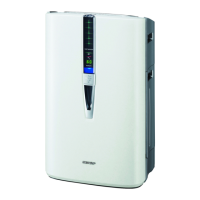
EasyManua.ls Logo

Sharp KC-850U - User Manual

Sharp KC-850U
68 pages
Print Icon
To Next Page IconTo Next Page
Loading...
ENGLISH
FRANÇAISESPAÑOL
AIR PURIFIER
with Humidifying Function
OPERATION MANUAL
PURIFICADOR DE AIRE
Con función de humidicación
MANUAL DE OPERACIÓN
Puricateur d’air à fonction
d’humidication
MANUEL D’UTILISATION
Device of this mark is a trademark of Sharp Corporation.
“Plasmacluster” and “Device of a cluster of grapes” are
registered trademarks of Sharp Corporation in Japan,
USA and elsewhere.
This product earned the ENERGY STAR by meeting
strict energy efficiency guidelines set by the US EPA.
US EPA does not endorse any manufacturer claims of
healthier indoor air from the use of this product.
The energy efficiency of this ENERGY STAR qualified
model is measured based on a ratio between the model’
s CADR for Dust and the electrical energy it consumes,
or CADR/Watt.
Ce produit a le droit de porter la marque ENERGY
STAR après avoir répondu à des critères stricts en ce
qui concerne l’efcacité énergétique, tels qu’établis par
l’agence EPA aux É-U. L’agence EPA aux É-U n’appuie
aucunement les témoignages publicitaires du fabricant
indiquant que ce produit rend l’air intérieur des locaux
plus sain.
L’efcacité énergétique de ce modèle, qui bénécie de
la reconnaissance ENERGY STAR, est mesurée par le
rapport entre le DAP (débit d’air purié) du modèle et l’
énergie électrique qu’il consomme, soit le rapport DAP/
Watt.
KC-850U
KC-850U_Eng.indd 1 10.4.14 10:34:53 AM

Table of Contents

Questions and Answers

  • A
    Andrew KennedyAug 19, 2025
    What to do if the Front Monitor illuminates orange or red even when the air is clean on my Sharp KC-850U?
    • D
      Dana Brown PhDAug 19, 2025
      If the Front Monitor on your Sharp Air Cleaner illuminates orange or red even when the air seems clean, the dust sensor openings might be dirty or clogged. Gently clean the dust sensors to resolve this.
  • D
    Dr. Allen Walker MDAug 21, 2025
    How to resolve odors and smoke not being removed by my Sharp KC-850U?
    • P
      Pamela HallAug 22, 2025
      If your Sharp Air Cleaner is not removing odors and smoke, the filters may be heavily soiled. Clean or replace the filters.
  • M
    Marcus MillerAug 25, 2025
    Why does my Sharp KC-850U have an odor?
    • C
      Chris FisherAug 25, 2025
      If the discharged air from your Sharp Air Purifier has an odor, check to see if the filters are heavily soiled. Clean or replace the filters. Note that Plasmacluster Air Purifiers may produce a slight odor, which is normal due to the Plasmacluster Ions refreshing the air.
  • P
    pvegaAug 26, 2025
    How to turn off the Filter Indicator Light on my Sharp KC-850U?
    • B
      brianfreemanAug 26, 2025
      If the Filter Indicator Light is illuminated on your Sharp Air Cleaner, after cleaning or replacing the filters, connect the power cord to an outlet and press the Filter Reset Button.
  • S
    Samuel NelsonAug 28, 2025
    What to do if my Sharp KC-850U doesn't work with cigarette smoke?
    • J
      joshuastantonAug 28, 2025
      If the unit does not operate when cigarette smoke is in the air, it may be installed in a location where it is difficult for the sensor to detect the smoke. Also, check if the dust sensor openings are blocked or clogged, and if so, clean the openings.
  • R
    rachel42Aug 30, 2025
    Why is the water level in my Sharp KC-850U Air Cleaner not decreasing?
    • J
      jonathon40Aug 30, 2025
      If the water level in the tank of your Sharp Air Cleaner does not decrease or decreases slowly, check to see if the Humidifying Tray and Water Tank are correctly installed. Also, check the Humidifying filter and clean or replace it when it is heavily soiled. Finally, ensure that Clean Air & Humidify mode has been selected.
  • M
    Michael SextonSep 1, 2025
    How to fix abnormal humidifying filter error on Sharp KC-850U?
    • S
      samuelmaciasSep 1, 2025
      If you are getting an abnormal humidifying filter error, verify if the Humidifying filter, Humidifying Tray and Water Tank are properly installed and then turn power ON again.
  • M
    mgonzalesSep 3, 2025
    Why is the Front Monitor green when the air is impure on my Sharp KC-850U?
    • A
      Adam RileySep 3, 2025
      If your Sharp Air Cleaner's Front Monitor illuminates green even when the air is impure, the air could have been impure when the unit was plugged in. Unplug the unit, wait one minute, and plug it back in.
  • H
    hlewisSep 5, 2025
    How to turn on the Front Monitor on my Sharp KC-850U?
    • R
      Russell MortonSep 5, 2025
      If the Front Monitor on your Sharp Air Cleaner is turned off, it is possible that Lights OFF Mode has been selected. Press the Lights Control Button to activate the indicator lights.
  • H
    hoodreginaSep 8, 2025
    Why does the Front Monitor light change color frequently on my Sharp Air Cleaner?
    • C
      carmen20Sep 8, 2025
      The Dust Monitor lights automatically change colors as impurities are detected by the dust sensor.

Summary

SHARP KC-850 U Air Purifier Operation Manual Introduction

Energy Star Compliance and Operating Notes

Details the ENERGY STAR certification and provides crucial operating advice before unit use.

Key Product Features and Declarations

Highlights unique product features like Plasmacluster and Triple Filtration, plus conformity statements.

Customer Support and Warranty Information

US Customer Assistance and Warranty

Information on US support contact, service procedures, and warranty terms and conditions.

Canadian Customer Assistance and Warranty

Information on Canadian support contact, service procedures, and warranty terms and conditions.

Critical Safety Instructions

General Safety and Operational Cautions

Essential safety precautions for electrical appliances and specific operational advice.

Installation and Filter Handling Guidelines

Recommendations for proper unit placement, environment, and basic filter care.

Understanding Your Air Purifier Components

Unit Diagrams and Part Identification

Visual identification of front and back components of the air purifier unit.

Control Panel, Indicators, and Displays

Explanation of the control panel buttons, indicator lights, and monitor readouts.

Getting Started: Preparation and Setup

Filter Installation Steps

Step-by-step instructions for correctly installing the air filters into the unit.

Water Tank Refilling Guide

Instructions on how to properly fill the water tank for humidification functionality.

Operating Modes and Functions

Clean Air and Humidify Modes

Operation details for the dual-function Clean Air & Humidify mode.

Quick Clean Mode and Fan Speed

How to use the Quick Clean mode and adjust fan speed settings.

Plasmacluster, Lights, and Sensor Controls

Management of Plasmacluster, display lights, and air sensor sensitivity adjustments.

Routine Care and Maintenance

Maintenance Reminders and Exterior Cleaning

Filter indicator reset, and instructions for cleaning the unit's exterior.

Component Cleaning: Tank, Tray, and Deodorizing Filter

Procedures for cleaning the water tank, humidifying tray, and deodorizing filter.

Humidifying Filter Descaling

Process for descaling the humidifying filter using citric acid or lemon juice.

Filter Replacement and Disposal

Filter Lifespan and Replacement Timing

Guidance on the expected lifespan and when to replace the True HEPA, Deodorizing, and Humidifying filters.

Proper Filter Disposal Methods

Information on local regulations and methods for disposing of used air filters.

Troubleshooting and Error Resolution

Resolving Common Operational Problems

Solutions for common issues such as odors, sensor readings, and operational failures.

Interpreting Error Display Codes

Explanation of digital error codes displayed by the unit and their recommended remedies.

Technical Specifications and Performance

Detailed Unit Specifications

Comprehensive technical data including dimensions, power consumption, CADR, and sensors.

Standby Power Consumption

Information regarding the unit's power usage when in standby mode.

Sharp KC-850U Specifications

General IconGeneral
TypeAir Purifier with Humidifier
Humidification MethodEvaporative
Dust SensorYes
Odor SensorYes
Humidity SensorYes
Plasmacluster TechnologyYes
ColorWhite
Filter TypeHEPA Filter

Related product manuals