EasyManua.ls Logo

Sharp KC-G60E - User Manual

Sharp KC-G60E
48 pages
Print Icon
To Next Page IconTo Next Page
Loading...
Device of this mark is a trademark of Sharp
Corporation.
“Plasmacluster” and “Device of a cluster of
grapes” are registered trademarks of Sharp
Corporation in Japan, Philippines and elsewhere.
KC-G60E
KC-G50E
KC-G40E
KC-G60L
KC-G50L
KC-G40L
KC-G60M
KC-G40M
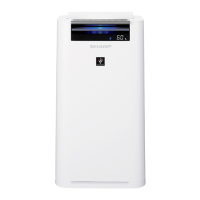
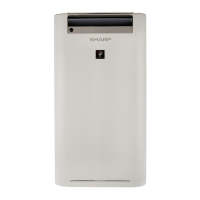
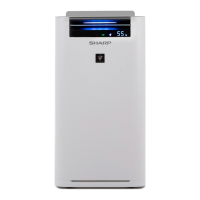
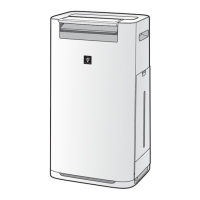
AIR PURIFIER
with Humidifying Function
OPERATION MANUAL
Free standing type
Jenis berdiri sendiri
直立式
ENGLISH
* The number in this technology mark indicates an
approximate number of ions supplied into air of 1 cm
3
,
which is measured around the center of a room with the


close to a wall at the MED mode setting.
PEMBERSIH UDARA
dengan Fungsi Melembap
BUKU PANDUAN OPERASI
加湿空气净化器
使用说明书
B. MELAYU
中文

Questions and Answers

  • T
    Terry ChaneyAug 14, 2025
    How to reset the filter on my Sharp KC-G60E?
    • D
      Deborah TorresAug 14, 2025
      If the FILTER RESET indicator light is illuminated on your Sharp Air Cleaner, connect the power cord to an outlet, and then press the Filter Reset Button after performing maintenance or replacing the filters.
  • J
    Joseph GonzalesAug 18, 2025
    How to turn on the display light on Sharp KC-G60E Air Cleaner?
    • E
      Eric BarrettAug 18, 2025
      If your Sharp Air Cleaner's front display is turned off, adjust the Light control to the 'Darker' setting if you prefer the light to be on.
  • D
    Danny JonesAug 21, 2025
    What to do if the Cleanliness Monitor on my Sharp Air Cleaner is always blue?
    • B
      Brian LewisAug 21, 2025
      If the Cleanliness Monitor on your Sharp Air Cleaner is showing blue even when the air is not clean, unplug the unit, wait one minute, and then plug it back in.
  • J
    Jessica HenryAug 25, 2025
    Why does my Sharp KC-G60E Air Cleaner make a clicking sound?
    • D
      diane83Aug 25, 2025
      The unit may make clicking or ticking sounds when it is generating ions.
  • S
    Stacie PerezAug 27, 2025
    Why doesn't the HAZE / PM2.5 Light on my Sharp KC-G60E match local PM2.5 data?
    • J
      Joshua FloresAug 27, 2025
      If your Sharp Air Cleaner's HAZE / PM2.5 Light doesn't match the weather report, note that outdoor and indoor conditions, as well as nearby traffic, can cause readings different from local PM2.5 data.
  • A
    Adrian Montoya DDSAug 31, 2025
    Why does my Sharp KC-G60E have an odor?
    • A
      Alejandra MccartyAug 31, 2025
      To address odor from your Sharp Air Cleaner, use only fresh tap water. Other water sources may encourage the growth of mold, fungi, or bacteria.
  • W
    wendyrodgersSep 3, 2025
    What to do if my Sharp KC-G60E does not react to cigarette smoke?
    • T
      tamararobinsonSep 3, 2025
      If the Sharp Air Cleaner does not operate when cigarette smoke is in the air, ensure that the unit is installed in a location where the sensors can effectively detect cigarette smoke.
  • N
    Nathaniel AlvarezSep 6, 2025
    Why doesn't the Humidify Light turn on when the tank is empty on my Sharp KC-G60E?
    • C
      Chad AverySep 6, 2025
      If the Humidify Light on your Sharp Air Cleaner's display doesn't light up when the tank is empty, check the styrofoam float for impurities, clean the Humidifying Tray, and ensure the unit is on a level surface.
  • A
    Audrey LeeSep 10, 2025
    Why is there a discrepancy between Sharp KC-G60E’s Humidity Monitor and another hygrometer?
    • D
      Debra AndradeSep 10, 2025
      If there is a discrepancy between your Sharp Air Cleaner’s Humidity Monitor and another hygrometer, switch the display by pressing the DISPLAY SELECT button to see if the monitor indicates wattage or temperature.

Summary

Features Overview

Intelligent Mode Operation

Details the 6-sensor, 7-factor automatic operation for precise control of air quality.

Air Purifier Operation Principles

Multi-Stage Filtration Process

Explains air circulation through Pre-Filter, Deodorizing Filter, and HEPA Filter for effective cleaning.

Safety Instructions and Cautions

General Electrical Safety Precautions

Essential safety measures to prevent electrical shock, fire, and injury when using the appliance.

Operational Safety Guidelines

Precautions for safe operation, including avoiding hazardous environments and proper handling.

Installation and Filter Guidelines

Optimal Installation Location Advice

Guidance on selecting a suitable location to ensure proper sensor function and airflow.

Control Panel and Display Guide

Operation Panel Button Functions

Explains the purpose and operation of each button on the control panel.

Getting Started and Basic Operation

Filter Installation Procedure

Step-by-step guide for correctly installing the HEPA and Deodorizing filters into the unit.

Advanced Operation Modes

Humidification Setup and Control

Instructions for refilling the water tank and understanding automatic humidity level management.

Routine Care and Maintenance

Humidifying Filter and Tray Maintenance

Filter Management and Replacement

Troubleshooting Common Issues

Resolving Operational Problems

Solutions for common issues like persistent odors, sensor malfunctions, and unit non-operation.

Interpreting Error Displays

Guidance on understanding digital error codes and the corresponding corrective actions.

Technical Specifications and Power

Detailed Unit Specifications

Comprehensive data on fan speed, noise levels, power consumption, dimensions, and weight for each model.

Sharp KC-G60E Specifications

General IconGeneral
ModelKC-G60E
Humidification Capacity600 ml/h
Dust SensorYes
Odor SensorYes
IonizerYes
TypeAir Purifier
Filter TypeHEPA

Related product manuals