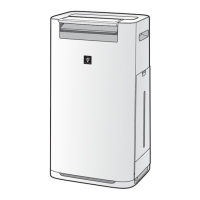
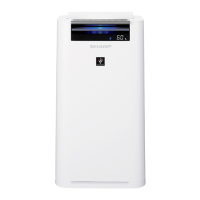
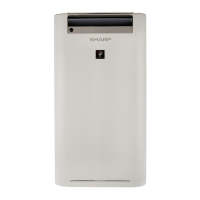
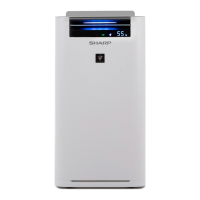
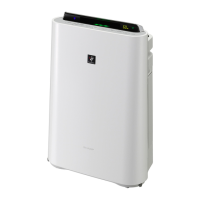
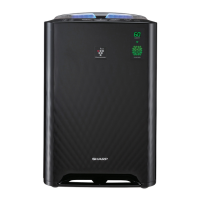
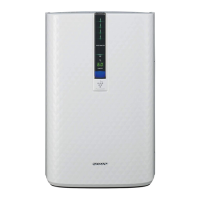
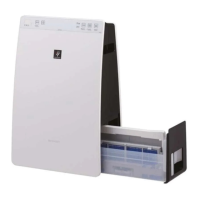
This document describes the Sharp KC-G60E, KC-G50E, KC-G40E, KC-G60L, KC-G50L, KC-G40L, KC-G60M, and KC-G40M series of air purifiers with humidifying function. These devices are designed to improve indoor air quality through a combination of filtration, Plasmacluster ion technology, and humidification.
Function Description
The Sharp air purifier operates by drawing in room air through an intake, circulating it through a multi-stage filtration system, and then discharging purified air through an outlet. The filtration system includes a Pre-Filter, a Deodorizing Filter, and a HEPA Filter. The Pre-Filter captures larger dust particles, while the Deodorizing Filter absorbs harmful gases and common household odors. The HEPA Filter is highly effective, trapping 99.97% of particles as small as 0.3 microns, including tiny dust, pollen, and mold spores.
In addition to filtration, the device incorporates Plasmacluster ion technology. This feature emits a balanced combination of positive and negative ions into the air, which is described as a natural process that freshens the air. The Plasmacluster Ion Spot Mode specifically targets adhering odors, germs, and other substances on fabrics, sofas, and curtains by emitting high-density Plasmacluster ions in a forward direction for 8 hours, after which the unit returns to its previous operating mode. The Plasmacluster ion function can be manually turned ON or OFF, though it cannot be turned OFF in HAZE mode.
The humidifying function automatically controls humidity levels by sensing both temperature and humidity in the room. This helps maintain a comfortable indoor environment. The unit requires regular refilling of the Water Tank with fresh tap water, and the Humidifying Tray and filter also need periodic cleaning to prevent mold, bacteria, and unpleasant odors.
The device offers various operating modes to suit different needs:
- Intelligent Mode (KC-G60/KC-G50): This mode utilizes six sensors to detect seven factors (PM2.5, tobacco smoke, house dust, mold spores, pollen, cosmetic/alcohol/spray odors, room temperature, room humidity, room brightness, and movement of persons/pets). Based on these detections, the unit precisely controls automatic operation. For instance, if there's little movement (e.g., during sleep), it switches to quiet airflow. In dark rooms, the Front Display, Cleanliness Monitor, and Air Outlet LED turn off. If no movement is detected for a set interval, the unit switches to minimum airflow to save power, and humidifying stops. If room humidity exceeds 80% and the room is bright, Plasmacluster ions are emitted with strong airflow.
- HAZE Mode: This mode operates at a HIGH fan speed for 60 minutes, then alternates between Low and High fan speeds for 20 minutes each, designed to quickly clear hazy conditions.
- Auto Mode (KC-G40): This mode automatically controls fan speed based on five detections: PM2.5, usual dust, temperature, humidity, and light.
- Selecting Mode: Users can choose between POLLEN, SLEEP, LOW, MED, and MAX fan speeds. In SLEEP mode, the unit operates quietly, and fan speed adjusts based on air impurities. The Front Display, Cleanliness Monitor, and Air Outlet LED automatically turn off in SLEEP mode if light control is set to "Auto." POLLEN mode sets the DUST SENSOR sensitivity to "HIGH" to quickly detect and clean the air of dust and pollen.
Additional features include a Child Lock to prevent unintended operation, an ON Timer to schedule when the unit starts, and an OFF Timer to schedule when it stops. The Front Display provides information such as humidity/temperature, wattage, timer settings, Plasmacluster Ion Light (blue), and Humidify Light (green for ON, off for OFF, red flashing for water needed). It also features an Odor Light, Dust Light, HAZE / PM2.5 Light, Motion Sensor indicator, and a Cleanliness Monitor that shows air purity in seven levels with color changes (blue for clean, red for impure).
Users can customize various settings, including Light Control (Auto, Darker, Turn off for display brightness), Sound Indicator Setting (beeping sound when water tank is empty), Auto Restart (resumes previous settings after power interruption), and Adjusting Sensor Sensitivity for Light, Dust (sensitive), Odor, and Motion sensors. The Motion Sensor sensing time can also be adjusted or canceled.
Usage Features
The air purifier is designed for ease of use with a clear operation panel and front display. The unit should always be operated in an upright position and placed on a level, stable surface with sufficient air circulation. When moving the unit, users should utilize the handles on both sides, remove the Water Tank and Humidifying Tray first, and move it slowly and horizontally on its casters. It is important not to move the unit while it is in operation.
For humidification, the Water Tank needs to be refilled with fresh tap water daily. To do this, the tank is removed, filled, and then securely re-installed. The Front Louver can be manually adjusted, especially during Plasmacluster Ion Spot Mode, to direct the airflow.
The device includes a caster stopper on the right and left casters to lock the unit in place. The filter installation process is straightforward, requiring the removal of the back panel, unwrapping of the HEPA and Deodorizing filters from their plastic bags, installing them in the correct order, and then re-installing the back panel. A tag on the HEPA filter indicates the correct orientation.
The unit is equipped with sensors that can be affected by direct wind, grease, oily smoke, or drastic temperature changes, so placement should consider these factors. For optimal dust collection, the unit should be placed at a distance from walls, and adjacent walls should be periodically cleaned as they may get dirty over time.
Maintenance Features
Regular maintenance is crucial for the optimal performance and longevity of the air purifier. The device includes a Filter Indicator light that turns on after approximately 720 hours of operation (30 days x 24 hours) to remind users to perform maintenance. After cleaning or replacing filters, this indicator needs to be reset by pressing and holding the FILTER RESET button for 3 seconds.
Maintenance tasks include:
- Water Tank: Rinse the inside of the Water Tank with water. For hard-to-remove dirt, clean with a soft sponge and the Tank Cap with a cotton swab or toothbrush.
- Unit / Back Panel: Wipe the exterior with a dry, soft cloth. Volatile fluids or detergents should not be used as they can damage the surface or cause sensor malfunctions. Dust on the back panel (Pre-Filter) should be gently removed with a cleaning tool like a vacuum cleaner. For stubborn dirt on the back panel, it can be soaked in water with a small amount of kitchen detergent for about 10 minutes, then rinsed and thoroughly dried.
- Sensor Filter: The sensor filter, located behind the back panel, should be removed and washed with water if very dirty, then thoroughly dried.
- Humidifying Filter and Tray: The Humidifying Filter should be rinsed with plenty of water. The Humidifying Tray Cover is removed, and the tray is rinsed with water. For stubborn dirt, the Humidifying Tray can be soaked for 30 minutes in a solution of kitchen detergent, citric acid (available at drugstores), or 100% bottled lemon juice with no pulp. After soaking, rinse thoroughly with clean water. It is important not to remove the Float or the Tray Panel unless replacing them. If the Humidifying Filter shaft is removed, ensure it is reattached to its original position.
- HEPA Filter / Deodorizing Filter: These filters should not be washed or exposed to sunlight. Dust on the tagged surface of the HEPA filter should be maintained gently, as the filter is fragile. Both surfaces of the Deodorizing Filter can be maintained, but care should be taken not to apply too much pressure to avoid breakage. If odors persist or dust cannot be removed, the filters should be replaced.
The lifespan of the HEPA, Deodorizing, and Humidifying filters is approximately 10 years under specific usage conditions (e.g., purifying a room where 5 cigarettes are smoked per day). However, replacement may be needed more frequently in environments with significantly more severe conditions (e.g., HAZE). Replacement filter models are specified for each unit series.
The manual also provides troubleshooting tips for common issues, such as persistent odors, incorrect Cleanliness Monitor readings, unusual noises, and display errors, to help users identify and resolve problems before contacting service. For example, if the Front Display is off, it might be due to the Light control setting. If the Humidify Light does not illuminate when the tank is empty, it could indicate that the room has reached the appropriate humidity level or that the Humidifying Tray or filter needs cleaning or correct installation.



 To Next Page
 General