EasyManua.ls Logo

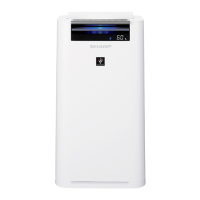
Sharp KC-G60TA - User Manual

Sharp KC-G60TA
32 pages
Go to English
Print Icon
To Next Page IconTo Next Page
Loading...
KC-G60TA
KC-G50TA
KC-G40TA
คูมือการใชงาน
เครื่องฟอกอากาศพรอมไอนํ้า
แบบตั้งพื้น
Free standing type
ภาษาไทย
AIR PURIFIER
with Humidifying Function
OPERATION MANUAL
ENGLISH
“Plasmacluster” and “Device of a cluster of
grapes” are trademarks of Sharp Corporation.
* The number in this technology mark indicates an
approximate number of ions supplied into air of 1 cm
3
,
which is measured around the center of a room with the
“high-density plasmacluster 7000” applicable floor area
(at 1.2 m height above the floor) when the product is
placed close to a wall at the MED mode setting.

Questions and Answers

  • K
    Kathryn BakerAug 16, 2025
    What to do if Sharp KC-G60TA Cleanliness Monitor light is red even when the air is clean?
    • I
      Ian SanchezAug 16, 2025
      If the Cleanliness Monitor light is red even when the air is clean, it might be due to dirty or clogged dust sensor openings interfering with the sensor operation. Gently clean the sensor filter or the back panel.
  • P
    Peter PerezAug 19, 2025
    How to reset filter light on Sharp KC-G60TA Air Cleaner?
    • A
      Anthony CarrollAug 19, 2025
      After performing maintenance or replacing the filters, connect the power cord to an outlet and then press the Filter Reset Button.
  • J
    Janet GarrisonAug 22, 2025
    What to do if Sharp KC-G60TA Air Cleaner is not detecting cigarette smoke?
    • A
      Amanda PhelpsAug 22, 2025
      Ensure the Sharp Air Cleaner is in a location where sensors can detect cigarette smoke. Also, check if the dust sensor openings are blocked; if so, clean the sensor filter or the back panel.
  • R
    Rebekah PerezAug 25, 2025
    Why does my Sharp Air Cleaner PM2.5 Light not match weather report?
    • C
      Carmen GarrettAug 26, 2025
      Outdoor and indoor conditions, as well as the home environment (like traffic volume or number of stories), can cause readings different from local PM2.5 data.
  • S
    steven62Aug 28, 2025
    What to do if Sharp Air Cleaner has odor and smoke persists?
    • O
      obrienchadAug 28, 2025
      Check the filters. If they appear to be extremely dirty, clean or replace them.
  • R
    Ronald MurrayAug 31, 2025
    Why is Sharp KC-G60TA Air Cleaner Front Display turned off?
    • C
      Christopher GreenAug 31, 2025
      When Light control is set to 'Auto', the light automatically turns off when the room is dark. If Light control is set to 'Turn off', the light is always off. To keep the light on, set Light control to the 'Darker' setting.
  • A
    Adam CastanedaSep 3, 2025
    Why does Sharp KC-G60TA Air Cleaner make clicking sound?
    • T
      Timothy DuffySep 3, 2025
      The Sharp Air Cleaner may make clicking or ticking sounds when it is generating ions.
  • J
    Jamie GuerraSep 5, 2025
    Why does Sharp KC-G60TA Air Cleaner Cleanliness Monitor changes color frequently?
    • D
      Dawn WilliamsSep 5, 2025
      The Cleanliness Monitor automatically changes color when the dust sensor and odor sensor detect impurities. If you are concerned, you can change the sensor sensitivity.
  • B
    brandonpayneSep 9, 2025
    Why the water level in Sharp Air Cleaner tank does not decrease?
    • K
      Kelly ValdezSep 9, 2025
      Check if the Humidifying Tray and Water Tank are correctly installed. Also, check the Humidifying Filter; if it's extremely dirty, clean or replace it.
  • C
    Craig SmithSep 12, 2025
    Why is there a discrepancy between Sharp Air Cleaner Humidity Monitor and hygrometer?
    • S
      Scott SteeleSep 12, 2025
      There may be a difference in the humidity level within the same room. If the monitor indicates wattage or temperature, switch the display by pressing the DISPLAY SELECT button.

Summary

FEATURES

Air Treatment Technologies

Describes the multi-stage filtration system for trapping particles and reducing odors.

Intelligent Mode Operation

Adapts operation based on room occupancy, activity, and darkness.

Sensors and Detection

Lists the 6 sensors and what they detect for automatic operation.

Plasmacluster and Humidification Functions

Explains the freshening and humidifying capabilities of the unit.

IMPORTANT SAFETY INSTRUCTIONS

General Safety Precautions

Covers electrical safety, operational hazards, and environmental considerations for safe use.

INSTALLATION GUIDELINES

Installation Precautions

Advises on placement, temperature, and avoiding specific environmental conditions for optimal performance.

FILTER GUIDELINES

Filter Care and Maintenance

Instructions on proper filter handling, cleaning, and replacement for maintaining performance.

PART NAMES

Front Components

Identifies and describes the parts located on the front of the air purifier unit.

Back Components

Identifies and describes the parts located on the back of the air purifier unit.

OPERATION PANEL

Button Functions

Explains the purpose and operation of each button on the control panel.

FRONT DISPLAY

Display Indicators

Details the meaning and function of various lights and monitors on the front display.

PREPARATION

Filter Installation

Step-by-step guide on how to install the filters into the air purifier unit.

OPERATION

Basic Operation (START;STOP)

Covers the fundamental functions of starting and stopping the air purifier.

Special Operation Modes

Details specific modes like Clean Ion Shower, Intelligent Mode, and Auto Mode.

PLASMACLUSTER ION SPOT MODE

Spot Mode Usage

Explains how to use the Plasmacluster Ion Spot mode for targeted odor removal.

HUMIDIFICATION SETTING

Refilling the Water Tank

Provides instructions on how to properly refill the water tank for humidification.

SELECTING MODE

Mode Selection

Guides users on how to choose different operating modes like Pollen, Sleep, Low, Med, Max.

CHILD LOCK

Activating Child Lock

Details how to enable and disable the child lock feature to prevent accidental changes.

ON TIMER

Setting the On Timer

Instructions on how to set the timer for the unit to turn on automatically.

OFF TIMER

Setting the Off Timer

Instructions on how to set the timer for the unit to turn off automatically.

HOW TO CHANGE VARIOUS

Customizing Settings

Guides on how to change various operational settings for personalized use.

SELECTING DISPLAY

Display Output Selection

Explains how to cycle through and select different display information like humidity, temperature, and wattage.

PLASMACLUSTER ION ON;OFF

Plasmacluster Ion Control

Details how to turn the Plasmacluster Ion function on and off.

SETTINGS

Light and Sound Settings

How to adjust display brightness and sound indicator for alerts.

Auto Restart and Sensor Sensitivity

Configuration for auto-restart after power loss and adjusting sensor detection levels.

CARE AND MAINTENANCE

Filter Indicator Reset

Procedures to reset the filter indicator light after maintenance.

Water Tank Cleaning

Instructions for cleaning the water tank to maintain hygiene and prevent odors.

Unit and Panel Cleaning

Guidance on cleaning the exterior of the unit and the back panel.

HUMIDIFYING FILTER AND TRAY

Filter and Tray Maintenance

Step-by-step instructions for removing, cleaning, and reattaching the humidifying filter and tray.

HEPA FILTER; DEODORIZING FILTER

Filter Maintenance and Replacement

Covers cleaning, life expectancy, replacement models, and disposal of HEPA and Deodorizing filters.

TROUBLESHOOTING

Common Issues and Solutions

Provides remedies for common operational problems and symptoms encountered with the unit.

Error Displays and Remedies

Explains specific error codes and their corresponding solutions for troubleshooting.

SPECIFICATIONS

Technical Specifications

Lists detailed technical data including power, performance, dimensions, and weight of the unit.

Standby Power Consumption

Details the power consumed by the unit when in standby mode.

Sharp KC-G60TA Specifications

General IconGeneral
TypeAir Purifier with Humidifier
Recommended Room SizeUp to 48 m²
Humidification MethodEvaporative
Humidification Rate600 mL/h
Filter TypeHEPA
FeaturesAir Quality Sensor, Auto Mode, Child Lock

Related product manuals