EasyManua.ls Logo

Sharp KC-A60Y - User Manual

Sharp KC-A60Y
44 pages
Print Icon
To Next Page IconTo Next Page
Loading...
R
Device of this mark is a trademark
of Sharp Corporation.
Plasmacluster is a registered trademark
or a trademark of Sharp Corporation.
Lambang ini merupakan merek dagang dari
Sharp Corporation.
Plasmacluster merupakan merek dagang
terdaftar atau merek dagang dari Sharp
Corporation.
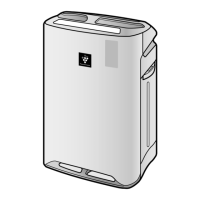
KC-A60Y
KC-A50Y
KC-A40Y
Free standing type
Tipe Berdiri
ENGLISH
AIR PURIFIER
with Humidifying Function
OPERATION MANUAL
PENJERNIH UDARA Dengan
Moisturizing Function
PETUNJUK PENGOPERASIAN
INDONESIA
No. Reg. : 03/DJ-ILMEA/MG/I/2000
No. Reg. : 42/PDN/MG/VII/2003
* The number in this technology mark indicates an approxi-
mate number of ions supplied into air of 1 cm
3
, which is
measured around the center of a room with the “high-density
plasmacluser 7000” applicable floor area (at 1.2 m height
above the floor) at the medium wind volume in humidifying &
air purifying mode, or in air purifying mode, when a humidi-
fier/air purifier or an air purifier using the high-density plas-
macluster ion evolving device is placed close to a wall.
This product is equipped with a device corresponding
to this
capacity.
*Angka dalam tanda teknologi ini menandakan perkiraan
jumlah ion yang dipasok ke udara dalam satuan 1 cm
3
, yang
diukur di sekeliling bagian tengah ruangan dengan area
lantai yang sesuai “plasmacluster kepadatan-tinggi 7000”
(pada ketinggian 1,2 m dari lantai) dengan volume angin
medium dalam mode pelembaban & pemurnian udara, atau
dalam mode pemurnian udara, jika humidifier/air purifier
atau air purifier yang menggunakan unit pengembang
plasmacluster kepadatan tinggi terpasang di dekat dinding.
Produk ini dilengkapi dengan perangkat yang sesuai dengan
kapasitas ini.
OM_KC-A60Y_A50Y_A40Y(EN-ID)indb.indb 1 5/18/11 4:17:53 PM

Questions and Answers

  • D
    Dwayne SmithAug 16, 2025
    What to do if the Filter Indicator Light is illuminated on my Sharp KC-A60Y?
    • C
      Christopher VargasAug 16, 2025
      If the Filter Indicator Light is illuminated, replace the filters, connect the power cord to an outlet, and then press the Filter Reset Button.
  • E
    Emily OneillAug 19, 2025
    Why does my Sharp Air Cleaner have an odor?
    • R
      Robert DunnAug 19, 2025
      The discharged air may have an odor for a few reasons. First, check if the filters are heavily soiled. If they are, clean or replace them. Also, Plasmacluster Air Purifiers emit small traces of ozone which may produce an odour.
  • A
    alexandraphillipsAug 21, 2025
    Why does the Front Monitor on my Sharp Air Cleaner show orange or red when the air is clean?
    • C
      Cody ChavezAug 21, 2025
      If the Front Monitor illuminates orange or red even when the air is clean, the dust sensor openings may be dirty or clogged. Gently clean the dust sensors.
  • J
    Justin ThompsonAug 25, 2025
    Why is the water level in the tank of my Sharp KC-A60Y Air Cleaner not decreasing?
    • K
      Krista DoyleAug 26, 2025
      If the water level in the tank does not decrease or decreases slowly, check to see if the Humidifying Tray and Water Tank are correctly installed. Also, check the Humidifying Filter, and clean or replace the filter when it is heavily soiled.
  • M
    Michelle Gray PhDAug 28, 2025
    What to do if my Sharp Air Cleaner doesn't work with cigarette smoke?
    • A
      Adam HicksAug 28, 2025
      The unit may be installed in a location that is difficult for the sensor to detect cigarette smoke or the dust sensor openings may be blocked or clogged, clean the openings.
  • U
    ugonzalezAug 31, 2025
    What to do if the Front Monitor on my Sharp Air Cleaner illuminates green even when the air is impure?
    • B
      Brittany ZamoraAug 31, 2025
      If the Front Monitor illuminates green even when the air is impure, unplug the unit, wait one minute, and plug the unit in again.
  • T
    Theresa MitchellSep 3, 2025
    Why do the Front Monitor lights on my Sharp KC-A60Y change color frequently?
    • A
      Austin SavageSep 3, 2025
      The Front Monitor lights automatically change colors as impurities are detected by the dust sensor and odor sensor.
  • B
    bryangrossSep 6, 2025
    How to turn on the Front Monitor on my Sharp KC-A60Y?
    • K
      Kevin CisnerosSep 6, 2025
      Check to see if the Lights OFF Mode selected. If so, press the Lights Control Button to activate the indicator lights.
  • A
    andrewsbrittanySep 9, 2025
    What to do if the Water Supply Indicator Light does not illuminate when the tank is empty on my Sharp KC-A60Y?
    • N
      Nicole CollierSep 9, 2025
      Check Styrofoam float for impurities. You may also need to clean the Humidifying Tray or ensure unit is located on a level surface.
  • A
    Anne DrakeSep 12, 2025
    Why is my Sharp Air Cleaner making a clicking or ticking sound?
    • G
      ghernandezSep 12, 2025
      Clicking or ticking sounds may be audible when the unit is generating ions.

Summary

Important Safety Instructions

General Warnings

Advisories on electrical shock, fire, and injury risks.

Operational Cautions

Precautions for operating the unit safely and correctly.

Installation Guidelines

Recommendations for unit placement and setup.

Filter Guidelines

Recommendations for filter maintenance and care.

Part Names and Diagrams

Front and Back Part Identification

Identifies key components on the front and back of the unit.

Preparation for Use

Filter Installation Procedure

Step-by-step guide for installing the air purifier filters.

Water Tank Refilling Instructions

How to properly fill the water tank for humidifying function.

Operating the Air Purifier

Clean Air and Humidify Modes

Using the unit for air purification and humidification.

Clean Air Mode Operation

Operating the unit for air purification only.

Clean Ion Shower Function

Activating the Plasmacluster ion shower feature.

Fan Speed and Plasmacluster Control

Adjusting fan speed and controlling Plasmacluster ion.

Useful Functions

Light Control and Child Lock

Adjusting display brightness and locking unit controls.

Sound Indicator and Sensor Sensitivity

Setting audible alerts and adjusting sensor detection levels.

Care and Maintenance

Filter Indicator and Maintenance Index

Understanding filter replacement alerts and general maintenance tasks.

Humidifying Disinstallation

Procedure for disassembling humidifying components.

Water Tank and Humidifying Filter Care

Cleaning instructions for the water tank and humidifying filter.

Humidifying Tray, Cover, and Back Panel Maintenance

Cleaning procedures for tray, cover, and back panel.

Deodorizing Filter and Unit Cleaning

Maintenance for the deodorizing filter and the main unit.

Filter Replacement

Filter Replacement Timing and Lifespan

Guidance on when to replace filters based on usage.

Replacement Filter Models and Disposal

Identifying replacement filter models and proper disposal methods.

Troubleshooting Guide

Symptom and Remedy Common Issues

Resolving common operational issues and malfunctions.

Auto Restart Functionality

Information on the automatic restart feature after power interruption.

Error Display Codes and Solutions

Interpreting error codes and their corresponding remedies.

Product Specifications

Technical Data and Ratings

Detailed specifications including fan speed, noise, room size, and dimensions.

Standby Power Consumption

Information on the unit's standby power usage.

Sharp KC-A60Y Specifications

General IconGeneral
Humidifying SystemEvaporative
TypeAir Purifier and Humidifier
Filter TypeHEPA Filter, Deodorizing Filter
Humidification Capacity600 ml/h
Noise Level50 dB
Filter LifeUp to 2 years
FeaturesPlasmacluster Ion Technology, Auto Mode, Child Lock, Air Quality Sensor

Related product manuals