EasyManua.ls Logo

Sharp KC-850EK - User Manual

Sharp KC-850EK
44 pages
Print Icon
To Next Page IconTo Next Page
Loading...
ENGLISH
日本語
R
* Plasmacluster is a trademark of Sharp
Corporation.
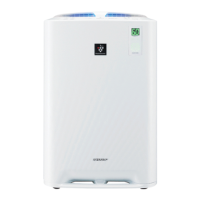
KC-850EK
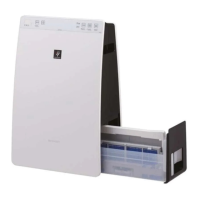
KC-860EK
Free standing type
床置き・卓上兼用型
KC-850EK
AIR PURIFIER
with Humidifying Function
OPERATION MANUAL
KC-860EK
加湿空気清浄機
取扱説明書
KC-850EK_E.J.indd 1 09.10.22 8:51:40 AM

Table of Contents

Questions and Answers

  • N
    Nicole ThomasAug 17, 2025
    What to do if Sharp Air Cleaner smells?
    • W
      willisdanielAug 18, 2025
      If the discharged air from your Sharp Air Cleaner has an odor, check if the filters are heavily soiled. You may need to clean or replace them. Also, be aware that Plasmacluster Air Purifiers emit small traces of ozone, which can produce an odor.
  • B
    barbarajohnsonAug 20, 2025
    Why is my Sharp KC-850EK Front Monitor orange or red when the air is clean?
    • J
      Jesse MarksAug 20, 2025
      If the Front Monitor on your Sharp Air Cleaner illuminates orange or red even when the air is clean, the dust sensor openings may be dirty or clogged. Gently clean the dust sensors.
  • A
    Angela KellerAug 22, 2025
    What to do if Sharp KC-850EK doesn't remove odors and smoke?
    • G
      gallagherkatieAug 22, 2025
      If your Sharp Air Cleaner isn't removing odors and smoke, the filters may be heavily soiled. Clean or replace the filters.
  • J
    jeffrey04Aug 25, 2025
    What to do if Sharp Air Cleaner Filter Indicator Light is illuminated?
    • T
      Thomas ClayAug 26, 2025
      After replacing the filters in your Sharp Air Cleaner, connect the power cord to an outlet and press the Filter Reset Button.
  • C
    christinacoffeyAug 27, 2025
    Why is my Sharp KC-850EK Air Cleaner not operating when cigarette smoke is in the air?
    • B
      Bridget CookAug 27, 2025
      If your Sharp Air Cleaner doesn't operate when cigarette smoke is in the air, it could be due to the unit being installed in a location where it is difficult for the sensor to detect cigarette smoke, or the dust sensor openings may be blocked or clogged. In the latter case, clean the openings.
  • J
    Jaime SmithAug 30, 2025
    What to do if Sharp KC-850EK Air Cleaner Front Monitor illuminates green even when the air is impure?
    • V
      Virginia WilliamsAug 30, 2025
      If the Front Monitor on your Sharp Air Cleaner illuminates green even when the air is impure, the air could have been impure when the unit was plugged in. Unplug the unit, wait one minute, and plug it in again.
  • B
    Brian DuarteSep 1, 2025
    What to do if Sharp Air Cleaner Water Supply Indicator Light does not illuminate when the tank is empty?
    • J
      James Simpson PhDSep 1, 2025
      If the Water Supply Indicator Light on your Sharp Air Cleaner does not illuminate when the tank is empty, check the Styrofoam float for impurities and clean the Humidifying Tray. Also, ensure the unit is located on a level surface.
  • A
    andersonmarySep 4, 2025
    Why Sharp KC-850EK Air Cleaner Water lever in the tank does not decrease or decreases slowly?
    • D
      dwilliamsSep 4, 2025
      If the water level in the tank of your Sharp Air Cleaner does not decrease or decreases slowly, check to see if the Humidifying Tray and Water Tank are correctly installed. Also, check the Humidifying Filter and clean or replace it when it is heavily soiled.
  • J
    John PerkinsSep 6, 2025
    What to do if Sharp Air Cleaner Front Monitor are turned off?
    • C
      Christopher GrahamSep 6, 2025
      If the Front Monitor on your Sharp Air Cleaner is turned off, check to see if the Light OFF Mode is selected. If so, press the Light Control Button to activate the indicator lights.
  • W
    William GriffinSep 9, 2025
    What does it mean when the Clean Air & Humidify Indicator Light is flashing on my Sharp KC-850EK?
    • T
      Teresa LewisSep 9, 2025
      If the Clean Air & Humidify Indicator Light is flashing on your Sharp Air Cleaner, it indicates an abnormal humidity filter. Verify if the Humidifying Filter, Humidifying Tray, and Water Tank are properly installed, and then turn the power ON again.

Summary

FEATURES

Air Purification Technologies Overview

Highlights the combined use of Triple Filtration, Plasmacluster, and Humidification.

Dust Trapping Mechanism

Details the washable pre-filter's role in capturing large airborne particles.

Odor Elimination

Explains how the washable deodorizing filter absorbs household odors.

Pollen and Mold Allergen Reduction

Describes the HEPA filter's efficiency in trapping fine particles like pollen and mold.

Plasmacluster Air Freshening

Explains the natural air purification effect of emitting positive and negative ions.

IMPORTANT SAFETY INSTRUCTIONS

General Safety Precautions

Essential guidelines to prevent electrical shock, fire hazards, and personal injury during use.

OPERATING AND INSTALLATION GUIDELINES

Cautions for Safe Operation

Key operational restrictions and precautions for safe and effective use.

PREPARATION AND INITIAL SETUP

Filter Installation Procedure

Step-by-step guide for properly inserting the main filters into the unit.

WATER TANK MANAGEMENT

AIR PURIFIER MODES OF OPERATION

Clean Air & Humidify Mode

Guide to operating the unit for simultaneous air cleaning and humidification.

AIR PURIFICATION MODES

COMPONENT MAINTENANCE

FILTER REPLACEMENT AND DISPOSAL

Filter Lifespan and Replacement Timing

Guidance on when to replace HEPA, Deodorizing, and Humidifying filters.

TROUBLESHOOTING COMMON ISSUES

Addressing Odors and Smoke

Solutions for when the unit fails to remove odors or smoke effectively.

ERROR DISPLAY CODES

Error E2: Humidity Filter Fault

Identifies an error related to the humidifying filter.

Error E1: Fan Motor Malfunction

Indicates a problem detected with the unit's fan motor.

Error E5: Main Board Issue

Points to a potential problem with the unit's main circuit board.

TECHNICAL SPECIFICATIONS

Model Specifications Overview

Comprehensive data on performance, dimensions, power, and features for both models.

Sharp KC-850EK Specifications

General IconGeneral
TypeAir Purifier with Humidifier
Recommended Room Size/Coverage AreaUp to 62 m²
TechnologyPlasmacluster Ion Technology
Dust SensorYes
Odor SensorYes
Filter TypeHEPA Filter, Humidifying

Related product manuals