CLEAN AIR & HUMIDIFY MODE
OPERATION
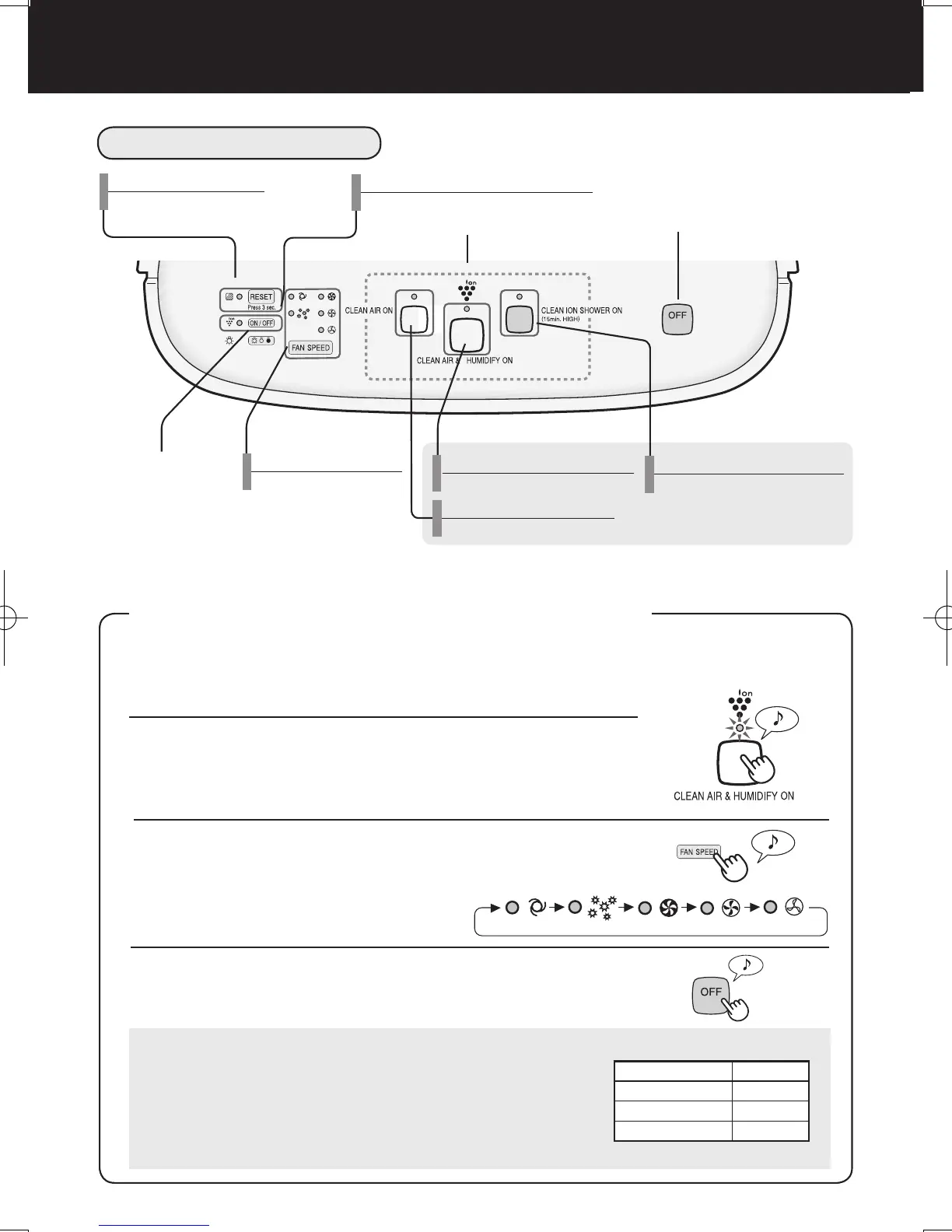
Use the Clean Air & Humidify Mode to quickly clean the air, reduce odours and to humidify.
About Automatic Humidify Mode
The Temperature/Humidity sensors automatically detect and
adjust humidity according to changes in room temperature.
Depending on the size and humidity of the room, humidity
may not reach 55~65 %. In such cases, it is recommended
that CLEAN AIR & HUMIDIFY/MAX MODE be used.
Power OFF Button
Power ON Button
Light Control
Button
Fan Speed Button/
Indicator Light (green)
CLEAN ION SHOWER MODE Button/
Indicator Light (blue)
Press any of the buttons to select
mode and start the unit.
Clean Air & Humidify MODE Button/
Indicator Light (green)
Clean Air MODE Button/
Indicator Light (green)
MAIN UNIT DISPLAY
Press the Power OFF Button to turn the unit off.
Filter Reset Button/
Indicator Light (red)
Plasmacluster ON/OFF Button/
Indicator Light (green)
1
Fill Water Tank. (See E-7)
2
Press the CLEAN AIR & HUMIDIFY MODE Button.
• If the power cord was not unplugged between uses, the unit
will automatically re-start at the previously selected settings.
3
Press the FAN SPEED Button to select the de-
sired fan speed.
• Indicator lights will show the fan speed
currently selected.
Temperature Humidity
~18 ºC 65 %
18 ºC~24 ºC 60 %
24 ºC~ 55 %
E-8


 To Next Page