EN-11
ENGLISH
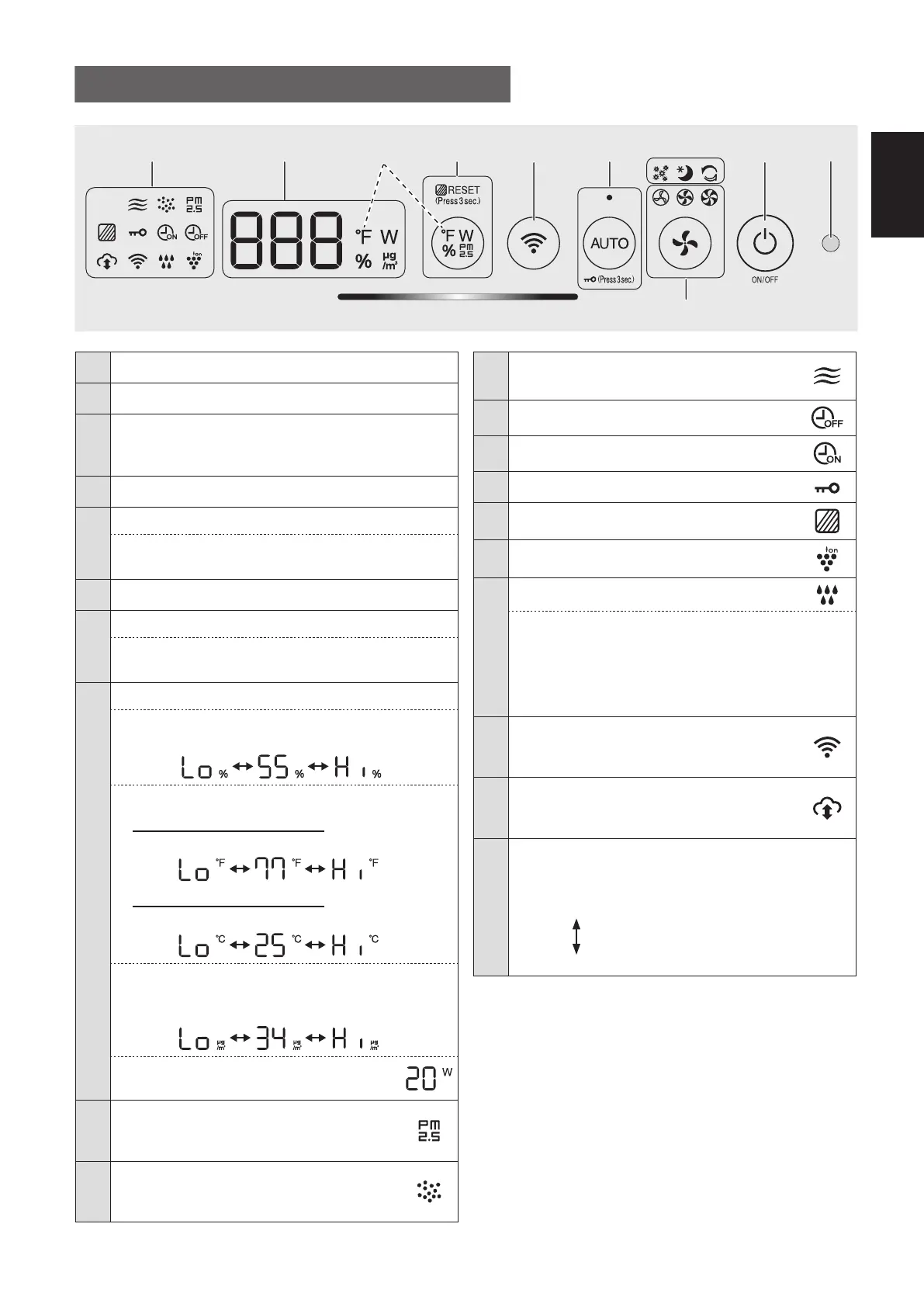
1 Light Sensor
2 Power ON/OFF Button
3
App-Only Modes: Pollen, Sleep and
Plasmacluster Express Clean Lamps
(White)
*2
4 Fan Speed Button, Lamps
(White)
5
AUTO Button, Lamp
(White)
Child-Lock Button
(Press 3 sec.)
*3
6 Wi-Fi Button
7
Switching Display Button
Filter Reset Button, Lamp
(White)
(Press 3 sec.)
*3
8
Display
*4
• Humidity
Humidity 25 % to 75 % is displayed.
24 %
or less
76 %
or more
• Temperature
For KCP110UW or KCP70UW
Temperature 32
o
F to 122
o
F is displayed.
123
o
F
or more
31
o
F
or less
For KCP110CW or KCP70CW
Temperature 0
o
C to 50
o
C is displayed.
51
o
C
or more
-1
o
C
or less
• PM2.5 Concentration
*5
PM2.5 10 μg/m
3
(micrograms per cubic meter air)
to 499 μg/m
3
is displayed.
500 μg/m
3
or more
9 μg/m
3
or less
• Wattage
Indicates wattage of current operation.
9
PM2.5 Indicator
(White)
Indicates the Sensitive Dust Sensor
detects microscopic dust.
10
Dust Indicator
(White)
Indicates the Sensitive Dust Sensor
detects usual dust.
OPERATION PANEL / DISPLAY
11
Odor Indicator
(White)
Indicates the Odor Sensor detects odors.
12 OFF Timer Indicator
(White)
*2
13 ON Timer Indicator
(White)
*2
14 Child-Lock Indicator
(White)
15 Filter Maintenance Indicator
(Orange)
16 Plasmacluster Ion Indicator
(White)
17
Humidifying Indicator
(White)
• Illuminates:
Humidify ON
• OFF:
Humidify OFF
• Flashing: the product needs water
(The indicator flashes for 10 minutes and then
goes off.)
18
Wi-Fi Indicator
(White)
Illuminates when air purifier is connected
to a router.
19
Cloud Service Indicator
(White)
*2
Illuminates when air purifier is connected
to Sharp's cloud service.
20
Air Quality Indicator
Indicates the air purity of the room in 5 levels with
color changes.
Clean
Blue
Yellow (Flashing)
Impure
Red (Flashing fast)
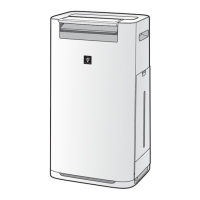
*1: This is an illustration of KCP110UW or KCP70UW.
For KCP110CW or KCP70CW, “
o
F ” on the control
panel is “
o
C ”.
*2: The lamps of No. 3, 12, 13 and 19 light up only when
using the App.
*3: Press and hold 3 seconds or longer.
*4: The displayed numbers are approximate.
*5: Particulate matter, particles with diameter of size 2.5
micrometers or less.
15 23
20
6
789 - 19
*1
4
*4
KCP110UW_70UW_110CW_70CW_2nd.indb 11KCP110UW_70UW_110CW_70CW_2nd.indb 11 2022/03/23 11:16:182022/03/23 11:16:18


 To Next Page