EN-28
Function Setting
Wi-Fi connection
with a router
(without the WPS
Button)
- AP (Access Point)
mode -
1.
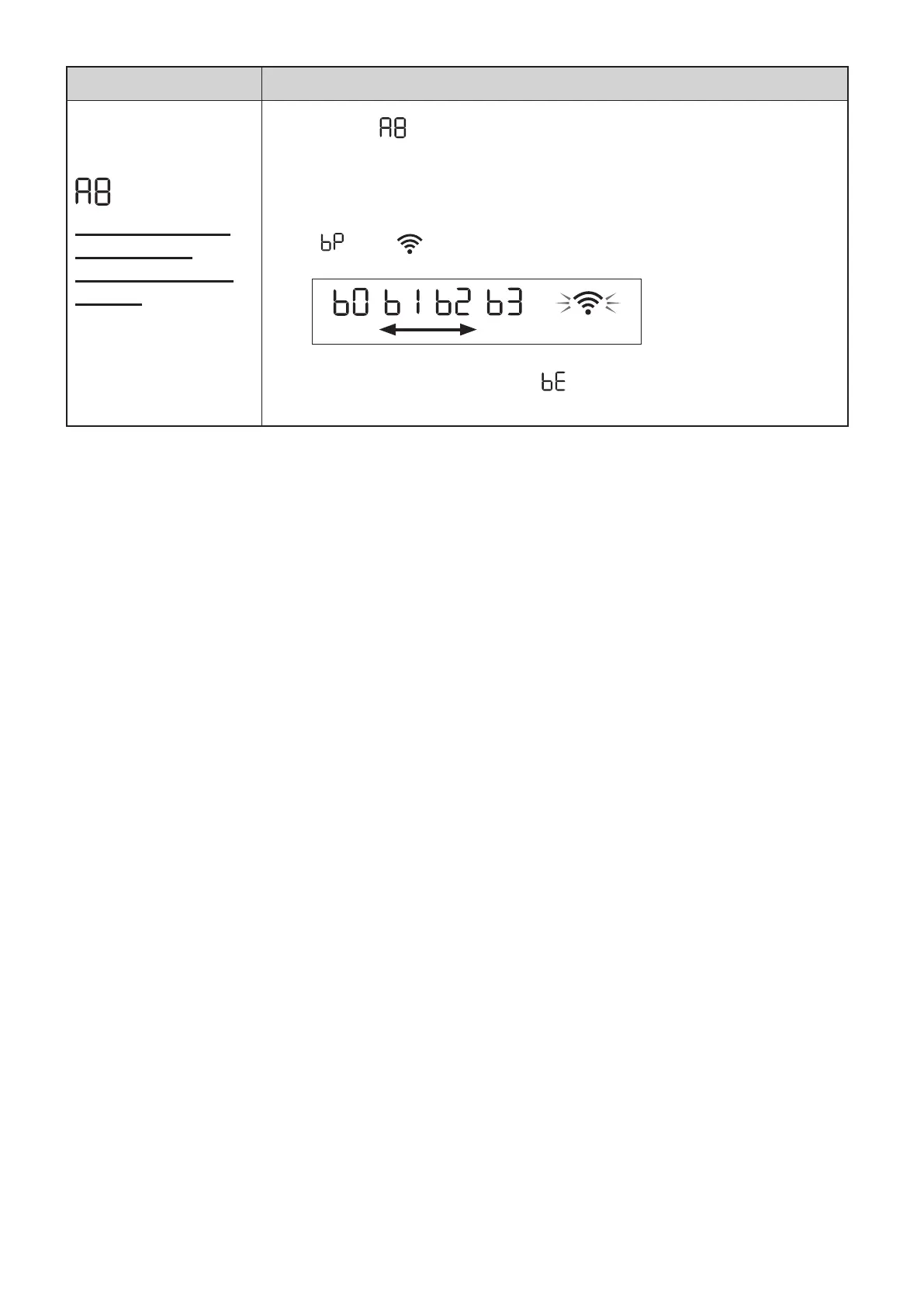
Select “ ” by following the Steps 1 - 3 on page 24.
2.
Perform Wi-Fi connection of the air purifier and the router based
on the App screen.
Refer to the App for further operations.
“ ” and “ ” blinks while setting the connection between the product
and the router.
weak strong
Light up
Once connected, receiver level will be displayed.
A connection error is occuring if “ ” is displayed. Please confirm the router
and try again.
KCP110UW_70UW_110CW_70CW_2nd.indb 28KCP110UW_70UW_110CW_70CW_2nd.indb 28 2022/03/23 11:17:492022/03/23 11:17:49


 To Next Page