11
LC-32/37GD8E/RU
LC-32/37BT8E/RU
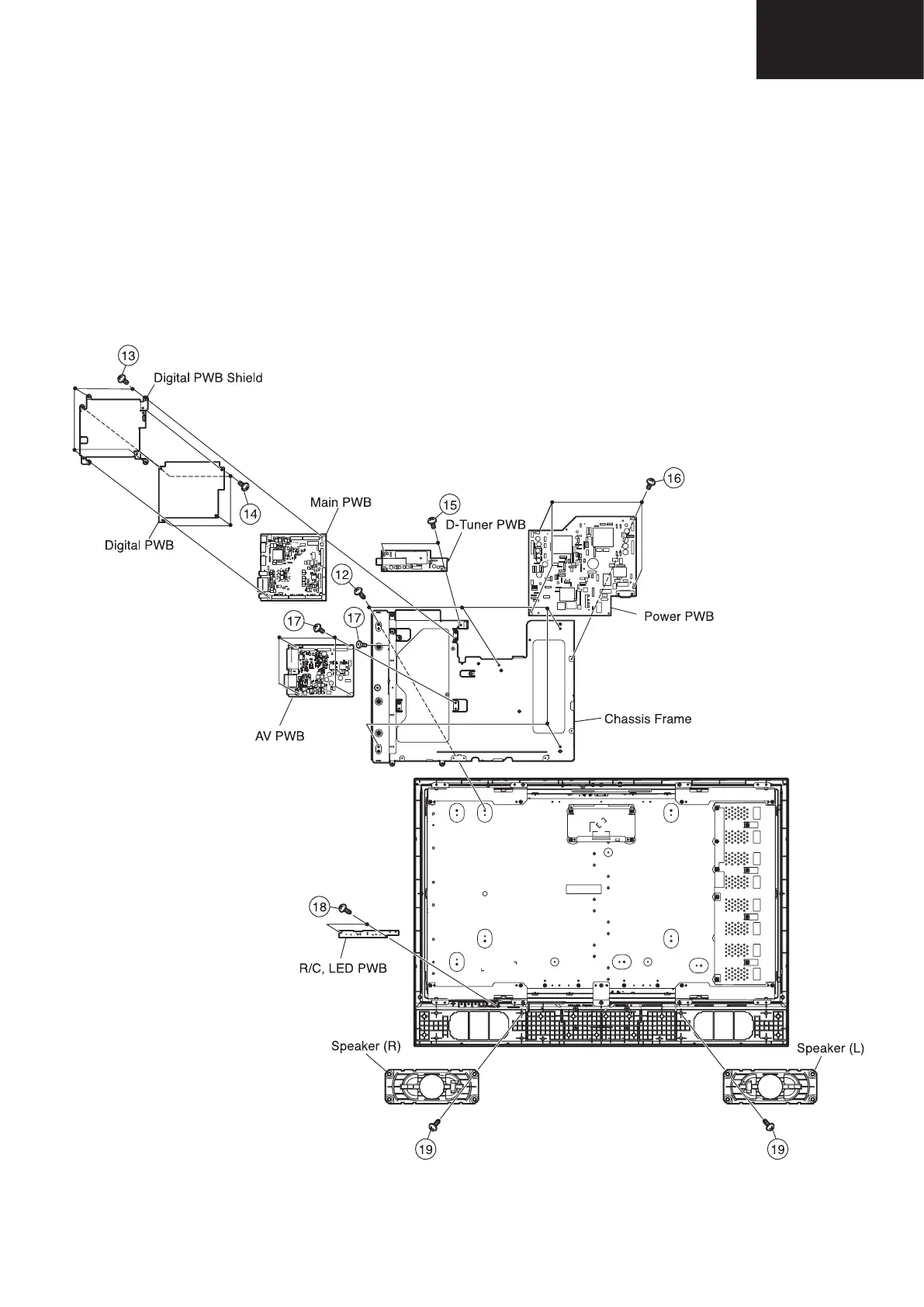
12. Remove the chassis frame fixing screws (5 pcs.).
13. Remove the Digital PWB with Digital PWB Shield fixing screws (4 pcs.).
14. Remove the Digital PWB from Digital PWB Shield (4 pcs.).
15. Remove the D-tuner PWB fixing angle fixing screws (2 pcs.).
16. Remove the power PWB fixing screws (4 pcs.).
17. Remove the AV PWB fixing screws (5 pcs.).
18. Remove the R/C,LED PWB fixing screws (3 pcs.).
19. Remove the 2 lock screws from the right and left speakers and take out both speakers.










 To Next Page