LC-60LE630U/U(A), LC-70LE735U
4 – 5
7.2.3 Component 15K signal adjustment
7.2.4 Component 33K signal adjustment
7.2.5 Analog RGB signal adjustment
Adjustment point Adjustment conditions Adjustment procedure
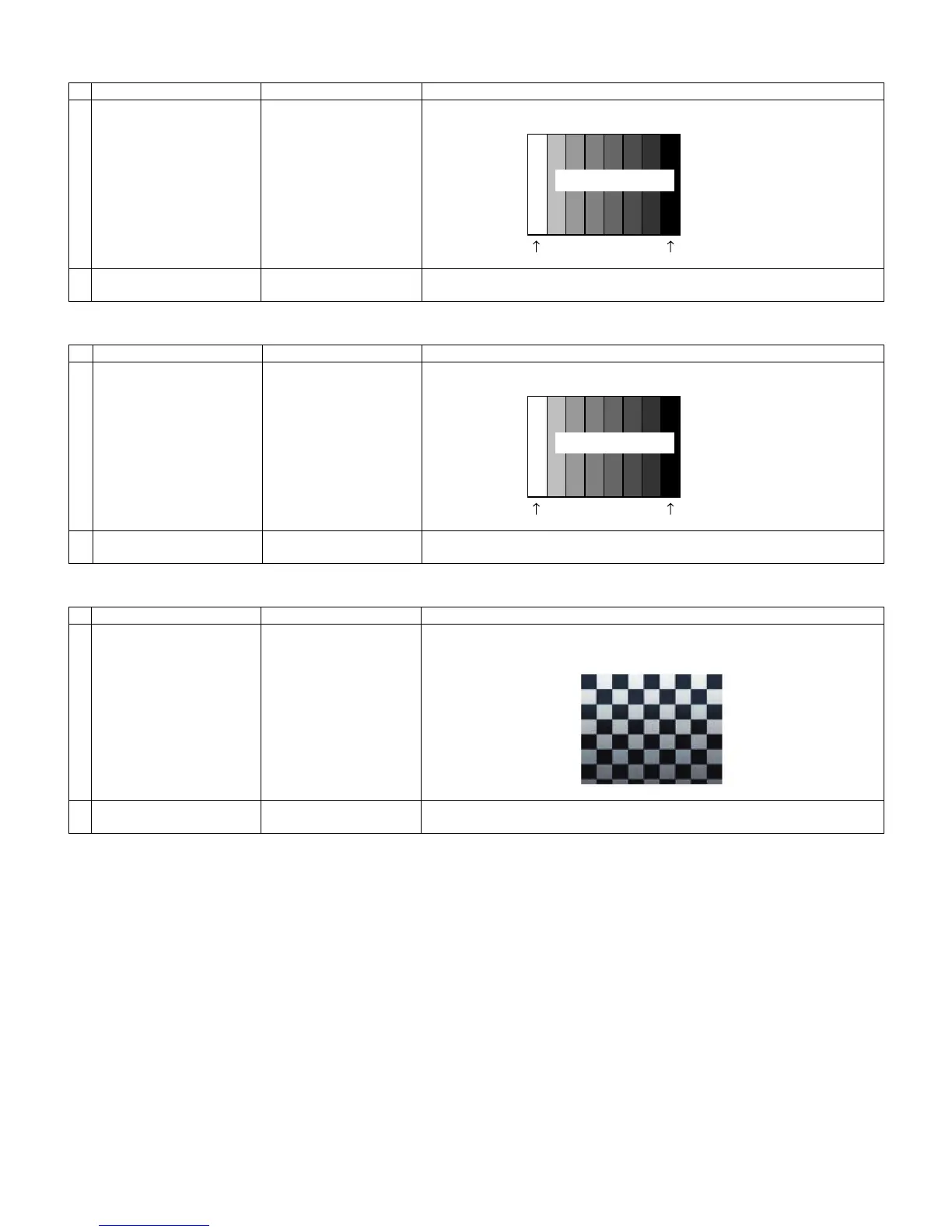
1 Setting 480i signal
100% Full Field Color Bar
• Send the 100% color bar signal to the component input.
2 Automatic adjustment exe-
cution
Point the cursor to [COMP SD ADJ] and press the [Enter] key.
The adjustment is complete when [OK] is displayed.
Adjustment point Adjustment conditions Adjustment procedure
1 Setting 1080i signal
100% Full Field Color Bar
• Send the 100% color bar signal to the component input.
2 Automatic adjustment exe-
cution
Point the cursor to [COMP HD ADJ] and press the [Enter] key.
The adjustment is complete when [OK] is displayed.
Adjustment point Adjustment conditions Adjustment procedure
1 Setting XGA signal
100% Checkerd Pattern
Please Make Sure SYNC
is OFF
• Send the 100% checker signal to the analog RGB input.
Be sure to set to SYNC=OFF.
2 Automatic adjustment exe-
cution
Point the cursor to [RGB ADJ] and press the [Enter] key.
The adjustment is complete when [OK] is displayed.
100% white 0% black
480i
100% color bar
Color saturation: 100%
100% white 0% black
1080i
100% color bar
Color saturation: 100%





 To Next Page