2-32
PRINTING
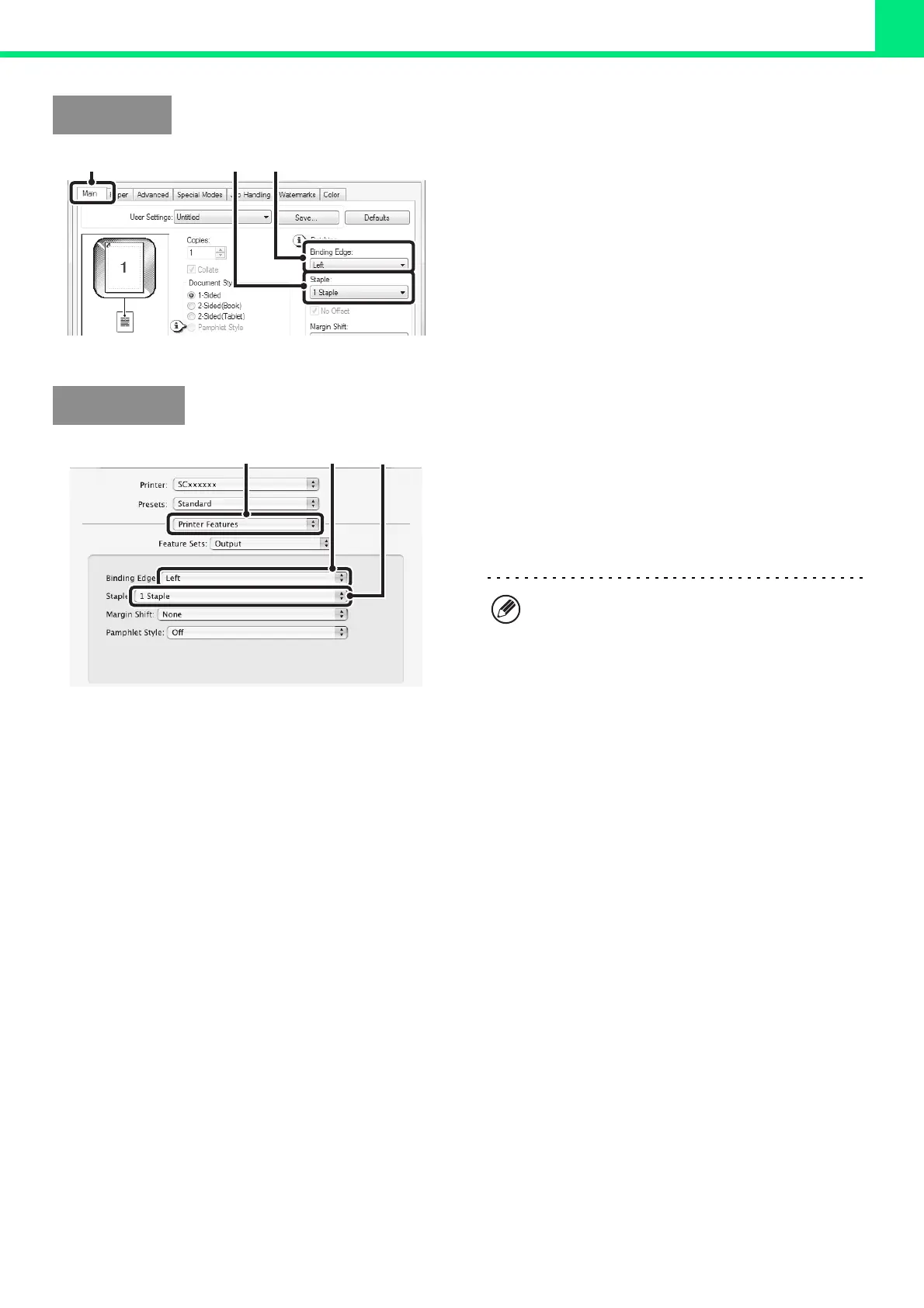
(1) Configure the settings on the [Main] tab.
(2) Select the "Binding Edge".
(3) Select the staple function.
For the staple function, select the number of staples in
the "Staple" menu.
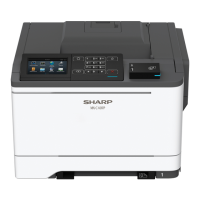
(1) Select [Printer Features].
(2) Select the "Binding Edge".
(3) Select the staple function.
For the staple function, select the number of staples in
the "Staple" menu.
Windows
(3)
(2)
(1)
Macintosh
(1) (2)
(3)
• In Mac OS X v10.2.8, select the settings in
[Advanced].
• In Mac OS 9, select the settings in
[Output/Document Style].



 To Next Page