EasyManua.ls Logo

Sharp MZ-800 - Page 170

Sharp MZ-800
221 pages
Print Icon
To Next Page IconTo Next Page
To Previous Page IconTo Previous Page
Loading...
D
Command
Format
Explanation
D<starting
address>
<end
address>
This
command
dumps
the
contents
of
the
specified
memory
area.
When
the
<end
address>
is
omitted,
160
bytes
from
the
<starting
address>
are
displayed.
The
dislay
format
is
as
follows:
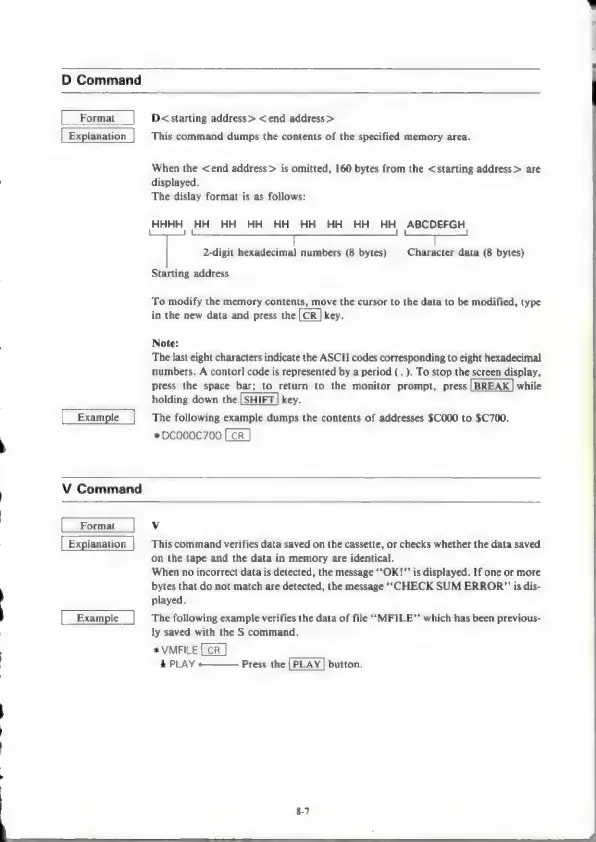
HHHH
HH HH HH
HH
HH HH
HH
HH
ABCDEFGH
l
me
=
T
2-digit
hexadecimal
numbers
(8
bytes)
Character
data
(8
bytes)
Starting
address
To
modify
the
memory
contents,
move
the
cursor
to
the
data
to
be
modified,
type
in
the
new
data
and
press
the
key.
Note:
The
last
eight
characters
indicate
the
ASCII
codes
corresponding
to
eight
hexadecimal
numbers.
A
contorl
code
is
represented
by
a
period
(.
).
To
stop
the
screen
display,
press
the
space
bar;
to
return
to
the
monitor
prompt,
press
while
holding
down
the
|
SHIFT
|
key.
The
following
example
dumps
the
contents
of
addresses
$C000
to
$C700.
*DCO00C700
V
Command
Format
Explanation
Example
v
This
command
verifies
data
saved
on
the
cassette,
or
checks
whether
the
data
saved
on
the
tape
and
the
data
in
memory
are
identical.
When
no
incorrect
data
is
detected,
the
message
‘‘OK!”’
is
displayed.
If
one
or
more
bytes
that
do
not
match
are
detected,
the
message
‘‘CHECK
SUM
ERROR?”
is
dis-
played.
The
following
example
verifies
the
data
of
file
‘‘MFILE”’
which
has
been
previous-
ly
saved
with
the
S
command.
*
VMFILE
&
PLAY
-———
Press
the
button.

Other manuals for Sharp MZ-800

Related product manuals