A
ll
and more about Sharp PC-1500
at
http://www.PC-1500.info
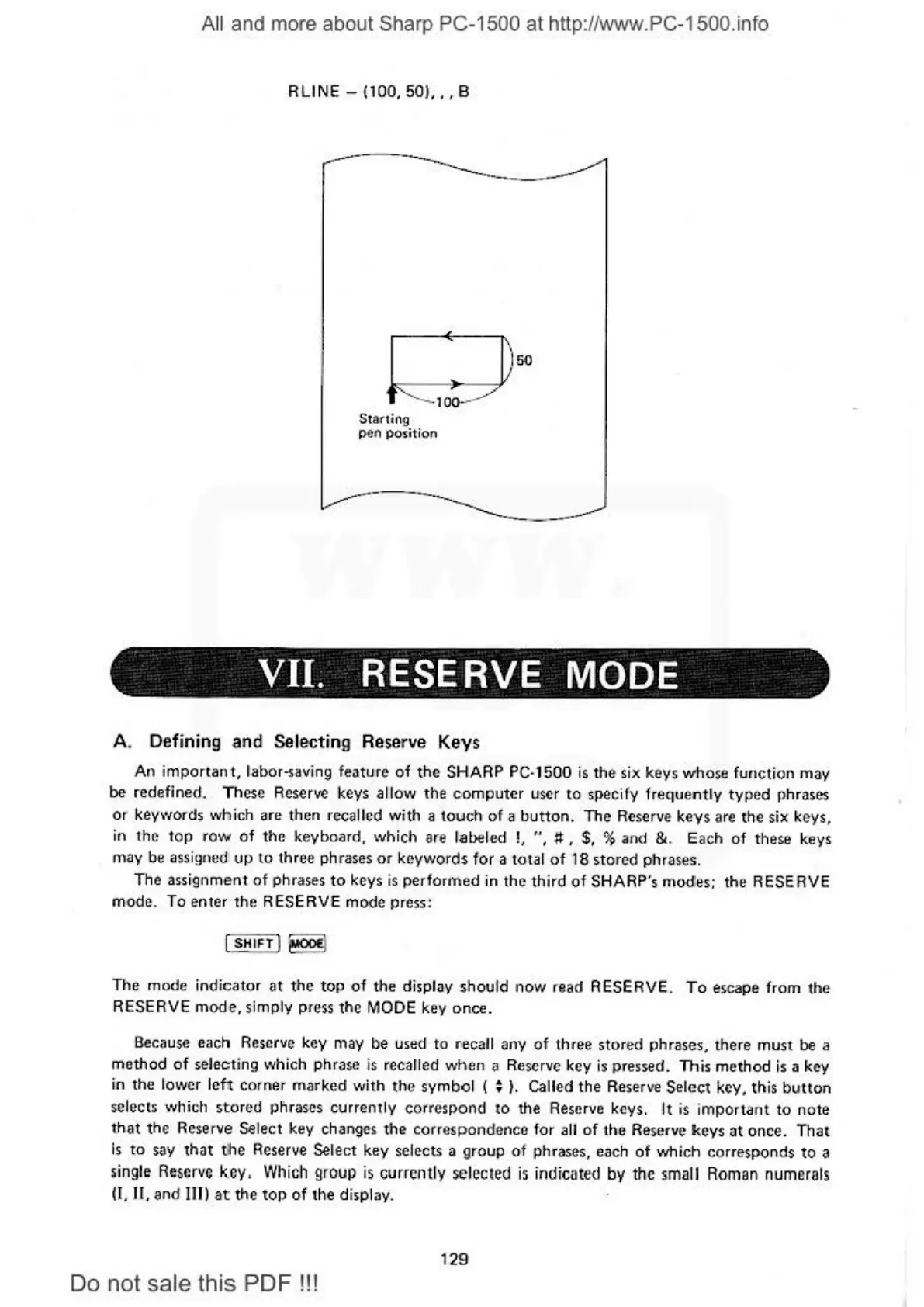
RUNE
- (100, 501,, , B
Star-ting
pen position
Vll.
RESERVE
MODE
A. Defining and Selecting Reserve Keys
An i
mportant,
labor-saving feature
of
the
SHARP PC-1500
is
the six keys whose function may
be
redefined. These
Reser~
keys allow the
co
mputer user to srecify frequently typed phrases
or keywords
wtnich
are then recalled with a touch
of
a
button.
The Reserve k
eys
are the six keys,
in
the
top
row
of
the keyboard, which are labeled !, " ,
#,
$, % and
&.
Each of these keys
may
be
assig
ne
d
up
to
three phrases
or
keywords for a total
of
18 stored phrases.
The
assignmer\I
of
phrases
to
keys
is
performed in
the
third
of
SHARP's
mod'.es;
the RESERVE
mode. To enter
the
RESERVE mode press:
(SH
IFT
!
~
The mode indi
cator
at
the
top
of
the
display should now read RESERVE.
To
escape from the
RESERVE mode.simply pre
ss
the
MODE
key once.
Because each Reserve key may be used
to
riecall
any
of
three stored phrases, there must be a
method
of
selecting which phrase
is
recalled when a Reserve key
is
pressed. This method
is
a key
in the low
er
leh
corner mar
ke
d with
the
symbol ( ;
}.
Galled
the
Reserve Select key, this
button
se
lects
..
vh
ic
h stored phrases currently correspond to the
Re
se
rve
keys.
It
is important
to
note
that
the Reserve Select key changes
the
correspondence for
all
of
t
he
Reserve keys
at
once. T
hat
is
to say
that
the
Reserve Select key selects a group of phrases, each
of
which corresponds to a
single
Reserve
key, Which group
is
currently select
ed
is
indicated
by
the small Roman nume
rals
(!,II,
and Ill)
at
the
top
of
the display.
129
Do
not sale this PDF
!!!



 To Next Page