14
E
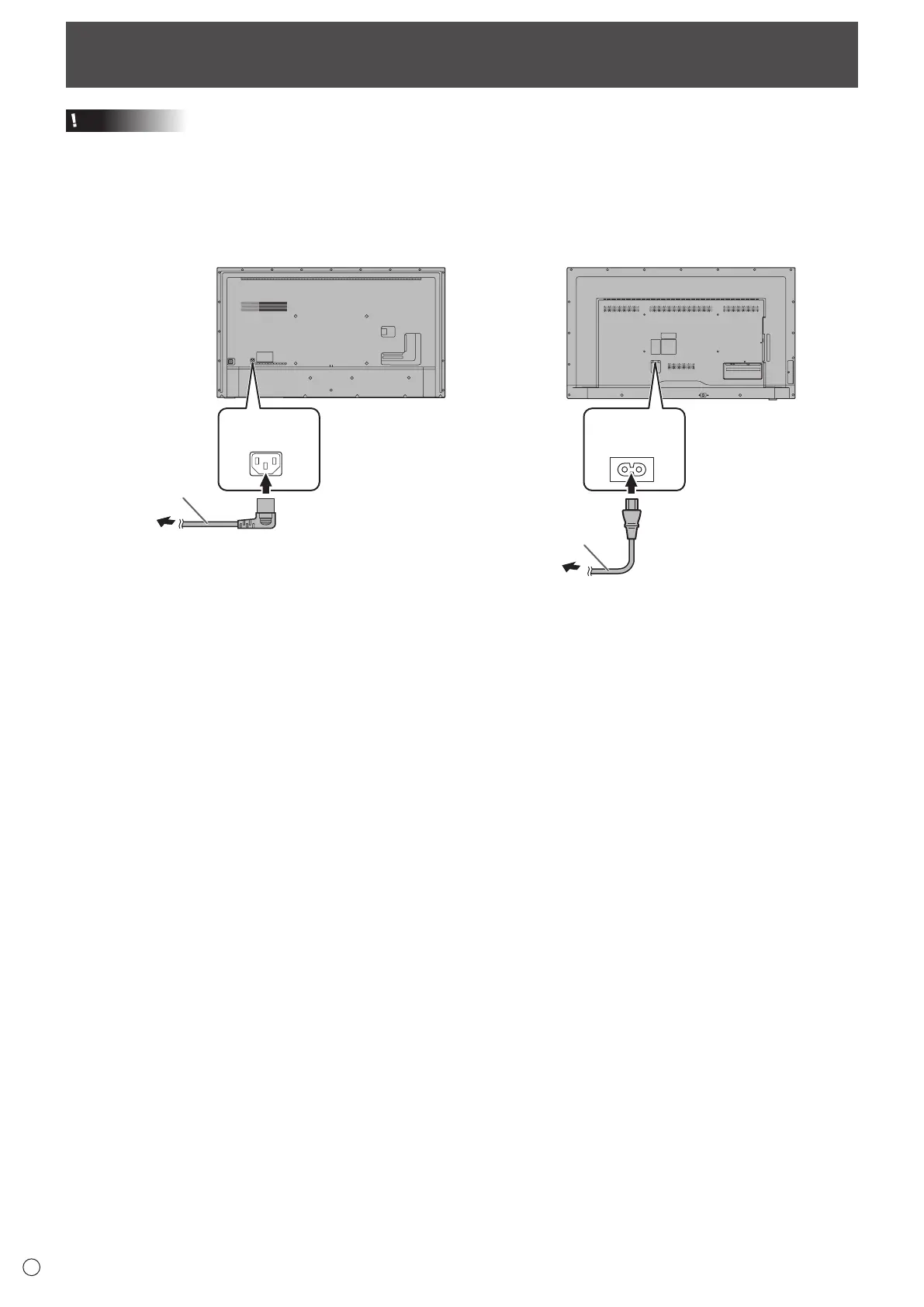
Connecting the Power Cord
Caution
• Use only the power cord supplied with the monitor.
• When all connections are complete, connect the power cord.
1. Plug the power cord (supplied) into the AC input terminal.
2. Plug the power cord (supplied) into the power outlet.
AC input
terminal
Power cord
(Supplied)
AC input
terminal
Power cord
(Supplied)
[PN-UH861] [PN-UH551/PN-UH501/PN-UH431]



 To Next Page