[FREE KEY LAYOUT] – [2 COPY]
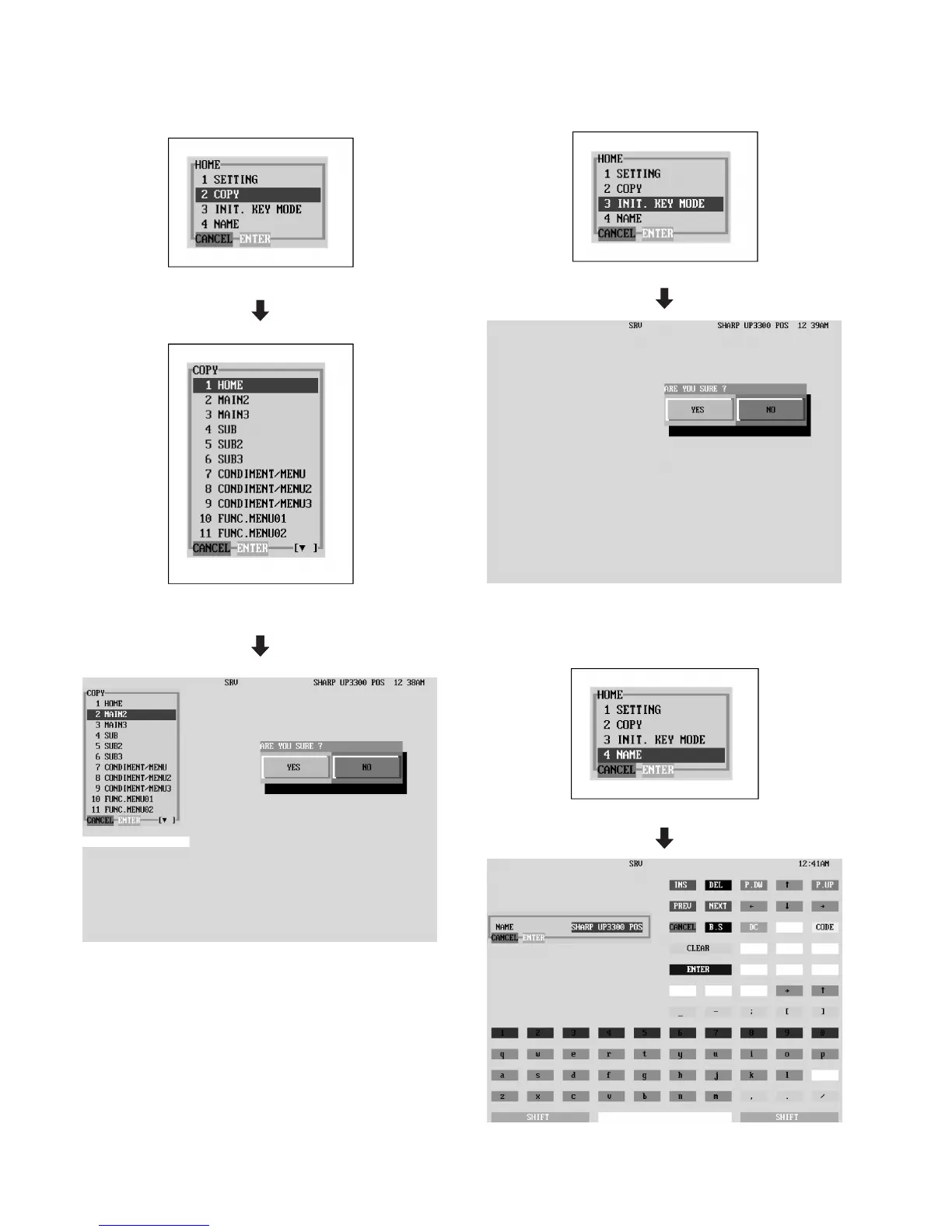
DISPLAY: Setting item select screen
Select "2 COPY" and press the ENTER key.
Select the target KEY LAYOUT and press the ENTER
key.
The target KEY LAYOUT is copied.
[FREE KEY LAYOUT] – [3 INIT. KEY MODE]
DISPLAY: Setting item select screen
Select "3 INIT. KEY MODE" and press the ENTER key.
KEY LAYOUT is initialized.
[FREE KEY LAYOUT] – [4 NAME]
DISPLAY: Setting item select screen
Select "4 NAME" and press the ENTER key.
Input the KEY NAME on the TEXT input display.
– 23 –



 To Next Page